

Table of Contents
Introduction
Managing the finances of a homeowner’s association (HOA) is no small task. With multiple homeowners contributing to the community’s operations, maintaining accurate financial records becomes essential. HOA bookkeeping software has emerged as a game-changer, simplifying the financial management of associations by automating processes, reducing errors, and streamlining tasks.
What Is HOA Bookkeeping Software?
HOA bookkeeping software is a specialized financial management tool designed to address the unique needs of homeowner’s associations. Unlike general Best accounting software for HOAs, it includes features tailored to HOAs, such as tracking homeowner dues, managing reserves, creating customized financial reports, and ensuring compliance with HOA regulations.
This software simplifies the financial operations of an HOA, automating tasks like:
- Recording dues and assessments
- Tracking expenses and payments
- Generating financial reports
- Budgeting for future needs
Why Do You Need HOA Bookkeeping Software?

Investing in HOA bookkeeping software isn’t just about convenience; it’s about ensuring financial accuracy, efficiency, and compliance. Here are the top reasons your HOA needs this software
1. Improved Financial Accuracy
Manual bookkeeping is prone to errors, which can lead to financial discrepancies and even legal issues. HOA bookkeeping reduces the risk of mistakes by automating calculations and tracking every transaction with precision.
2. Time-Saving Automation
Managing dues, generating reports, and reconciling accounts manually can be time-consuming. With the Best HOA accounting software, these tasks are automated, freeing up time for board members to focus on other responsibilities.
3. Transparency and Accountability
HOA members expect transparency in how their dues are managed. Bookkeeping software allows board members to generate detailed financial reports, ensuring that all stakeholders have access to clear, accurate financial information.
4. Compliance with Regulations
HOAs must adhere to local, state, and federal financial regulations. Bookkeeping software helps ensure compliance by providing templates for tax filings, generating audit-ready reports, and maintaining accurate financial records.
5. Scalability
As your HOA grows, managing finances becomes more complex. Bookkeeping software can scale with your association, handling increased transactions, more detailed budgets, and additional reporting needs.
Top Features to Look for in HOA Bookkeeping Software
Choosing the right HOA bookkeeping software requires careful consideration of its features. Here are the key functionalities to prioritize:
1. Automated Accounting and Bookkeeping
The foundation of any great HOA bookkeeping software is automation. Automated accounting features eliminate manual data entry, reducing errors and saving time. Look for software that automatically records transactions, reconciles bank statements, and updates financial reports. Automation helps ensure accuracy while freeing your HOA manager or treasurer to focus on more strategic community matters.
2. Real-Time Financial Reporting
Transparency is critical in HOA management Accounting. A software solution with real-time financial reporting allows board members to access up-to-date financial data anytime. Features like income statements, balance sheets, and cash flow reports ensure clear visibility into community finances, helping leaders make informed decisions quickly and confidently.
3. Budgeting and Forecasting Tools
Effective HOAs need reliable budgeting tools to plan for maintenance, amenities, and future improvements. The software should enable you to create, adjust, and track budgets easily. Built-in forecasting features can analyze spending patterns and predict future costs—helping associations maintain financial stability and avoid unexpected deficits.
4. Online Payment and Dues Collection
Manual payment collection can be time-consuming and prone to errors. Choose software that offers secure online payment processing, allowing residents to pay dues, assessments, or fees directly through portals or mobile apps. Automated reminders and payment tracking ensure timely collections, improving cash flow and reducing administrative workload.
5. Bank Reconciliation
An effective bank reconciliation feature ensures that your HOA’s recorded transactions match actual banking bpo account activity. This function simplifies monthly audits, reduces discrepancies, and improves accuracy in financial reporting. Look for software that integrates seamlessly with your bank to automatically import transactions for easy comparison.
6. Expense Tracking and Categorization
Keeping track of expenses is vital for managing community funds responsibly. The software should provide detailed expense tracking with categorization options for maintenance, utilities, landscaping, and repairs. Visual dashboards and reports make it easy to analyze spending patterns and identify opportunities for cost savings.
7. Resident and Vendor Management
Beyond finances, HOA bookkeeping software should help manage relationships. Look for a resident management module that stores contact information, payment history, and communication records. Similarly, a vendor management feature simplifies tracking invoices, payments, and contracts—ensuring smooth operations and accountability with service providers.
8. Cloud-Based Accessibility and Data Security
Modern Best HOA software should be cloud-based, allowing board members and accountants to access information from anywhere. Cloud solutions ensure data is automatically backed up and protected with encryption, reducing the risk of data loss or unauthorized access. This accessibility is especially useful for HOAs with remote board members or property managers.
9. Integration with Other Tools
Seamless integration with tools like QuickBooks, payroll systems, or property management software enhances efficiency. Integrated platforms eliminate the need to switch between multiple applications, streamline data sharing, and reduce duplication of effort. Ensure the software you choose supports API connections for smooth compatibility with your existing systems.
10. Customizable Reporting and Dashboards
Every HOA has unique financial needs. Choose software that offers customizable dashboards and reports so you can tailor financial overviews to your community’s goals. Personalized reporting features allow board members to focus on specific metrics, such as delinquency rates, maintenance expenses, or reserve fund status—making financial management more targeted and effective.
Best HOA Bookkeeping Software Solutions in 2026

Homeowners Associations (HOA) face unique financial challenges that require specialized solutions for managing finances, collecting dues, and tracking expenses. With the growth of digital tools, HOA bookkeeping software has become essential for streamlining financial operations, enhancing transparency, and ensuring compliance. In 2026, selecting the right HOA bookkeeping can make a significant difference in simplifying your financial processes. Here are the top HOA bookkeeping solutions to consider in 2026.
1. Smartwebs
Overview
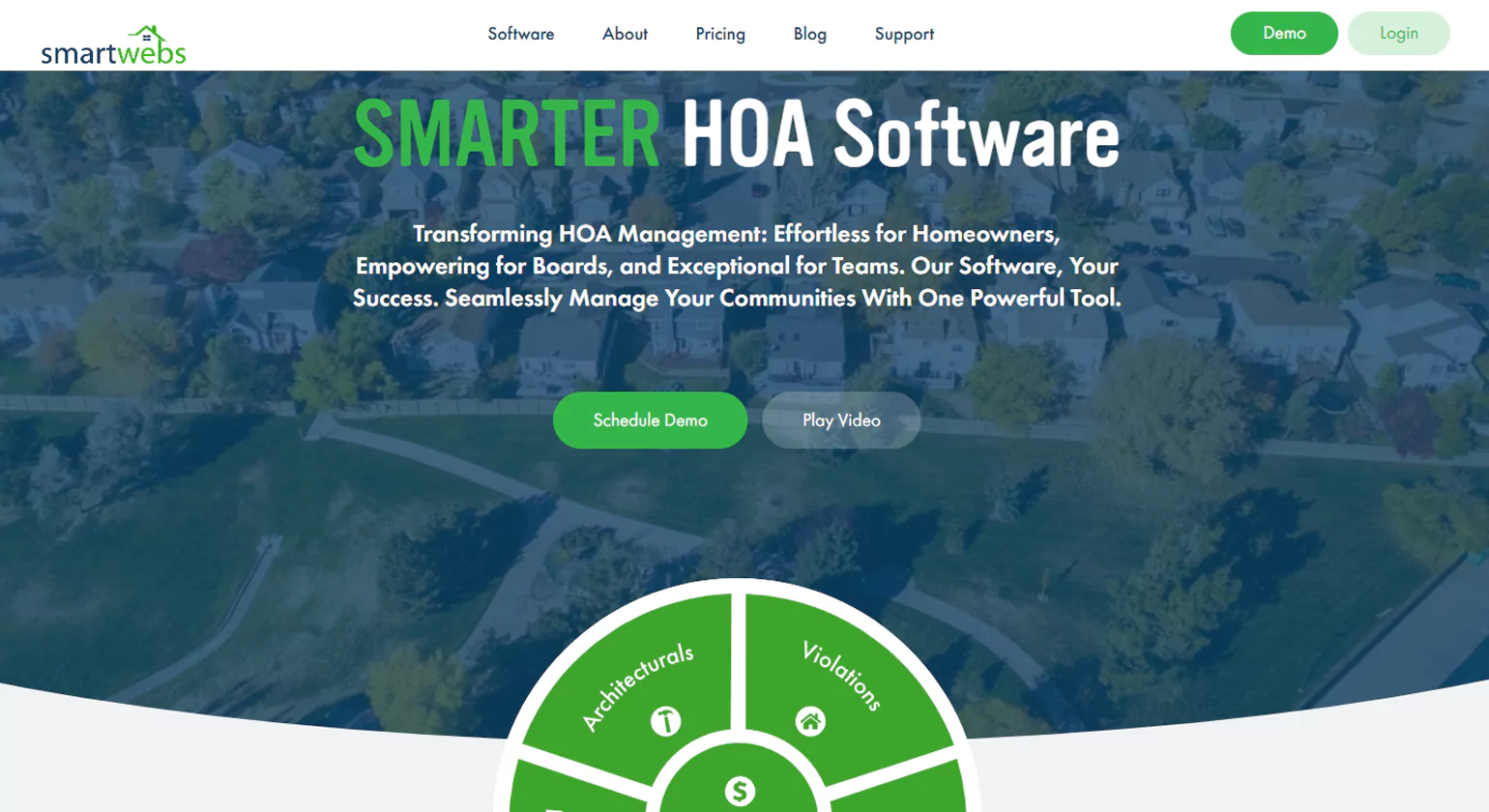
Smartwebs provides comprehensive HOA management solutions, including robust accounting features designed to help associations manage their finances with ease. The platform offers detailed financial reporting, customizable billing, and automated collections. With Smartwebs, you can handle invoicing, track dues, and generate reports quickly, saving time and reducing human error. Their cloud-based system ensures that financial data is easily accessible, improving transparency for homeowners and board members alike. Smartwebs also integrates with other HOA management Accouting tools, allowing for a more cohesive and efficient management experience.
Key Features
- Automated invoicing and payment reminders
- Customizable reporting options
- Cloud-based access for improved data security
- Integration with other HOA tools for seamless management
- User-friendly dashboard for easy financial oversight.
Why Choose Us
Choose Smartwebs for streamlined HOA management Accounting with automated accounting, resident portals, and cloud access. It simplifies payments, budgeting, and maintenance tracking while offering user-friendly dashboards—making it ideal for associations seeking efficiency, transparency, and complete community management in one easy platform.
2. Appfolio
Overview
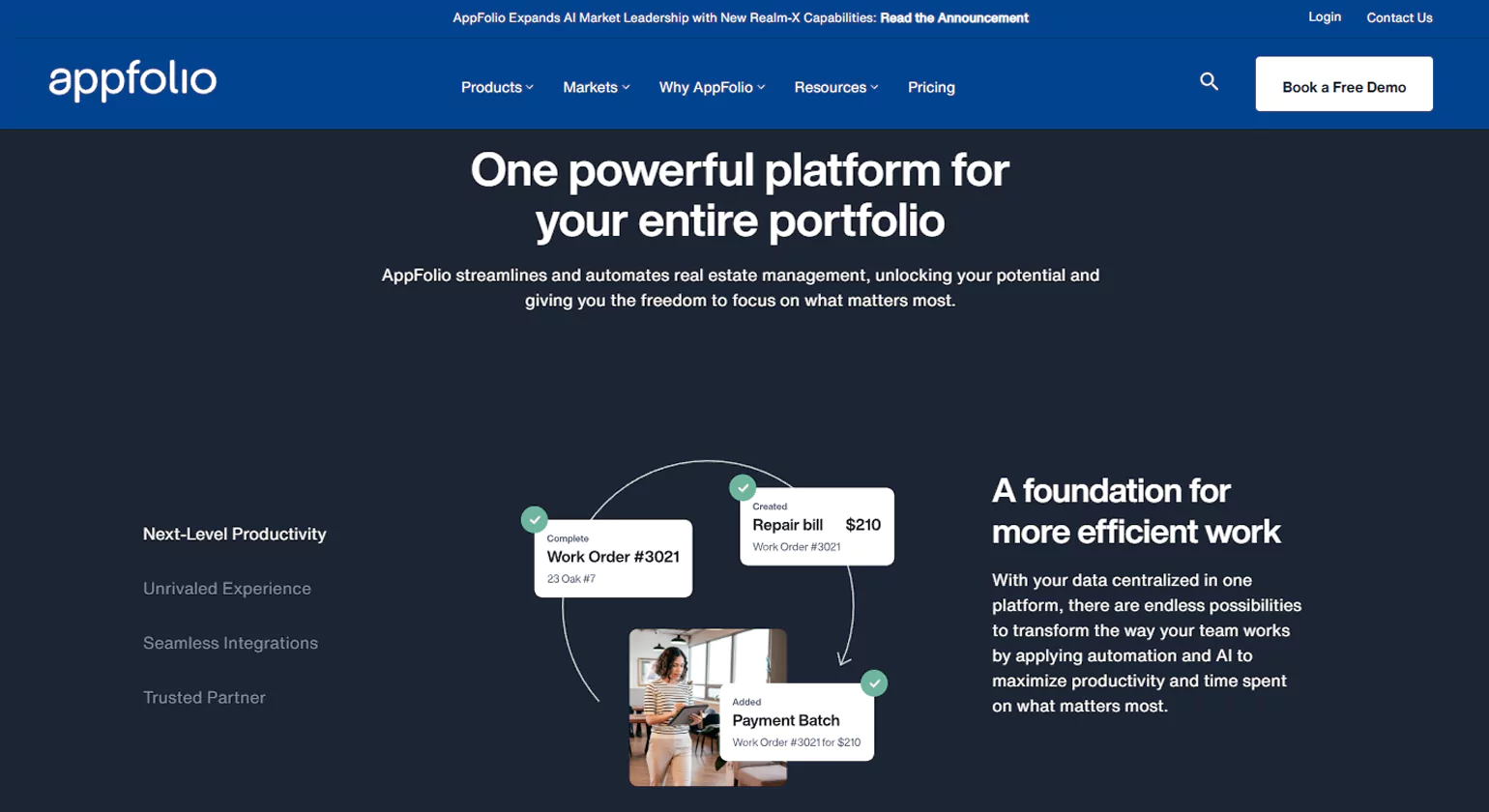
Appfolio is one of the most widely recognized property management and HOA bookkeeping software solutions, offering a suite of tools that includes powerful accounting features. With Appfolio, you can automate recurring billing, manage payments, and generate financial statements at the click of a button. The software also offers owner portals, where residents can view their balances, make payments, and communicate with management. Appfolio’s accounting system is designed to meet the complex needs of HOAs, making it a great option for those who require advanced features such as budgeting, financial reporting, and tax preparation.
Key Features
- Automated payment and invoicing processes
- Budgeting and financial forecasting tools
- Owner and resident portals for transparency
- Comprehensive reporting and tax preparation support
- Seamless integration with other property management functions.
Why Choose Us
AppFolio offers powerful, all-in-one HOA accounting and property management tools. From automated billing to real-time reporting, it enhances productivity and accuracy. Its intuitive interface and mobile accessibility make managing finances, maintenance, and communications seamless for HOA boards and property managers.
3. Buildium
Overview
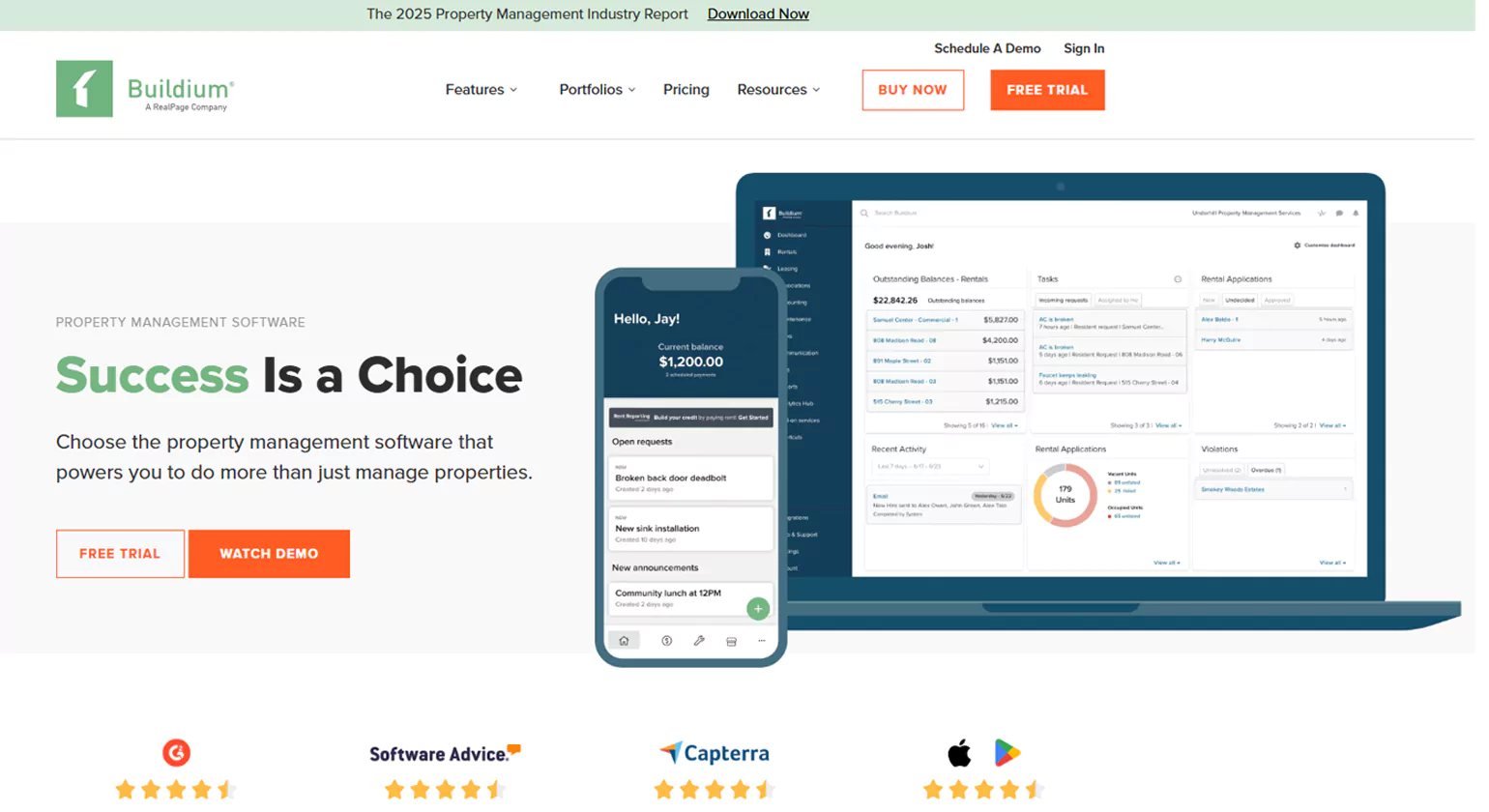
Buildium is a popular software solution for property managers, including those managing HOAs. With Buildium, you can handle accounting tasks like invoicing, online payments, and financial reporting with ease. The platform’s cloud-based interface allows homeowners to track their balances, submit payments, and request maintenance, all while giving HOA managers a complete picture of the association’s financial health. Buildium’s accounting business features are designed to streamline the bookkeeping process, with tools for budgeting, reports, and even tax filings.
Key Features
- Cloud-based system for easy access
- Customizable billing and invoicing
- Automatic payment reminders and late fee management
- Detailed financial reporting and tax tracking
- User-friendly owner portals for easy communication.
Why Choose Us
Choose Buildium for reliable HOA financial management. It automates dues collection, accounting, and reporting, ensuring transparency and compliance. With resident portals, document sharing, and budgeting tools, Buildium simplifies community operations and improves efficiency for property managers and association boards.
4. CINC Systems
Overview
CINC Systems offers an HOA-specific solution that provides advanced accounting features alongside management tools to oversee an entire community’s operations. As a leading HOA bookkeeping software, CINC’s accounting functions include automated billing, detailed financial reporting, and real-time data tracking, which helps maintain accuracy and transparency. The software also integrates with various other property management tools, allowing for a unified approach to HOA administration.
Key Features
- Automated billing and invoicing
- In-depth financial reporting tools
- Real-time data and transaction tracking
- Integration with other management systems
- Secure cloud-based data storage.
Why Choose Us
Choose Buildium for reliable HOA financial management. It automates dues collection, accounting, and reporting, ensuring transparency and compliance. With resident portals, document sharing, and budgeting tools, Buildium simplifies community operations and improves efficiency for property managers and association boards.
5. PayHOA
Overview
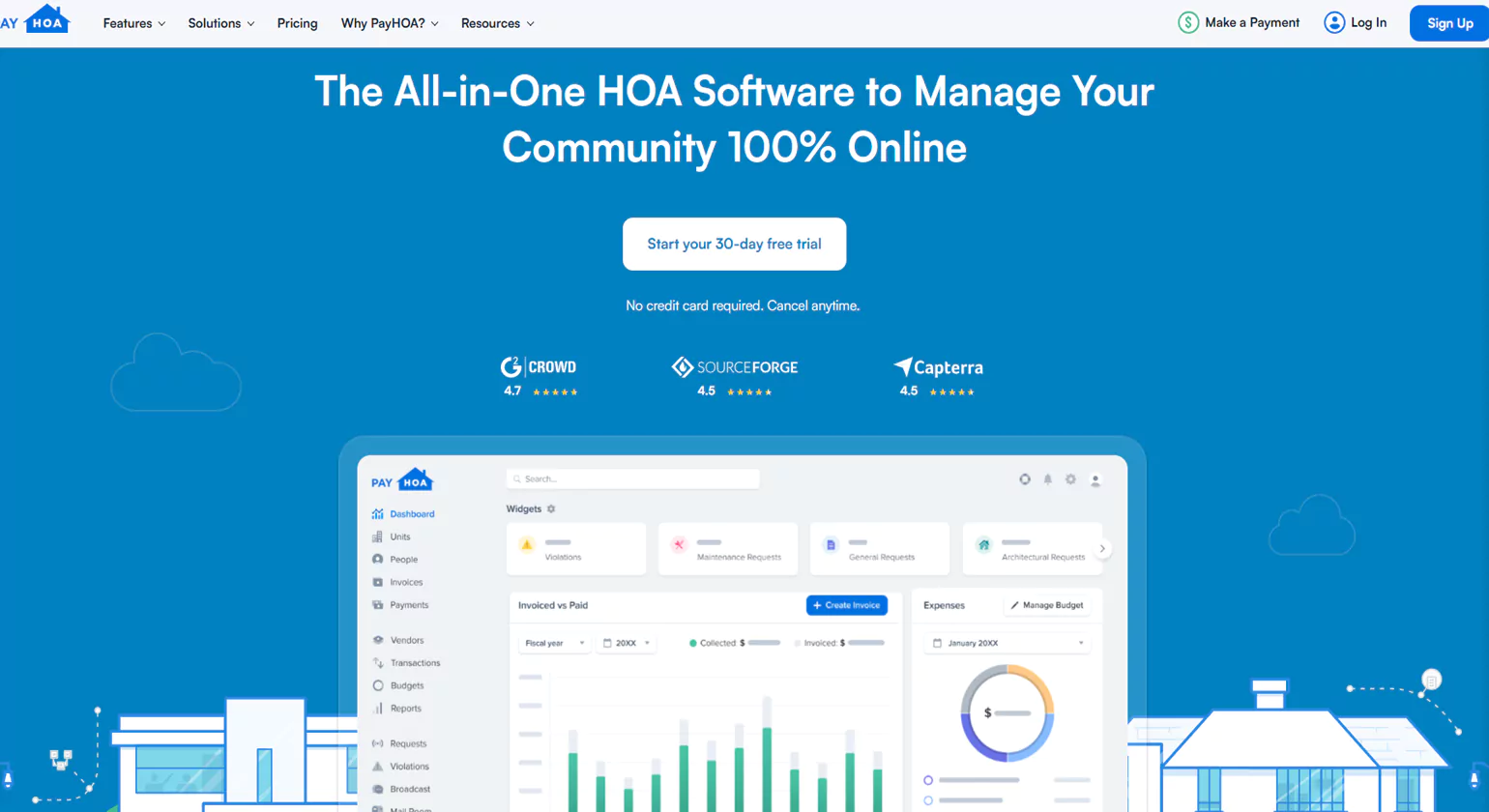
PayHOA is a powerful tool designed to help homeowners’ associations with automated billing, payment tracking, and budgeting. As a user-friendly HOA bookkeeping software, it offers easy-to-use accounting tools that allow for a seamless financial experience. PayHOA focuses on automating many of the manual processes associated with HOA accounting, such as invoicing, payment tracking, and late fee calculations. Residents can access their financial information through a secure portal, making it easier for them to pay dues and stay informed.
Key Features
- Automated invoicing and payment tracking
- Secure online resident portals
- Late fee management and payment reminders
- Detailed financial reports
- Budgeting and financial forecasting tools.
Why Choose Us
PayHOA is an intuitive, cloud-based solution built for self-managed HOAs. It simplifies accounting, online payments, and budgeting with real-time insights. Affordable and easy to use, it offers excellent automation for small to mid-sized communities focused on efficiency and financial accuracy.
6. MoneyMinder
Overview
MoneyMinder is a simple but effective HOA bookkeeping solution that prioritizes ease of use. It offers tools for budgeting, invoicing, and generating detailed financial reports. MoneyMinder is designed for those who want an affordable, intuitive solution without the complexity of larger platforms. The software is particularly well-suited for smaller HOAs and communities that need basic yet reliable financial tools.
Key Features
- Easy-to-use interface
- Budgeting and expense tracking tools
- Simple invoicing system
- Detailed reports on HOA finances
- Secure cloud-based access.
Why Choose Us
Choose MoneyMinder for straightforward HOA bookkeeping without complexity. It’s ideal for volunteer-run associations, offering simple budgeting, online banking, and reporting tools. With easy setup and cloud-based access, MoneyMinder keeps community finances transparent and organized.
7. QuickBooks for HOA

Overview
QuickBooks is a trusted name in Best accounting software for HOAs, and its specialized version for HOAs brings all the powerful features of QuickBooks to the unique needs of community associations. As a widely used HOA bookkeeping software, it allows you to manage invoicing, payments, and financial reporting with ease. The software integrates seamlessly with other QuickBooks products, allowing for smooth financial management across different areas of business.
Key Features
- Extensive reporting and invoicing options
- Integration with QuickBooks payroll and other products
- Easy tracking of HOA financial transactions
- Budget management tools
- Secure cloud-based data storage.
Why Choose Us
QuickBooks for HOA offers trusted, customizable accounting features tailored to homeowner associations. It enables efficient dues tracking, expense management, and financial reporting. Familiar functionality, integrations, and scalability make QuickBooks a reliable choice for HOAs seeking professional-grade bookkeeping.
8. Condo Manager
Overview
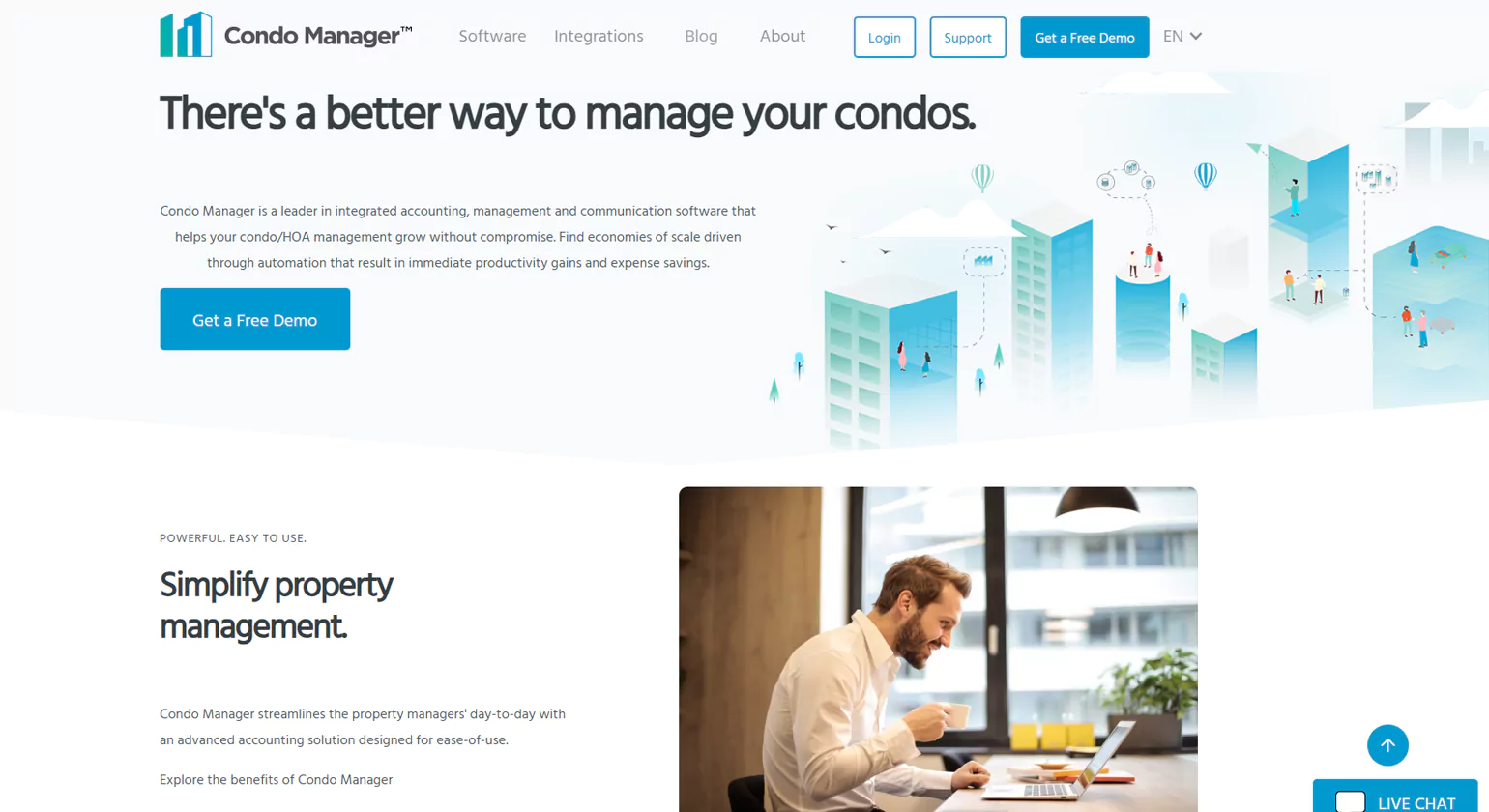
Condo Manager is a comprehensive property management tool that also offers robust accounting features for HOAs. The software simplifies invoicing, payment collection, and financial reporting, making it easier to manage day-to-day financial operations. Condo Manager is highly customizable, allowing you to tailor it to meet the specific needs of your community.
Key Features
- Automated invoicing and payment processing
- Customizable financial reports
- Detailed tracking of dues and payments
- Secure online portals for residents
- Budgeting tools and financial forecasting.
Why Choose Us
Condo Manager combines accounting, communication, and maintenance tools in one system. Designed for condominiums and HOAs, it automates invoicing, reporting, and owner management. With powerful customization and bilingual support, it’s ideal for managing multi-property communities efficiently and transparently.
9. Sage (e.g., Sage Intacct)
Overview
Sage provides a powerful financial management platform—particularly Sage Intacct—that supports associations and HOAs with real-time visibility, automation, and multi-entity consolidation. The cloud-based solution helps organizations manage finances, automate workflows, and scale operations.
Key Features
Real-time dashboards and financial visibility across entities
Automation of accounting tasks (close workflows, AP/AR)
Multi-entity, multi-currency consolidation
Open API and integrations with other systems
Cloud accessibility and secure financial controls
Why Choose Us
Choose Sage if your HOA or association requires enterprise-grade financial management with powerful automation, multi-entity support, and robust reporting. Ideal for larger communities that need more than basic bookkeeping—Sage delivers reliability, growth scalability, and deep financial insight.
10. Yardi (Voyager / Condo Suite)
Overview
Yardi offers industry-specific management and Best accounting software for HOA tailored to homeowner associations, condos, and co-ops—integrating accounting, owner services, maintenance, and community management in one platform.
Key Features
Fully integrated accounting and financial management for HOAs
Online payment portals and owner/board self-service modules
Customizable dashboards, menus and reports for association needs
Maintenance and operations tracking alongside finances
Scalable for large portfolios with multi-property support
Why Choose Us
Choose Yardi if your HOA manages many units or requires full-service community management—including maintenance, owner communication and accounting in one system. Yardi provides a unified platform reinforced by property-industry expertise and scalability for large associations.
How to Choose the Right HOA Bookkeeping Software for Your Association

Choosing the right HOA bookkeeping software is crucial for the smooth operation of your association’s financial management. With so many options available, it can be overwhelming to determine which one will meet your specific needs. The right software should streamline your accounting processes, ensure accuracy, and improve communication with homeowners. Here’s a guide to help you make an informed decision and choose the best HOA bookkeeping for your association.
1. Assess Your Association’s Needs
Before diving into the features of various HOA bookkeeping options, it’s essential to assess the specific needs of your association. Consider the size of your community, the complexity of your finances, and any unique requirements. Some questions to ask include:
- How many properties does your HOA manage?
- Do you need multiple user access for board members and residents?
- What financial reports do you need to generate regularly?
- Do you need automated features like invoicing, payment reminders, and late fee calculations?
HOA members expect transparency in how their dues are managed, and bookkeeping software enables board members to generate detailed financial reports, ensuring that all stakeholders have access to clear, accurate financial information, which helps their accountants manage dues and save them from penalties.
2. Key Features to Look For
When evaluating HOA bookkeeping, certain features are essential for efficient financial management. Here are the key features to look for:
- Automated Billing & Payment Processing: One of the most important features is the ability to automate invoicing and payment collection. This reduces manual work and ensures that payments are made on time.
- Financial Reporting & Budgeting Tools: A good HOA bookkeeping solution should offer detailed financial reports, such as balance sheets, income statements, and budget tracking. These reports help you monitor the financial health of your HOA and make informed decisions.
- Integration with Other HOA Tools: Many Best HOA software solutions integrate with other property management tools. This provides a more seamless experience by allowing data to flow between different aspects of your HOA’s operations, such as communication, maintenance, and accounting.
- Owner Portals: A secure portal where homeowners can view their account balances, make payments, and communicate with the HOA board is essential for transparency and ease of access.
- Scalability: Ensure that the software can grow with your association. You may need additional features or capabilities as your community expands or your needs change.
3. Ease of Use & User Interface
HOA bookkeeping should be easy to use for both board members and homeowners. Look for software with an intuitive interface and a user-friendly dashboard. This will help reduce the learning curve and make it easier for everyone to manage their accounts and financial transactions. If the software is complicated, it can lead to mistakes and frustration, which can negatively impact the HOA’s operations.
4. Customer Support & Training
Consider the level of customer support and training provided by the software vendor. Look for companies that offer 24/7 support, comprehensive help guides, and training resources to help your team get the most out of the software. Efficient customer support is crucial if you encounter issues or need assistance with specific features.
5. Pricing & Affordability
Pricing is an important factor in choosing the right Best HOA accounting software. Some platforms charge a flat monthly fee, while others charge based on the number of units or transactions. Make sure the software fits within your HOA’s budget and offers good value for the features it provides. Compare different options to find the one that offers the best combination of functionality and affordability.
Benefits of Cloud-Based HOA Bookkeeping Software

In recent years, cloud-based HOA bookkeeping has become increasingly popular due to its numerous benefits. Cloud-based solutions offer a range of advantages that can improve efficiency, data security, and accessibility. Here are the top benefits of using cloud-based HOA bookkeeping:
1. Accessibility from Anywhere
Cloud-based software allows HOA board members and homeowners to access their financial data from anywhere at any time, if they have an internet connection. This is particularly valuable for remote or volunteer-based boards who need to manage finances without being tied to a specific location. With cloud-based software, you can access your HOA’s financial records from a desktop, laptop, or mobile device, making it easy to stay on top of financial tasks and communicate with homeowners.
2. Enhanced Data Security
One of the main concerns with storing financial data is security. Cloud-based HOA bookkeeping software typically offers higher levels of security than traditional on-premises software. Leading cloud providers implement robust encryption, multi-factor authentication, and regular backups to ensure your data is safe from cyber threats. Additionally, cloud-based systems are less prone to data loss due to hardware failure, making them a more reliable option for safeguarding sensitive financial information.
3. Automatic Updates & Maintenance
With cloud-based software, you don’t have to worry about manual updates or software maintenance. The vendor handles all updates and ensures that the software is always running the latest version. This means that your HOA will benefit from the newest features, security enhancements, and bug fixes without any additional effort on your part. Automatic updates help keep the system running smoothly and reduce the risk of technical issues.
4. Collaboration and Communication
Cloud-based HOA bookkeeping often includes features that improve collaboration and communication between board members and homeowners. With real-time updates and secure portals, everyone involved can stay informed about financial matters. Homeowners can view their account balances and make payments at their convenience, while board members can access financial reports and track the association’s financial health. This transparency helps foster trust and reduces confusion.
5. Cost-Effectiveness
Cloud-based software usually operates on a subscription-based model, which makes it more affordable than traditional software that requires a large upfront investment in hardware and licenses. Additionally, cloud solutions typically have lower ongoing maintenance costs, as the vendor is responsible for system updates, troubleshooting, and infrastructure. This can result in significant cost savings for your HOA.
How Best HOA accounting Software Saves Time and Reduces Costs

Implementing HOA bookkeeping can significantly save time and reduce costs for your association. Here’s how:
1. Automating Routine Tasks
HOA bookkeeping software automates many time-consuming accounting tasks, such as invoicing, payment tracking, and late fee calculations. Automation reduces the need for manual data entry and minimizes human errors. Board members no longer have to manually send out invoices or track down late payments, allowing them to focus on other important aspects of community management.
2. Streamlined Financial Reporting
Generating financial reports can be a tedious process, especially if done manually. HOA bookkeeping can automatically generate detailed financial reports at the click of a button. This saves hours of work and ensures that reports are accurate and up to date. With these reports, board members can make informed decisions about budgeting, taxes, and expenditures.
3. Eliminating Paperwork
HOA bookkeeping reduces the need for paper records and manual filing. With digital storage, all financial data is stored securely in the cloud, making it easier to access and retrieve information. This not only saves physical space but also reduces the costs associated with printing, storing, and managing paper documents.
4. Improved Cash Flow Management
By automating payment processing and sending reminders for overdue payments, HOA bookkeeping can improve cash flow management. Timely payments help prevent cash shortages and ensure that the HOA has enough funds to cover its expenses. Additionally, the software’s budgeting and forecasting tools provide insights into future financial needs, allowing for better planning and resource allocation.
5. Reduced Risk of Errors and Fraud
Automation and accurate reporting reduce the risk of human error and fraud. HOA bookkeeping ensures that financial transactions are correctly recorded, and discrepancies are quickly identified. This minimizes the likelihood of financial mistakes that can lead to costly penalties or legal issues.
Common Mistakes to Avoid When Using HOA Bookkeeping Software

Homeowners Associations (HOAs) rely heavily on VA bookkeeping software to manage their finances efficiently. However, there are several common mistakes that associations make when using HOA bookkeeping. These errors can lead to financial mismanagement, operational inefficiencies, and even legal complications. By understanding these mistakes and avoiding them, you can ensure your HOA’s financial operations run smoothly and effectively.
1. Not Customizing the Software to Fit Your HOA’s Needs
One of the most common mistakes is failing to customize the software to match the specific needs of your association. Many HOA bookkeeping software solutions offer robust features, but if they are not properly set up to reflect your HOA’s unique structure, they may not be as effective. For example, if your HOA has different types of units with varying fee structures, you need to ensure that the software can accommodate these differences by customizing billing rates and payment schedules.
Solution: Take the time to configure the software to reflect your HOA’s billing cycles, payment terms, and other unique accounting requirements. Most platforms offer customization options, so ensure that your software is tailored to your needs.
2. Failing to Set Up User Access Properly
Many HOA bookkeeping solutions allow different levels of user access, which can be helpful for delegating tasks to various board members or staff. However, failing to set up user access properly can lead to security vulnerabilities or confusion about responsibilities. For instance, if board members have access to sensitive financial data but lack the training to use the software properly, it may result in errors or unauthorized access.
Solution: Set up user roles and permissions carefully. Make sure that each user has the appropriate level of access based on their role in the HOA. For example, give financial reports access only to board members who need them, while ensuring that residents can only view their individual account information.
3. Not Regularly Updating and Backing Up Data
Neglecting to update and back up your HOA bookkeeping can lead to significant issues. Software vendors typically release updates to improve security, fix bugs, and add new features. Failing to apply these updates can leave your software vulnerable to cyber-attacks or cause compatibility issues. Additionally, not regularly backing up financial data can result in the loss of crucial information in the event of technical failure.
Solution: Set a schedule for regular software updates and ensure that your system automatically backs up data. Cloud-based HOA bookkeeping typically handles this automatically, but it’s important to confirm that backups are being performed regularly.
4. Ignoring Training for Board Members and Staff
Many HOA board members and staff are volunteers or residents with limited experience in accounting or using bookkeeping software. Without proper training, they may struggle to use the software effectively, leading to errors in financial records or wasted time. This can result in costly mistakes or delays in completing important tasks such as invoicing, budgeting, or generating reports.
Solution: Invest in training for board members and staff. Many software providers offer training resources, including video tutorials, webinars, or customer support. Make sure your team is well-versed in how to use the software, understand its features, and troubleshoot common problems.
5. Relying on Manual Data Entry
While HOA bookkeeping is designed to automate many tasks, some associations still rely on manual data entry, which can lead to errors, inefficiencies, and wasted time. For example, entering payment data manually or updating financial records without reconciling them with actual bank transactions can create discrepancies in the financial reports.
Solution: Take full advantage of automation features. Set up the software to automatically import bank transactions, track payments, and generate reports. This will reduce the need for manual data entry and help ensure that your financial records are always accurate and up to date.
6. Failing to Reconcile Accounts Regularly
Regular reconciliation of bank accounts and financial reports is a critical practice that should not be neglected. Failing to reconcile accounts can lead to discrepancies between the recorded transactions in the software and actual financial statements. This can result in delayed payments, incorrect billing, and errors in financial reports.
Solution: Set a schedule for regular account reconciliations to ensure that your financial records match your bank statements. This will help you catch errors early and maintain accurate financial reporting.
How to Set Up HOA Bookkeeping Software for Your Association

Setting up HOA bookkeeping for your association is a crucial task that requires careful planning and attention to detail. Here’s a step-by-step guide to help you set up the software effectively and make the most of its features.
1. Determine Your HOA’s Financial Needs
Before you begin setting up the software, take the time to evaluate your association’s financial needs. Consider factors such as:
- The number of properties: Larger communities may require more complex accounting features, while smaller communities may only need basic tools.
- Fee structures: Your HOA may have different types of fees (e.g., monthly dues, special assessments) that need to be tracked separately.
- Reporting requirements: Understand the types of reports your board and homeowners need to see regularly.
Having a clear understanding of your HOA’s financial needs will help you choose the right software and configure it properly.
2. Choose the Right Software
Select the HOA bookkeeping software that best matches your HOA’s size, budget, and feature requirements. Some popular options include Smartwebs, Appfolio, Buildium, and QuickBooks for HOA, each offering different features suited to specific needs.
3. Configure Financial Settings and Chart of Accounts
Once you’ve chosen the software, the next step is to set up your financial settings and chart of accounts. This includes defining categories for income and expenses, setting up accounts for dues, assessments, and reserves, and determining how you will track different types of financial transactions. Properly setting up your chart of accounts ensures that your financial reports are accurate and meaningful.
4. Input Property and Resident Information
For most HOA bookkeeping, you will need to input property and resident details into the system. This includes the names of homeowners, their contact information, and the specific units they own or rent. You will also need to input billing information, including payment schedules, amounts due, and any special assessments.
5. Set Up Billing and Payment Systems
Set up automated billing and payment systems to reduce manual work. This may involve creating payment schedules, defining due dates, and setting up automated reminders for overdue payments. Ensure that payment options are convenient for residents, such as online payments or credit/debit card options.
6. Test the System
Before officially using the software, do a test run to ensure everything is set up correctly. Run through billing cycles, generate financial reports, and review the accuracy of data entered the system. This will help you identify any issues before they become major problems.
7. Train Your Team
Make sure that all board members and staff are trained on how to use the software. Provide them with tutorials, documentation, and access to customer support if necessary. Training is crucial to ensure that everyone can use the software efficiently and avoid mistakes.
Conclusion
Using HOA bookkeeping software is an essential tool for managing the financial operations of your association. However, it’s important to avoid common mistakes such as failing to customize the software, not setting up user access properly, or neglecting regular updates. By following best practices for setting up your software and ensuring proper training, your HOA can streamline its financial processes, improve accuracy, and enhance communication with residents. A little upfront effort in selecting, configuring, and training your team will pay off in the long run, helping your association run more efficiently and transparently. Many property managers also rely on a real estate virtual assistant to support administrative tasks and improve overall operational efficiency.
FAQs
1. What is HOA Bookkeeping Software?
HOA bookkeeping is a specialized tool designed to help Homeowners Associations (HOAs) manage their financial records, transactions, and accounting tasks efficiently. It streamlines processes such as tracking dues, managing budgets, and generating financial reports, ensuring transparency and accuracy in financial management.
2. Why Do You Need HOA accounting Software?
Implementing HOA bookkeeping is essential for ensuring financial transparency, improving cash flow management, and facilitating informed decision-making. It helps reduce the workload on board members by automating routine tasks and maintaining accurate financial records, which is critical for compliance with regulations and effective community management.
3. How Does HOA accounting Software Save Time and Reduce Costs?
By automating repetitive tasks such as invoicing, payment tracking, and reporting, HOA bookkeeping significantly reduces manual labor. This efficiency saves time for board members and minimizes errors that can lead to costly financial discrepancies. Additionally, it streamlines processes that would otherwise require extensive time and resources.
4. How Do You Set Up HOA accounting Software for Your Association?
Setting up HOA accounting software typically involves:
- Selecting the appropriate software based on your needs.
- Importing existing financial data into the new system.
- Configuring user accounts and permissions for board members.
- Training staff on how to use the software effectively.
- Establishing regular backup procedures to protect data.
5. How Do You Choose the Right HOA accounting Software for Your Association?
Choosing the right software involves assessing your HOA’s specific needs, budget, and size. Consider factors such as ease of use, available features, customer support quality, and integration capabilities with existing systems. It’s also beneficial to read user reviews and request demos before making a decision.
6. How does HOA accounting software differ from general accounting software?
HOA accounting software is tailored to manage property-specific financials, including dues, assessments, and maintenance fees, while general accounting software handles broader business financials. HOA software often includes features for managing reserves, owners, and compliance with regulations.
7.What features should I look for in HOA accounting software?
Look for features like automated billing, payment tracking, financial reporting, budget management, and owner communication tools. Additionally, ensure it supports HOA-specific tasks such as managing reserves, assessments, compliance, and generating tax documents, along with HOA budget software for seamless operations.
8.How does HOA software handle online payments and invoicing
Best HOA software enables online payments by integrating payment gateways, allowing homeowners to pay dues, assessments, and fees electronically. It automates invoicing, sends reminders, and tracks payment statuses, ensuring accurate records and timely transactions for the association.
9. What is HOA bookkeeping software?
HOA bookkeeping software is a specialized tool designed to simplify financial management for homeowner associations. It automates tracking dues, payments, expenses, and budgets, ensuring transparency and accuracy. This software streamlines accounting tasks tailored to HOA needs, helping boards efficiently manage funds, generate reports, and maintain regulatory compliance, ultimately saving time and reducing errors.
10. Why do HOAs need bookkeeping software?
HOAs need bookkeeping software to ensure precise financial management, reduce manual errors, and improve transparency for homeowners. By automating invoicing, payment tracking, and reporting, it saves time and streamlines operations. This software also helps maintain compliance with laws, manage budgets effectively, and provide clear financial insights, making it easier for board members to make informed decisions.
11. What features should I look for in HOA bookkeeping software?
Key features include automated dues tracking, budget management, expense monitoring, and customizable financial reports. Look for online payment processing, resident portals, and bank account integration for seamless transactions. Security, user-friendly interfaces, and compliance tools are essential. These features empower HOAs to efficiently manage their finances while enhancing transparency and communication with homeowners.
12. Can HOA bookkeeping software manage online payments and resident portals?
Yes, most HOA bookkeeping software supports online payments, allowing residents to pay dues securely and conveniently. Resident portals provide homeowners access to account info, payment history, and documents. Automated late fees and reminders reduce delinquencies. This integration streamlines collections, improves communication, and enhances the overall homeowner experience, making financial management easier and more transparent.














