Table of Contents
Key Takeaways
IT Support and Maintenance Services help businesses keep computers, servers, networks, and software running smoothly.
They include troubleshooting, system monitoring, software updates, security patching, and hardware maintenance.
Regular maintenance prevents downtime, data loss, and costly technical issues.
24/7 support ensures quick problem resolution and improved productivity.
Proactive monitoring detects issues before they impact operations.
Cybersecurity protection, backups, and disaster recovery are core components.
Services can be remote, on-site, or fully managed (MSP model).
Ideal for small, mid-sized, and enterprise businesses seeking reliable IT performance.
Outsourcing IT support reduces operational costs and improves efficiency.
Introduction
In today’s technology-driven world, IT support and maintenance services are integral to the smooth operation and continuous evolution of organizational infrastructures. These services encompass a wide range of activities, from hardware and software maintenance to cybersecurity, performance optimization, and technical support. Organizations rely on IT support, IT maintenance services, and specialized it support & maintenance to ensure their systems remain functional, secure, and aligned with business objectives. Real-life examples, such as the maintenance of bio lab software, support for data capture apps, and remote IT services for telecommunications, illustrate the diverse applications and critical importance of these services.
What Are IT Support and Maintenance Services?
IT Support and Maintenance Services are a range of technical services aimed at ensuring that the IT infrastructure of an organization is running in a smooth, secure, and efficient manner. IT support services involve the monitoring, analysis, and resolution of day-to-day technical issues such as system errors, connectivity problems, software problems, and user support. Maintenance services, on the other hand, include proactive activities such as system updates, security patch management, data backup, performance optimization, and system health checks.
Organizations turn to IT support and maintenance services as a means of improving productivity, improving cybersecurity, minimizing risks, and ensuring business continuity. IT support and maintenance services, whether provided internally or by managed service providers, enable organizations to maintain a stable IT environment while keeping up with the latest technology and security trends in 2026 and beyond.
The goal is to enhance the longevity and efficiency of IT assets while minimizing downtime and maintaining optimal performance. This ongoing effort helps businesses avoid unexpected failures, ensuring that all technological resources support the organization’s operational needs effectively.
Types of IT Maintenance and Support Services
1. Application Support
Application support ensures that business applications run smoothly, securely, and efficiently. It includes bug fixes, performance optimization, updates, patch management, and user assistance. Support teams proactively monitor systems and maintain compatibility with evolving technologies and infrastructure changes.
2. Database Support
Database support focuses on maintaining data integrity, availability, and optimal performance. Services typically include continuous monitoring, backup and recovery management, query tuning, security controls, and issue resolution. Effective database administration prevents data loss, enhances system efficiency, and ensures compliance with data protection standards—supporting stable and reliable business operations.
3. Network Support
Network support focuses on maintaining reliable connectivity across an organization’s IT infrastructure. It includes monitoring routers, switches, firewalls, and bandwidth usage to ensure optimal performance. Specialists diagnose and resolve connectivity issues, configure network devices, and strengthen security controls. Effective network management reduces downtime, enhances system speed, and supports seamless communication and data transfer across the business.
4. Cloud Infrastructure Support
Cloud infrastructure support focuses on managing cloud environments to maintain scalability, performance, and security. Services include resource monitoring, cost optimization, migration assistance, backup management, and configuration updates. This support ensures high availability, improves operational efficiency, and enables secure management of workloads across public, private, or hybrid cloud environments.
5. Cybersecurity Maintenance
Cybersecurity maintenance safeguards IT systems against evolving digital threats. It includes routine security audits, vulnerability assessments, timely patching, endpoint protection, firewall management, and incident response planning. Ongoing monitoring and proactive defense strategies protect sensitive information, support regulatory compliance, and reduce the risk of costly breaches or operational disruptions.
Types of IT Maintenance Support
1. Corrective Maintenance
Corrective IT Support and Maintenance Services is done to remove errors, bugs, or system failures that have occurred. It involves identifying problems, repairing defective parts, and bringing the system back to normal. This type of maintenance ensures that there is little to no interruption in the business processes.
2. Adaptive Maintenance
Adaptive maintenance is done to ensure that the system is compatible with the changing environment. It involves changing software or infrastructure to support the new operating system, hardware, regulations, or business processes. This ensures that the IT system is working efficiently as technology and business requirements change.
3. Perfective Maintenance
Perfective maintenance is done to improve the performance and usability of the system. It involves optimizing code, improving user interfaces, implementing new features, and upgrading system functionalities based on user feedback. The aim is to make the system more efficient, user-friendly, and valuable to the business.
4. Preventive Maintenance
The purpose of preventive maintenance is to minimize the chances of system failures in the future. This involves updates, security patches, system monitoring, system audits, and checks on the infrastructure. This helps organizations to prevent system failures and also increase the life of the systems.
What Is an SLA? Service Level Agreements Simplified
IT maintenance and support services face several challenges that can impact their effectiveness and efficiency. Here are some of the key challenges:
1. Purpose of an SLA
The main purpose of an SLA is to create measurable expectations for both parties. This ensures that the service provider is able to meet the performance standards while also providing the clients with a clear set of criteria to judge the level of service.
2. Scope of Services
This is the section where the services that are covered in the agreement are clearly defined. This can include system monitoring, technical support, maintenance, uptime, security management, or help desk services.
3. Performance Metrics (KPIs)
SLAs contain quantifiable metrics like the following:
- Uptime percentage (for example, 99.9% availability)
- Response time
- Resolution time
- Throughput or processing speed
- Incident handling time
These Key Performance Indicators (KPIs) assist in monitoring service delivery objectively.
4. Roles and Responsibilities
An SLA defines the responsibilities of both the service provider and the customer. For instance:
- Provider: Responsible for infrastructure, uptime, and support.
- Client: Responsible for providing access, necessary information, and adhering to usage terms.
Well-articulated responsibilities eliminate delays in operations.
5. Service Availability & Support Hours
- Business hours or 24/7 support
- Maintenance window schedules
- Planned downtime schedules
It ensures that customers are aware of the support hours and downtime.
6. Issue Management & Escalation Process
SLAs describe the criteria for incident classification (critical, high, medium, or low) and the escalation process in case issues are not resolved within a specific time frame. This helps in faster resolution and with minimal disruption.
7. Penalties & Service Credits
In case the IT Support and Maintenance Services provider does not meet the criteria of the SLA, service credits, refunds, or penalties can be provided as compensation. This is a reminder of the importance of accountability and reliability.
8. Reporting & Monitoring
Reporting is done on a periodic basis, and this is where transparency comes into play. The service provider usually provides performance reports on uptime, response time, and incident resolution.
Difference Between IT Maintenance and IT Support (Comparison Table)

Although IT Maintenance and IT Support work together to keep systems operational, they differ significantly in purpose, timing, and business impact. it support & maintenance is primarily user-centric and reactive, addressing issues after they occur. IT Maintenance is system-centric and proactive, focusing on preventing failures, optimizing performance, and extending the lifespan of IT assets.
| Basis of Comparison | IT Support | IT Maintenance |
|---|---|---|
| Core Objective | Resolve immediate technical issues | Prevent issues and maintain system health |
| Nature of Service | Reactive and incident-driven | Proactive and preventive |
| Focus Area | End-user problems and service restoration | Infrastructure stability and optimization |
| Timing | On-demand or ticket-based | Scheduled, continuous monitoring |
| Key Activities | Troubleshooting, help desk, remote assistance | Patch updates, backups, hardware checks, system audits |
| Tools Used | Ticketing systems, remote desktop tools | Monitoring tools, automation software, security scanners |
| Impact on Business | Minimizes operational disruption | Reduces downtime and long-term risks |
| Cost Structure | Often per-incident or SLA-based | Subscription or contract-based |
| Skill Requirement | Technical support specialists | System administrators, network engineers |
| Outcome | Restored functionality | Improved performance and system longevity |
IT Support Levels Explained: What L1, L2, L3 & L4 Really Do
1. Level 1 – First-Line Support
L1 is the first point of contact for customers. It deals with common issues like password recovery, software installation assistance, email setup, and basic troubleshooting. L1 support is based on scripts and knowledge base articles to resolve common issues or escalate complex issues to higher levels if needed.
2. Level 2 – Technical Support
L2 involves more complex technical problems that cannot be solved by L1. These include system problems, network issues, Mobile App Maintenance Services, and configuration issues. L2 technical personnel have more in-depth technical expertise and may have access to backend systems to solve problems before escalating to L3 if necessary.
3. Level 3 – Expert Support
L3 includes experts, engineers, or developers who deal with complex and critical issues. They identify the root causes, remove software bugs, overcome infrastructure problems, and provide long-term solutions. L3 also works with the development or vendor teams to remove recurring and high-impact technical issues.
4. Level 4 – External/Vendor Support
L4 includes third-party vendors or product manufacturers who provide expertise that goes beyond the internal IT team. This level deals with severe system defects, hardware upgrades, product-level patches, and high-level technical escalations. L4 ensures that the enterprise systems are stable through direct vendor support.
Key Components of IT Maintenance and Support
1. Preventive Maintenance
Preventive maintenance includes system checks, software updates, hardware checks, and security patches. The aim is to detect and repair potential problems before they result in system downtime. Preventive maintenance helps monitor systems, which in turn optimizes system performance, improves security, and maximizes the life span of IT systems.
2. Corrective Maintenance
Corrective maintenance aims to analyze and repair technical problems that have already happened. This includes repairing hardware problems, correcting software glitches, and rebuilding system functionality. Quick response to technical problems reduces system downtime, which in turn safeguards business continuity and allows employees to go back to work without major productivity losses.
3. Help Desk & User Support
Help desk support helps users with everyday technical issues like login problems, connectivity problems, or application failures. Support personnel are available to help users either remotely or physically, ensuring that issues are resolved quickly. Good user support helps boost employee satisfaction and ensures that business operations continue to run smoothly.
4. Network Management
Network management helps ensure that connectivity is reliable, secure, and performing well. Network management involves monitoring routers, switches, firewalls, and bandwidth. Network management helps prevent network failures, improves cybersecurity, and ensures good communication between business systems and remote sites.
5. Security Management
Security management defends computer systems against cyber threats, viruses, and unauthorized use. It encompasses firewall management, virus control, vulnerability scanning, and periodic security audits. Effective security measures protect confidential information, promote regulatory compliance, and prevent the financial consequences of costly breaches.
6. Backup & Disaster Recovery
Backup and disaster recovery plans ensure that business-critical data is backed up and recoverable. Frequent backups, cloud-based replication, and disaster recovery plans prevent data loss in the event of a system disaster or cyber attack. A good disaster recovery plan ensures business continuity.
How Much Do IT Maintenance and Support Services Cost?
The price of IT maintenance and support services will depend on the size of your business, complexity of your infrastructure, service level requirements, and whether it is remote, on-site, or a combination of both. Here is a detailed breakdown to give you an estimate of the costs in 2026.
1. Per-User Pricing Model
Many Managed Service Providers (MSPs) charge per employee.
- Small businesses (10-50 users): $75-$150 per user/month
- Mid-sized businesses (50-250 users): $100-$200 per user/month
- Includes helpdesk support, remote troubleshooting, patch management, antivirus, and monitoring.
This pricing structure is best for predictable budgeting and expanding organizations.
2. Per-Device Pricing Model
Some MSPs charge based on the number of devices (desktops, laptops, servers, firewalls).
- Workstations: $50-$100 per device/month
- Servers: $150-$400 per server/month
- Network devices: $30-$100 per device/month
This pricing structure is best for organizations that have more devices than users.
3. Break-Fix (Hourly Support)
If you don’t want a monthly contract, you can opt for on-demand support.
Hourly rates: $75–$200 per hour
Emergency or after-hours support may cost more.
While cheaper upfront, this model can become expensive during frequent issues and offers no proactive maintenance.
4. Fully Managed IT Services
Comprehensive support covering monitoring, cybersecurity, cloud management, backups, compliance, and strategic IT planning.
Typical cost: $100–$250 per user/month
Includes proactive monitoring, threat detection, data backup, and vendor management.
This option reduces downtime and improves long-term ROI.
5. Additional Cost Factors
Several variables influence total IT maintenance and support costs:
Cybersecurity requirements (EDR, SIEM, firewall management)
Cloud infrastructure (AWS, Azure, Google Cloud)
Compliance needs (HIPAA, GDPR, ISO)
24/7 support availability
On-site visit requirements
Data backup and disaster recovery solutions
Custom integrations and legacy systems may also increase pricing.
6. One-Time Setup Fees
Some providers charge onboarding or network assessment fees:
Initial setup: $500–$5,000 depending on complexity
Includes network documentation, security setup, and system configuration
Key Benefits of Professional IT Support and Maintenance Services
1. Reduced Downtime and Business Disruptions
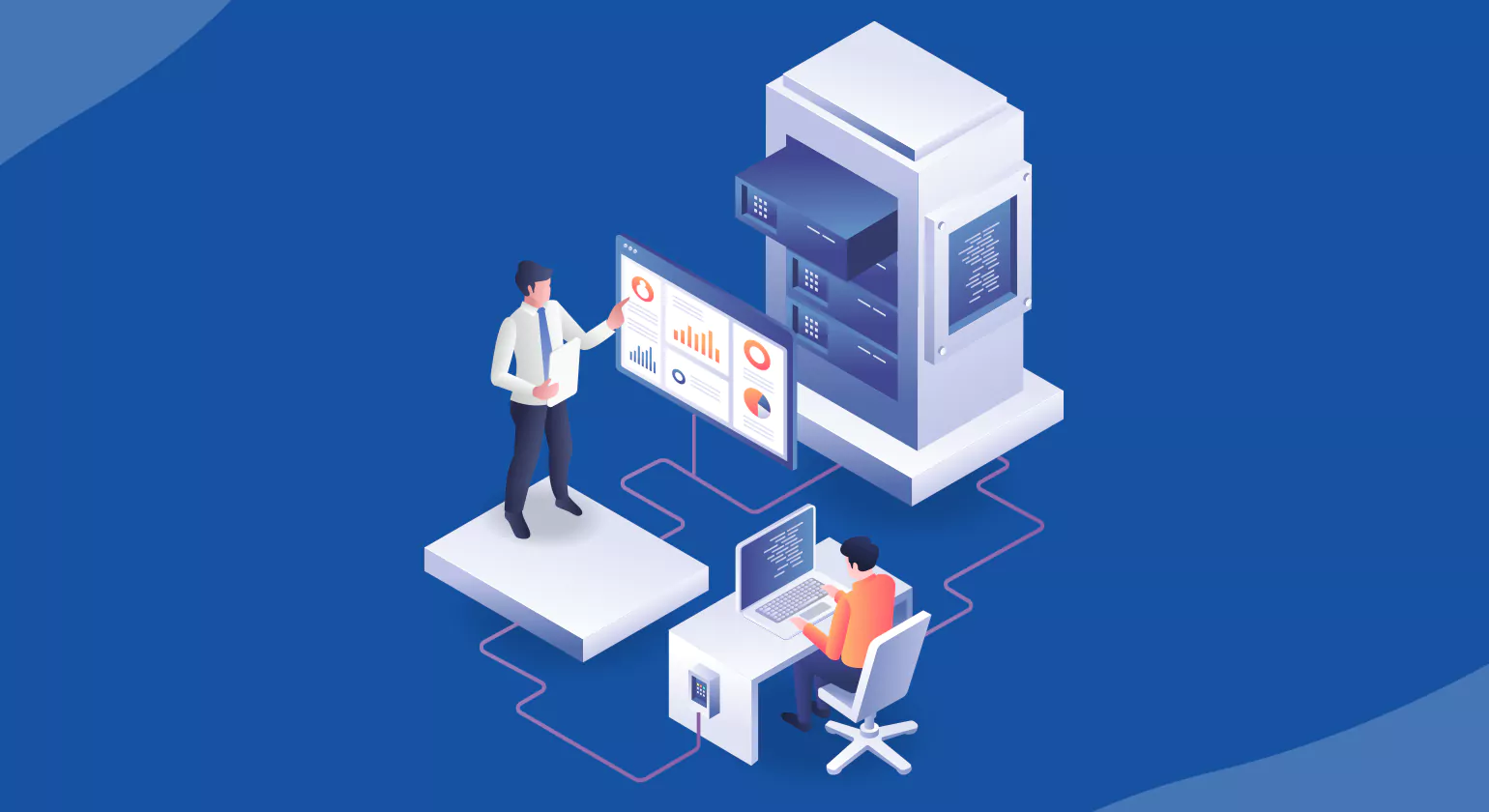
Professional IT Support and Maintenance Services involves the monitoring, updating, and optimization of IT systems. IT health checks, updates, and optimization are essential in identifying potential problems before they become major system failures. This is important in reducing unexpected downtime, which could result in lost revenue, failed deadlines, and reduced employee productivity.
2. Improved Security and Risk Management
Cyber threats are always changing. Professional IT maintenance involves ongoing security updates, firewall monitoring, antivirus management, and vulnerability scanning. This ensures that systems are always up to date and secure, thus reducing the risks of data breaches, ransomware attacks, and compliance issues.
3. Improved System Performance
With time, IT systems tend to become sluggish because of outdated software, storage fragmentation, or system misconfigurations. System maintenance helps ensure that servers, networks, databases, and applications operate at optimal levels. This enhances system performance, reducing employee response times and improving overall employee productivity.
4. Cost-Effectiveness and Predictable IT Costs
Preventive maintenance is significantly more cost-effective than repair services. Addressing small problems before they become major system failures saves money on costly repairs and hardware replacement. Experienced IT service companies help organizations create predictable IT budgets with no unexpected expenses.
5. Extended Hardware and Software Lifespan
Regular maintenance, software upgrades, and system monitoring help extend the life of hardware and software. This allows businesses to get the most out of their technology investments while putting off costly upgrades or replacements.
6. Compliance and Regulatory Requirements
Certain sectors of business are required to follow data protection and cybersecurity regulations. IT Support and Maintenance Services ensure that businesses meet requirements for things like data backup procedures, security, and audit trails. This helps businesses avoid potential legal troubles and fines.
7. Access to Expert Knowledge and the Latest Technologies
Businesses that partner with Best Website Maintenance Companies can tap into the knowledge of trained professionals who are always up-to-date on the latest technologies and trends. This helps businesses make informed decisions when it comes to upgrading infrastructure, implementing cloud technology, or developing cybersecurity plans.
How to Choose the Right IT Maintenance Partner
1. Assess Technical Expertise & Certifications
Choose a partner with proven expertise across networks, servers, cloud environments, cybersecurity, and application support. Verify relevant industry certifications such as Microsoft, Cisco, or AWS, along with experience in your specific sector. Strong technical credentials and domain knowledge reduce operational risks and enable faster, more effective issue resolution.
2. Evaluate Service Scope & Customization
Not all businesses need the same level of support. Not all businesses need the same level of support. Not all businesses need the same level of support. Not all businesses need the same level of support. Not all businesses need the same level of support. Not all businesses need the same level of support.
3. Review SLAs and Response Time Commitments
Carefully examine Service Level Agreements (SLAs), including response time, resolution time, uptime guarantees, and escalation processes. Clear SLAs protect your business from prolonged downtime and ensure accountability.
4. Check Security Capabilities
Cybersecurity should be an integral part of IT Support and Maintenance Services. Ensure that the vendor provides patch management, firewall monitoring, endpoint protection, vulnerability management, and compliance services. A robust security posture protects sensitive business data.
5. Analyze Monitoring & Proactive Support Approach
A reliable IT maintenance partner should use proactive monitoring tools to detect issues before they disrupt operations. 24/7 monitoring, automated alerts, and regular system health reports indicate a forward-thinking approach rather than reactive troubleshooting.
6. Evaluate Communication & Reporting Transparency
Transparent reporting builds trust. Ensure the provider offers regular performance reports, ticket summaries, risk assessments, and strategic recommendations. Clear communication channels (email, phone, helpdesk portal) are essential for smooth collaboration.
7. Consider Scalability & Future Readiness
Your IT needs will evolve as your business grows. Choose a partner capable of scaling infrastructure, supporting hybrid/cloud environments, and integrating emerging technologies. This ensures long-term strategic alignment.
In-House vs Outsourced IT Maintenance Which Is Right for Your Business?
Businesses must decide whether to manage IT Support and Maintenance Services internally or delegate it to an external provider. The choice impacts cost, scalability, security, and long-term IT strategy. Below is a detailed comparison to help you evaluate both models.
| Basis of Comparison | In-House IT Maintenance | Outsourced IT Maintenance |
|---|---|---|
| Management Control | Full internal control over systems and processes | Shared control under service-level agreements (SLAs) |
| Cost Structure | Fixed costs (salaries, infrastructure, training) | Predictable subscription or contract-based fees |
| Expertise Level | Limited to in-house team skills | Access to broader, specialized expertise |
| Scalability | Slower; requires hiring and training | Highly scalable based on business needs |
| Response Time | Immediate internal availability | SLA-based response times |
| Technology Access | Depends on company investment | Access to advanced monitoring and automation tools |
| Security Oversight | Direct internal supervision | Structured security frameworks and compliance support |
| Best For | Large enterprises with complex IT environments | SMBs or growing businesses needing cost efficiency |
KPIs to Measure IT Support Performance
1. First Response Time (FRT)
Definition: The average time taken for the support team to respond to a new ticket.
Why it matters: Faster responses improve user satisfaction and reduce frustration.
Best practice: Set SLA-based benchmarks (e.g., 15–30 minutes for high-priority tickets)
2. Mean Time to Resolution (MTTR)
Definition: The average time it takes to resolve an issue completely.
Why it matters: A low MTTR is an indicator of effective issue troubleshooting and technical skills.
Tip: Measure MTTR for each severity level (critical, high, medium, low) separately.
3. First Contact Resolution (FCR) Rate
Definition: The percentage of issues resolved during the first interaction without escalation.
Why it matters: High FCR reduces workload, improves efficiency, and boosts customer satisfaction.
Ideal Target: 70–80% or higher, depending on complexity.
4. Ticket Volume Trends
Definition: The total number of tickets raised within a specific period.
Why it matters: Helps identify recurring issues, seasonal spikes, or infrastructure weaknesses.
Insight: A sudden spike may signal system outages or security concerns.
5. SLA Compliance Rate
Definition: Percentage of tickets resolved within agreed Service Level Agreements (SLAs).
Why it matters: Directly measures reliability and contractual performance.
Goal: Maintain 95%+ SLA compliance for optimal performance.
6. Customer Satisfaction Score (CSAT)
Definition: Post-support survey rating provided by users.
Why it matters: Reflects the quality of service from the end-user perspective.
Benchmark: 4+ out of 5 or 85%+ satisfaction rate.
7. Escalation Rate
Definition: Percentage of tickets escalated from Level 1 (L1) to Level 2/3 support.
Why it matters: High escalation may indicate training gaps or knowledge base limitations.
8. Cost per Ticket
Definition: Average operational cost to resolve a single support ticket.
Why it matters: Helps evaluate financial efficiency and ROI of IT support operations.
9. Reopen Rate
Definition: Percentage of tickets reopened after being marked resolved.
Why it matters: Indicates resolution quality and effectiveness.
IT Support And Maintenance in Real life Examples

Here are real-life examples of IT support and maintenance services applied to different scenarios:
Maintenance and Support of a Bio Lab Software Product
Scenario: A biotechnology laboratory uses specialized software for managing experiments, sample data, and research results.
Maintenance and Support Services:
- Regular Updates: The software is regularly updated to include new features, ensure compatibility with the latest hardware, and fix any identified bugs.
- Data Integrity Checks: Regular checks are performed to ensure that the data collected and stored by the software remains accurate and consistent.
- User Training: Lab staff receive ongoing training and support to effectively use the software and utilize new features.
- Technical Support: A dedicated support team is available to resolve any technical issues, ensuring minimal downtime and continuous operation of lab activities.
Data Capture App Support
Scenario: A field service company uses field service management software along with a mobile data capture app to collect and report data from various locations.
Maintenance and Support Services:
- Bug Fixing: Continuous monitoring and prompt fixing of bugs that users report during their fieldwork.
- Performance Optimization: Regular updates to improve app speed and functionality, ensuring quick data entry and retrieval.
- User Feedback Integration: Incorporating feedback from field workers to enhance usability and add necessary features.
- Data Synchronization Support: Ensuring that data captured offline is accurately synchronized with central databases once connectivity is restored.
Remote IT Support for Telecommunications Services
Scenario: A telecommunications company provides remote IT Support and Maintenance Services for its network infrastructure and customer services.
Maintenance and Support Services:
- 24/7 Monitoring: Continuous monitoring of network infrastructure to detect and resolve issues before they impact service.
- Remote Troubleshooting: Providing remote support to address customer issues and network problems quickly.
- Software Updates: Regular updates and patches to network management software to ensure security and performance.
- Disaster Recovery: Implementing and maintaining disaster recovery solutions to minimize downtime in case of major failures.
L2, L3 Support for Marketing Campaign Management Solution
Scenario: A marketing firm uses a sophisticated software solution for managing multi-channel marketing campaigns.
Maintenance and Support Services:
- Level 2 (L2) Support: Handling more complex issues that L1 support cannot resolve, such as software configuration problems and integration issues.
- Level 3 (L3) Support: Addressing advanced technical issues, such as code bugs and deep system malfunctions, often involving the software’s development team.
- Performance Tuning: Regular optimization of the software to handle large volumes of campaign data efficiently.
User Training and Documentation: Providing training sessions and comprehensive documentation to help users effectively utilize the software’s advanced features.
Help Desk for Product Design Software
Scenario: An engineering firm uses specialized product design software for developing and testing new products.
Maintenance and Support Services:
- Help Desk Support: Offering a help desk for resolving user issues and providing guidance on software features.
- Software Customization: Customizing the software to meet the specific needs of the engineering projects.
- Regular Updates: Ensuring the software is up-to-date with the latest tools and functionalities to enhance design capabilities.
- User Training: Conducting training sessions to help engineers stay updated on new features and best practices.
Help Desk Services for an Ecommerce App
Scenario: An online retail company operates an ecommerce platform that requires continuous support for both customers and internal staff.
Maintenance and Support Services:
- Customer Support: Providing help desk services to assist customers with account issues, order tracking, and product inquiries.
- Technical Support: Resolving technical problems that customers and staff encounter while using the ecommerce platform.
- Security Monitoring: Regular monitoring for security threats and implementing measures to protect customer data.
- Platform Optimization: Continuous updates and optimization to improve the performance and user experience of the ecommerce app.
Knowledge Transfer and Support of Pharma IT Infrastructure
Scenario: A pharmaceutical company needs to ensure that its IT infrastructure supports critical research and development activities.
Maintenance and Support Services:
- Knowledge Transfer: Facilitating the transfer of knowledge from outgoing IT staff to new personnel to ensure continuity in IT operations.
- Infrastructure Support: Providing support for servers, databases, and networking equipment that underpin the company’s research activities.
- Data Security: Implementing stringent data protection measures to secure sensitive research data.
- Compliance Support: Ensuring that IT systems comply with regulatory requirements, such as those set by the FDA or other governing bodies.
- System Upgrades: Regularly upgrading hardware and software to keep pace with the latest technological advancements and research needs.
Each of these scenarios highlights the critical role of IT support and maintenance services in maintaining operational efficiency, security, and user satisfaction across various industries.
Conclusion
IT Support and Maintenance Services are critical to ensuring that your business technology is secured, stable, and future-ready. While maintenance is important to ensure that your systems are optimized and resilient through updates, patches, and performance enhancements, support services are critical in providing timely intervention to address issues and minimize downtime. IT support and maintenance services, whether in-house or outsourced, are critical in ensuring that your IT infrastructure is proactively supporting your business growth and not hindering it. Spending on IT support and maintenance services is not an investment; it is a success enabler.
FAQs
1. What are IT maintenance and support services?
IT maintenance and support services are ongoing activities that ensure software, systems, networks, and infrastructure remain secure, functional, and up to date. Maintenance focuses on updates, patches, performance improvements, and preventive measures, while support handles troubleshooting, incident resolution, and user assistance to minimize downtime and ensure business continuity.
2. What is the difference between IT maintenance and IT support?
IT maintenance is proactive and focuses on system health, updates, and long-term improvements. IT support is reactive and addresses technical issues, user queries, and system disruptions. Together, they ensure stability, security, and smooth IT operations.
3. Who needs IT Maintenance and Support Services?
Any business or organization that relies on computers, networks, servers, or software systems can benefit — from small businesses to large enterprises.
4. What does an IT maintenance plan typically include?
A typical plan covers hardware and software maintenance, network monitoring, security patch management, data backup, antivirus updates, help desk support, and system performance optimization.
5. What is a Service Level Agreement (SLA)?
An SLA is a contract that defines the expected response and resolution times for IT issues. For example, a critical system failure might require a response within 1 hour, while a minor issue might be addressed within 24 hours.
6. How much do IT Maintenance and Support Services cost?
Pricing varies based on the size of your organization, number of devices, services required, and support level. Most providers offer monthly retainer plans, per-device pricing, or pay-as-you-go options.
7. What is included in IT support services?
IT support services typically include help desk assistance, troubleshooting, incident management, system monitoring, patch management, network support, database maintenance, and escalation to advanced technical teams (L1, L2, L3, L4).