

Table of Contents
Introduction
An online SaaS onboarding service helps businesses seamlessly integrate new users into their software platform. By providing a structured, user-friendly onboarding process, these services guide customers through key features, ensuring they understand the value of the product from the start. Typically, these services include interactive tutorials, personalized setup assistance, and step-by-step instructions to help users quickly get comfortable with the platform. The goal is to increase user engagement, reduce churn, and drive faster product adoption. SaaS onboarding services can be automated, making it easier for businesses to scale while providing a consistent, high-quality experience for all new users.
What Is Online SaaS Onboarding Software
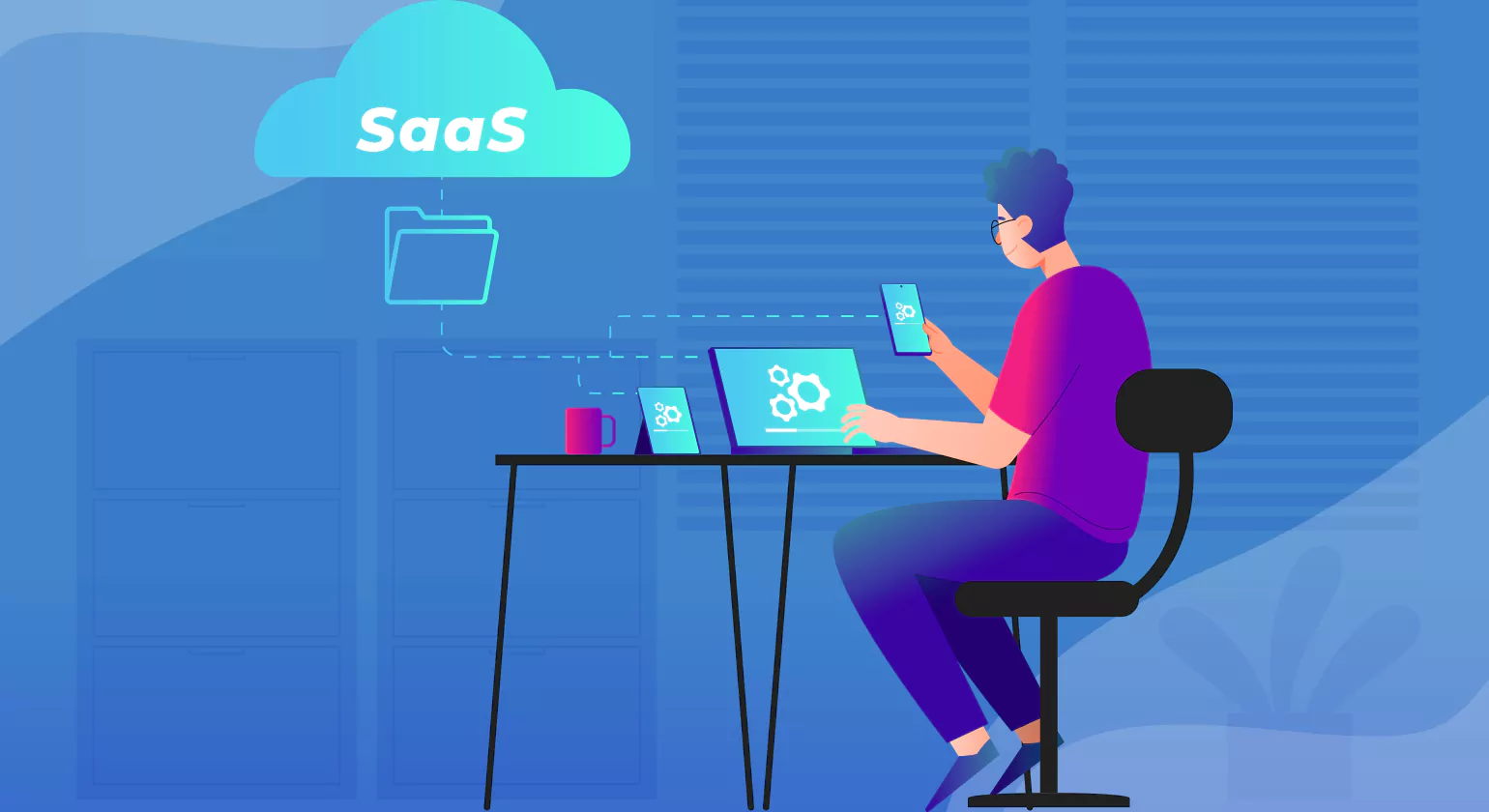
Online SaaS onboarding software is a tool designed to help businesses onboard new users to their software-as-a-service (SaaS) platforms efficiently and effectively. It offers a range of features aimed at guiding users through the product, helping them understand its functionality, and ensuring they have a smooth initial experience. These solutions typically provide interactive tutorials, walkthroughs, and tooltips that guide users through the setup process, explain key features, and highlight best practices.
The primary objective of Online SaaS Onboarding service is to reduce friction during the early stages of using the product. By offering a clear, structured onboarding flow, businesses can ensure users feel confident in using the software, leading to higher user engagement and retention rates. This software often includes analytics to track user progress and identify pain points, enabling businesses to tailor the experience and continuously improve the process.
Additionally, SaaS onboarding software can automate key steps of the onboarding journey, such as sending welcome emails, offering in-app messages, or providing context-sensitive help. This scalability makes it particularly valuable for SaaS companies with large user bases.
Ultimately, an effective Online SaaS Onboarding service solution not only improves user satisfaction but also accelerates product adoption, helping businesses get the most out of their customer onboarding saas base while reducing churn and boosting overall success.
10 Best SaaS Onboarding Tools In 2025

1. WalkMe
WalkMe offers a robust platform for digital adoption, enabling organizations to create interactive, step-by-step onboarding flows that guide users through your product. It features in-app training, tooltips, pop-ups, and prompts, which help users get familiar with complex features quickly. WalkMe is highly customizable, making it suitable for large enterprises seeking scalable solutions.
2. Userlane
Userlane excels in providing an intuitive, interactive experience for users. It offers real-time, in-app guidance to assist new users in navigating the platform’s features without needing additional training or documentation. With the ability to create interactive tutorials and automatic walkthroughs, Userlane is particularly valuable for Online SaaS Onboarding service businesses that want to ensure a smooth and self-paced user experience.
3. Intro.js
Intro.js is a lightweight, open-source library for creating simple, interactive product tours and tutorials. It allows developers to integrate guided onboarding directly into saas onboarding tools applications. Intro.js provides flexible configuration options to tailor the onboarding experience to specific user needs, making it a good choice for businesses looking for a customizable, low-maintenance tool.
4. Pendo
Pendo is a comprehensive product experience platform that combines user analytics, in-app messaging, and onboarding solutions. Pendo’s onboarding features help businesses deliver personalized saas customer onboarding software experiences with tooltips, onboarding checklists, and product tours. It also offers valuable insights into user behavior, enabling teams to optimize the user experience and improve product adoption.
5. Chameleon
Chameleon is a user onboarding tool that allows businesses to design tailored in-app experiences. Its drag-and-drop interface allows non-technical teams to create personalized walkthroughs, pop-ups, and tooltips. Chameleon’s user segmentation features ensure that onboarding flows are dynamic and can be customized to specific user groups based on behavior or role, making it ideal for SaaS companies targeting diverse audiences.
6.Appcues
Appcues enables non-technical teams to create and deploy personalized onboarding experiences without needing to write a single line of code. With features like in-app messaging, tooltips, surveys, and task lists, Appcues helps improve user engagement and retention. Its robust analytics help businesses measure the success of saas onboarding tools efforts and continuously refine the process.
7. Tallyfy
Tallyfy is designed to automate and streamline workflows, offering an easy-to-use interface to manage Online SaaS Onboarding service. It provides a visual representation of user workflows, ensuring that onboarding is consistent and efficient. Tallyfy’s automation capabilities reduce the risk of errors and make it an excellent tool for businesses that want to create repeatable, standardized processes.
8. Whatfix
Whatfix is a digital adoption platform that focuses on improving user engagement through in-app guides, walkthroughs, and tooltips. Its powerful analytics enable businesses to track user behavior during onboarding and pinpoint areas for improvement. Whatfix is especially effective at improving onboarding for enterprise-level saas onboarding tools platforms that require scalable, customizable solutions.
9. UserGuiding
UserGuiding is a no-code platform that helps SaaS businesses design product tours, checklists, and interactive guides. Its visual editor allows teams to create customized onboarding experiences with ease. UserGuiding also offers analytics, which helps businesses track user progress and engagement, providing insights into which areas of the saas customer onboarding process need optimization.
10. Scribe
Scribe is a user-friendly tool that automatically generates step-by-step instructions and documentation. It’s ideal for SaaS companies that want to create onboarding guides quickly and efficiently. Scribe’s automation helps save time while maintaining clarity and consistency in onboarding documents, allowing new users to easily understand and adopt the product.
10 SaaS Onboarding Best Practices to Boost User Engagement

1. Simplify the Signup Process
A complicated signup process can deter users. Reduce friction by minimizing the number of fields and steps required. Consider integrating Single Sign-On (SSO) or social logins to speed up the process. The fewer the barriers to entry, the more likely users are to complete the sign-up and start using your product.
2. Provide a Clear Welcome Message
A well-crafted welcome message sets the tone for the user’s journey. Use this opportunity to introduce your brand, provide a brief overview of the Online SaaS Onboarding service product, and let users know what to expect during onboarding. A personal touch can enhance user engagement, like addressing users by name and helping.
3. Create Interactive Product Tours
A product tour is one of the most effective onboarding tools. Use interactive, guided walkthroughs to show users how to navigate your platform and utilize key features. Make these tours skippable for advanced users but ensure that beginners can easily follow the step-by-step guidance to reduce confusion and frustration.
4. Offer In-App Guidance
In-app tooltips and contextual pop-ups help users when they encounter new features or need clarification. Offering this guidance at relevant moments ensures users aren’t left guessing how to use specific features. Be sure to keep the instructions concise to avoid overwhelming users.
5. Focus on Key Features First
Users want to see value quickly, so avoid bombarding them with too much information during onboarding. Prioritize core functionalities that align with their primary goals. Guide them through essential actions and demonstrate how these features will benefit them. This targeted approach encourages immediate value and boosts engagement.
6. Keep the Onboarding Short and Sweet
Lengthy Online SaaS Onboarding service can overwhelm and frustrate users. Aim for an onboarding flow that lasts just a few minutes, providing a quick, digestible overview. The more time-consuming the process, the higher the likelihood of users abandoning it early. Focus on clarity and brevity, ensuring users learn enough without feeling bogged down.
7. Use Progress Indicators
Progress bars, checklists, or milestone markers are effective in helping users track their journey. This encourages them to complete the onboarding process while offering a sense of accomplishment as they advance. Visual indicators help set expectations and maintain motivation.
8. Segment Users for Personalized Onboarding
Tailor the onboarding experience based on user segments like industry, role, or experience level. Personalized content and workflows can enhance relevance, ensuring users feel that the saas customer onboarding process is customized to their specific needs. This approach improves engagement and helps users realize value faster.
9. Provide Self-Service Resources
Offering resources like FAQs, tutorial videos, and knowledge bases empowers users to help themselves. This is particularly beneficial for users who prefer a self-paced learning experience. By providing easily accessible content, you reduce dependency on customer support and enhance user satisfaction.
10. Gather Feedback to Improve
Always solicit feedback after the onboarding process to understand pain points and areas for improvement. Use surveys, NPS (Net Promoter Score), or in-app feedback forms to collect actionable insights. Continuously refine your onboarding process based on this feedback to ensure it meets evolving user needs.
Best Saas Onboarding Examples

1. Slack
Slack’s saas customer onboarding process stands out due to its combination of interactivity and personalization. New users are welcomed with a guided tour of the platform’s essential features like channels, messaging, and file sharing. As users engage with the product, Slack intelligently suggests relevant channels, integrations, and tips based on their usage, ensuring the onboarding feels personal. Additionally, it utilizes notifications to encourage users to invite teammates, which promotes early collaboration and engagement.
2. Dropbox
Dropbox takes a minimalist approach to onboarding, focusing on simplicity and gradual progression. When users first sign up, they’re introduced to the concept of file storage with a clean and easy-to-follow tutorial. The onboarding experience involves uploading files, sharing them, and exploring the platform’s functionality step by step. As users take action, they’re gently guided toward exploring Dropbox’s premium features, which keeps them engaged without overwhelming them.
3. Trello
Trello excels with its visual, board-based onboarding experience. New users are immediately prompted to create a board and add cards, allowing them to dive right into the product. The drag-and-drop functionality makes the tool intuitive, while in-app tooltips guide users through key features like list creation and task management. This hands-on approach helps users quickly understand the tool’s value and encourages immediate productivity.
4. Asana
Asana’s onboarding emphasizes clear, task-driven guidance. After signing up, users are shown how to create projects, assign tasks, and collaborate with teammates through a series of interactive tips and checklists. The platform’s visual layout aids comprehension, and contextual help is available throughout the onboarding saas software process. As users’ complete tasks, Asana offers suggestions for next steps, such as adding due dates or setting up dependencies, ensuring users feel empowered to explore more advanced features.
5. Intercom
Intercom’s Online SaaS Onboarding service experience is known for its high level of personalization. By using user data to customize the experience, it provides tailored guidance through in-app messages and pop-up tips based on individual usage patterns. For example, if a user is new to the platform, Intercom will highlight basic features, while more experienced users might see advanced functionality recommendations. This adaptive approach ensures users don’t feel overwhelmed and get the most out of their experience from the start.
6. HubSpot
HubSpot’s saas customer onboarding process is a blend of in-app tutorials, educational content, and proactive guidance. Users are first guided through setting up key tools like forms, landing pages, or email campaigns. As they explore, HubSpot offers relevant educational resources—such as blog articles, videos, and webinars—throughout the platform. This knowledge base is seamlessly integrated, ensuring users don’t have to leave the app for additional learning, thus maintaining flow and engagement.
7. Zapier
Zapier’s onboarding revolves around creating “Zaps,” which are automated workflows connecting different apps. New users are encouraged to start by building their first Zap, walking them through the process of selecting triggers and actions with step-by-step guidance. This hands-on experience ensures users understand the platform’s value immediately. The onboarding experience is highly task-based, making it directly relevant to what users want to achieve, while tooltips provide ongoing support as they explore more advanced features.
8. Canva
Canva makes onboarding seamless with a visually rich and intuitive design. Upon signing up, users are introduced to design templates, and the platform’s interface is easy to navigate. The first-time user experience involves guided steps to create a design, and Canva offers template suggestions based on the user’s preferences and goals. Tooltips are provided throughout the design process, and a well-curated library of design elements ensures that users feel confident in producing quality designs from the get-go.
How Online SaaS Onboarding Service Impacts Customer Retention and Success

Improves First Impressions
Speeds Up Time to Value
Effective Online SaaS Onboarding service helps customers quickly realize the benefits of the product. By guiding users to essential features and offering personalized assistance, onboarding reduces the time it takes for customers to experience success, leading to increased satisfaction and engagement.
Enhances User Engagement
Interactive onboarding experiences, such as in-app tutorials, product tours, and tooltips, keep users engaged and encourage them to explore more features. Engaged users are more likely to continue using the product and become loyal customers.
Reduces Customer Churn
A comprehensive Online SaaS Onboarding service experience addresses common pain points and helps users feel confident using the product. By providing ongoing support, answering questions, and anticipating user needs, saas customer onboarding software companies can reduce the risk of churn and improve customer retention.
Builds Customer Trust
A well-structured onboarding experience shows that a company values its users and is invested in their success. This builds trust and strengthens the customer onboarding saas relationship, increasing the likelihood of long-term use and referrals.
Facilitates Upselling and Cross-selling
Onboarding services that educate users on the full range of features can identify opportunities for upselling or cross-selling. By guiding customers through advanced features, they are more likely to explore premium offerings and additional products.
Provides Data for Continuous Improvement
Customer behavior data during onboarding helps companies identify friction points and areas for improvement. By analyzing this data, saas customer onboarding software companies can refine their saas customer onboarding process, which leads to a more effective user experience and better long-term customer success.
Key Components Of An Online SaaS Onboarding Service

User-Friendly Signup Process
The Online SaaS Onboarding service journey starts with a simple and intuitive signup process. Minimizing the steps and asking for only essential information reduces friction, allowing users to get started quickly and smoothly.
Welcome Message and Introduction
A personalized welcome message sets the tone for the onboarding saas software experience. It introduces the product’s core features and guides users on what to expect, helping them feel comfortable from the start.
Interactive Product Tours
Interactive walkthroughs or tutorials are essential for guiding users through key features. Step-by-step instructions help users understand how to navigate the platform, reducing the learning curve and ensuring a smoother experience.
Contextual In-App Guidance
In-app tooltips, pop-ups, and help widgets offer contextual support when users interact with different features. These prompts provide real-time guidance, making it easier for users to understand specific functionalities without leaving the app.
Personalized Onboarding Flows
Tailoring the Online SaaS Onboarding service experience based on user data (like their role or previous interactions) ensures relevance. Personalized workflows and feature recommendations improve engagement and help users achieve their goals faster.
Progress Tracking and Milestones
Visual indicators, such as progress bars or checklists, keep users motivated and informed about their progress during onboarding. These milestones create a sense of achievement and encourage users to continue through the process.
Self-Service Resources
Providing access to FAQs, knowledge bases, tutorial videos, and support documentation empowers users to solve problems on their own, reducing reliance on customer onboarding saas support while enhancing the overall experience.
Feedback Collection
Asking users for feedback during and after the b2b saas onboarding helps identify friction points. Continuous feedback ensures the onboarding process can be optimized to meet user needs and improve satisfaction.
Advanced Techniques for Optimizing Online SaaS Onboarding service
Behavioral Segmentation
Segment users based on their behavior, role, or experience level to deliver tailored onboarding flows. By offering personalized guidance, you can address specific user needs, increasing engagement and reducing the time it takes to realize value.
Incorporating AI and Machine Learning
Use AI to analyze user behavior in real-time and adjust the Online SaaS Onboarding service experience accordingly. For example, AI can recommend features, detect where users struggle, and offer dynamic support such as chatbots or tailored tips, improving the overall experience.
Interactive Learning Modules
Instead of traditional tutorials, implement interactive learning modules where users complete tasks as they go. These hands-on experiences help users learn by doing, which increases retention and helps them understand the product more deeply.
Progressive Disclosure
Introduce features progressively to prevent overwhelming new users. Start with core features and gradually introduce more advanced functionalities as users become more comfortable with the product, ensuring they aren’t bombarded with too much information at once.
Gamification
Incorporate gamification elements such as points, badges, or rewards to motivate users through the Online SaaS Onboarding process. This keeps users engaged and encourages them to complete the onboarding saas software steps, increasing the likelihood of successful adoption.
Onboarding Automation
Automate key onboarding steps, like email triggers for completing specific actions or reminders for users who haven’t logged in after a certain period. Automated nudges help keep users on track and reduce manual intervention.
Advanced Analytics and A/B Testing
Use detailed analytics to track user behavior during onboarding and identify drop-off points. Implement A/B testing to experiment with different onboarding flows, messaging, and features to optimize the experience based on real data.
Integrated Support Channels
Offer integrated support options, such as live chat, in-app messaging, and knowledge bases, to provide immediate help when users face issues. Combining these with a robust ticketing system ensures timely resolution and enhances the user experience.
Choosing The Right Online SaaS Onboarding Service

When selecting the right online SaaS onboarding service, it’s important to consider several key factors to ensure the tool not only meets your needs but also enhances the overall user experience.
Ease of Integration
The onboarding service you choose should integrate effortlessly with your existing saas onboarding software infrastructure. Whether it’s your CRM, analytics platform, or email automation tool, seamless integration reduces manual work and streamlines user data transfer. Ensure the service supports your current tech stack and offers APIs or pre-built integrations to minimize disruption. A well-integrated solution ensures smooth transitions between onboarding and your other processes, such as customer support or product updates.
Customization and Personalization
The best onboarding experiences are those tailored to the user’s needs. Look for a service that allows you to create personalized onboarding paths based on factors like user role, behavior, or business use case. A good onboarding tool will let you dynamically adjust content, tutorials, and recommendations based on real-time data. Personalization ensures users are shown relevant features first, which accelerates the time to value and makes the process feel more intuitive and valuable to them.
Scalability
As your business grows, your Online SaaS Onboarding service needs to grow with it. Opt for a platform that can scale with your user base and can accommodate increasing data or more complex workflows. Scalability means not just handling more users but also adapting to growing feature sets, team structures, and geographical regions. You should be able to easily add new features or improve the service without affecting performance. Make sure the tool offers flexibility in customization and can handle increased user engagement without slowing down.
Ease of Use for Non-Technical Teams
Onboarding tools should empower non-technical teams to manage and optimize user experiences. Look for a service that provides a user-friendly, drag-and-drop interface, enabling customer success, marketing, or product teams to build and modify onboarding flows without heavy reliance on engineering. A no-code or low-code platform reduces time spent on development and enables quicker responses to user behavior and feedback, allowing you to improve the b2b saas onboarding in real-time.
Analytics and Reporting
Analytics are essential to measuring the effectiveness of your onboarding process. Choose a service that provides detailed insights into user behavior, completion rates, drop-offs, and feature adoption. These insights will help you understand which areas of your onboarding are performing well and where users are struggling. Advanced reporting allows you to adjust strategies and identify areas for improvement, enabling data-driven decisions that can improve user engagement and retention.
In-App Support Features
In-app support features are vital for a smooth Online Onboarding process Saas. Your tool should offer options such as in-app messaging, help widgets, tooltips, or even live chat that provide immediate assistance to users. This ensures that users aren’t left feeling lost or frustrated. In-app support provides the context users need right when they encounter issues, reducing support tickets and boosting user satisfaction.
Customer Support and Training
A strong Best Customer onboarding Experiences service provider will offer excellent customer support, as well as comprehensive training materials. Whether it’s live chat, dedicated account management, or a knowledge base, make sure you have access to responsive help when issues arise. Training resources such as webinars, tutorials, and documentation should also be readily available, ensuring that your team can get up to speed quickly and efficiently. A well-supported onboarding saas software service provider can help you maximize its potential, reducing the learning curve and accelerating your time to deployment.
The Impact of SaaS Onboarding on Customer Support

Reduces Support Queries
A well-designed Online SaaS Onboarding service provides users with the tools and knowledge they need to navigate the product effectively. By proactively addressing common questions through tutorials, FAQs, and in-app guidance, the number of support tickets and inquiries decreases significantly.
Empowers Users
Onboarding empowers users to self-serve by offering interactive walkthroughs, tooltips, and knowledge bases that guide them through the platform. This reduces reliance on customer support teams for basic inquiries, allowing support staff to focus on more complex issues.
Improves User Satisfaction
A smooth and informative onboarding experience sets the tone for a positive relationship with the product. When users feel confident using the platform from the start, they’re less likely to encounter frustrations that require support intervention, improving their overall satisfaction and loyalty.
Frees Up Support Resources
By handling user questions during onboarding, you can free up customer support resources to focus on higher-priority tasks. This efficiency helps teams manage workloads better and ensures they can provide timely assistance when needed.
Reduces Churn
Onboarding plays a critical role in helping users understand the value of the saas customer onboarding software product early on. By addressing pain points upfront and providing clear guidance, onboarding reduces churn, as users are less likely to abandon the platform due to confusion or frustration.
Conclusion
In conclusion, an effective online SaaS onboarding service is essential for ensuring that users understand the value of a product, quickly adopt its features, and become engaged long-term customers. By providing a seamless, intuitive experience through personalized guidance, in-app support, and continuous education, SaaS companies can reduce friction, improve user satisfaction, and decrease churn rates. A well-designed onboarding service not only supports users in their initial journey but also empowers them to explore advanced features and maximize the product’s potential. Furthermore, the insights gained from tracking user progress during onboarding help optimize the process, leading to ongoing improvements. Ultimately, investing in an efficient and user-friendly onboarding service fosters customer success, improves retention, and contributes to the overall growth of the business. In today’s competitive SaaS landscape, an optimized onboarding experience is a critical factor for long-term success.
Know more about >>> Ultimate Guide to Customer Onboarding Automation for Business Success
>>> 15 Best SaaS SEO Tools for SaaS Businesses to Succeed
FAQs
What is SaaS onboarding?
Online SaaS onboarding service helps new users understand and use a SaaS product effectively. It drives faster product adoption, increases user satisfaction, reduces churn, and boosts retention by delivering value early through a seamless and guided onboarding experience.
What does an onboarding specialist do in SaaS?
An onboarding specialist in SaaS guides new users through setup, answers questions, and offers tailored support to ensure effective use, drive adoption, reduce churn, and help customers achieve their goals during the critical onboarding phase.
How to automate SaaS onboarding process?
Automating SaaS onboarding uses tools like email workflows, in-app tutorials, and product tours to streamline user experience, reduce manual effort, ensure consistency, and scale effectively through automated check-ins, notifications, and progress tracking for better user engagement.
Why is the customer onboarding role important in SaaS companies?
Customer onboarding in SaaS is crucial for retention and satisfaction. It clarifies product value, reduces frustration, boosts adoption, and personalizes experiences, helping users succeed while improving engagement and lowering churn over time.
What are the three stages of onboarding a service provider?
The three stages of onboarding a service provider include setup and orientation, training and integration, and ongoing support with feedback. These stages ensure alignment, effective collaboration, and continuous performance improvement throughout the partnership for smooth and efficient service delivery.














