

Table of Contents
Introduction to Virtual Mailbox Services
In an increasingly digital world, managing physical mail remotely has become an essential service for many businesses and individuals. Best Virtual mailbox services, also known as virtual post mail services, have gained immense popularity, offering users a secure and efficient way to access their physical mail online. These services are particularly beneficial for businesses, remote workers, and digital nomads who need a reliable, secure, and flexible way to handle their postal mail from anywhere in the world.
What Are Virtual Mailbox Services?
Virtual mailbox services provide you with a physical mailing address, which is often a commercial or business address. When mail is sent to this address, the virtual mailbox provider receives, scans, and uploads the contents of your mail to an online portal. From there, you can view, store, forward, or even shred the mail. These services often include features like mail forwarding, check depositing, and the ability to handle mail from multiple carriers like USPS, FedEx, and UPS.
Unlike a traditional physical mailbox, a virtual mailbox allows you to access your mail digitally, eliminating the need to physically visit a post office or check your mailbox. For many businesses and entrepreneurs, these services are a game-changer, enabling them to operate more efficiently while keeping their personal address private.
How Do Virtual Mailbox Services Work?
When you sign up for a virtual mailbox service, you are provided with a real street address. Mail sent to this address is received by the service provider, who then scans the outer envelope and uploads the contents to an online platform. You can access your mail from any device, whether you’re in the office, on the road, or working from home. Some services also offer additional features, such as check depositing and mail forwarding, making it a full-service virtual mail server.
Virtual mailbox services allow you to manage your mail in real-time, making it easier to stay organized, reduce clutter, and streamline your business operations. You can even request to forward important mail to your physical address or recycle junk mail — all with a few clicks.
Key Features of the Best Virtual Mailbox Services
The best virtual mailbox services offer a wide range of features designed to meet the needs of both individuals and businesses. Here are some of the key features to look for when choosing a virtual mailbox service:
- Mail Scanning: The core feature of a virtual mailbox is the ability to scan and upload mail to an online portal for easy viewing. This allows users to access their mail digitally, wherever they are.
- Mail Forwarding: Many services offer mail forwarding to any address, which is ideal if you need to receive physical copies of specific documents.
- Check Depositing: Some providers, like Stable virtual mailbox, offer the ability to deposit checks remotely, making it easier for businesses to manage finances without visiting a bank.
- Shredding and Recycling: Most services offer secure shredding and recycling of unwanted mail, ensuring that sensitive information is disposed of safely.
- Address Privacy and Security: Strong security features, including encrypted storage and document handling, are essential to protect your sensitive information.
Address Privacy and Security Features in Virtual Mailboxes
One of the most important aspects of using virtual mailbox services is the level of security they offer. For businesses and individuals alike, protecting sensitive information is a top priority. The best virtual mailbox services incorporate robust security features to ensure that your mail is handled safely.
For example, providers often offer secure document storage, encryption for online access, and identity theft protection. Additionally, many services have physical security measures in place, such as surveillance and restricted access to the facilities where mail is stored. This combination of digital and physical security ensures that your mail is protected from theft and unauthorized access, giving you peace of mind.
Virtual Mailbox vs. Physical Mailbox: Key Differences
While both virtual mailboxes and physical mailboxes serve the same basic function — receiving mail — there are several key differences between them. The most significant difference is that a virtual mailbox provides you with an online platform to manage your mail, while a physical mailbox requires you to retrieve and sort your mail in person.
A physical mailbox limits your ability to manage mail remotely, and it can also be less secure. On the other hand, virtual mailbox services allow you to access your mail from anywhere in the world, and many offers additional features like mail forwarding, check depositing, and secure shredding.
The cost-effectiveness and convenience of virtual mail services make them a superior option for many businesses and individuals, especially those who need to manage multiple addresses or receive mail internationally.
The Role of AI and Automation in Virtual Mailbox Services
AI and automation are increasingly being integrated into virtual mailbox services to enhance user experience and efficiency. Many of the best virtual mailbox services utilize AI to automate mail scanning, categorize mail, and even detect important documents. This technology can help businesses quickly process large volumes of mail, ensuring that no important documents are overlooked.
Automation also plays a role in mail forwarding and shredding. For instance, users can set up automatic forwarding for specific types of mail or instruct the service to shred junk mail without manual intervention.
Top Benefits of Using Virtual Mailbox Services

The best virtual mailbox services come with numerous benefits, particularly for businesses and entrepreneurs. Here are some of the key advantages:
- Increased Privacy and Security for Your Mail: By using a virtual post mail service, you can keep your home address private while still receiving important business correspondence.
- Convenient Access to Your Mail from Anywhere in the World: Virtual mailbox services enable you to access your mail anytime, anywhere, whether you’re at home or traveling internationally.
- Cost-Effectiveness and Efficiency for Businesses and Entrepreneurs: Virtual mail services reduce overhead costs, eliminate the need for physical office space, and streamline mail management. With features like mail forwarding and check depositing, businesses can operate more efficiently.
Increased Privacy and Security for Your Mail
Virtual mailbox services provide enhanced privacy, and security features that traditional mailboxes cannot offer. By using a virtual post mail service, you protect your personal address and limit the risk of identity theft or mail fraud. Many services also offer secure digital storage and document encryption, ensuring your sensitive information remains safe.
Convenient Access to Your Mail from Anywhere in the World
One of the most significant advantages of virtual mailbox services is the ability to access your mail remotely. Whether you’re at home, at work, or traveling internationally, a virtual mail server gives you real-time access to your postal correspondence. This level of convenience is invaluable for entrepreneurs, businesses, and remote workers.
Cost-Effectiveness and Efficiency for Businesses and Entrepreneurs
For businesses, virtual mailbox services are a cost-effective solution to traditional mail management. By utilizing a virtual mailbox, companies can save on postage, office space, and administrative costs. Additionally, services like Stable virtual mailbox offer automated features that help businesses process mail more efficiently, freeing up valuable time and resources.
Virtual mailbox services are just one component of a strong remote stack — for broader operational efficiency, consider exploring additional business support services for operational growth that help streamline workflows and support business success.
Virtual mailbox services are just one component of a strong remote stack — for broader operational efficiency, consider exploring additional business support services for operational growth that help streamline workflows and support business success.
How to Choose the Best Virtual Mailbox Service for Your Needs

Choosing the best virtual mailbox services for your needs requires careful consideration of several factors, such as cost, service features, and customer support. Virtual mailbox services have become a staple for businesses and individuals looking to manage their mail remotely. By understanding the available features and assessing their relevance to your requirements, you can make an informed decision about the service that best meets your needs.
Factors to Consider: Cost, Service Features, and Customer Support
When evaluating virtual mailbox services, cost is often one of the first factors to consider. Pricing plans vary based on the features offered, the volume of mail handled, and the type of service. Some providers offer basic plans with minimal features at lower prices, while others offer more robust packages at higher costs. It’s essential to balance the cost with the value of the features offered to ensure you’re getting a service that meets your business or personal needs without overspending.
Service Features are another critical aspect to evaluate. The best virtual mailbox services offer a wide array of features, including mail scanning, forwarding, check depositing, secure shredding, and cloud storage. Some services, like Stable virtual mailbox, provide additional features, such as team access and automated mail categorization. Be sure to choose a service that aligns with your specific requirements, whether you’re looking for comprehensive mail management or basic mail scanning.
Finally, customer support is a crucial factor, especially for businesses. A reliable and responsive customer service team can help you resolve issues quickly, ensuring that your virtual mailbox service operates smoothly. Look for services that offer support through multiple channels, such as phone, email, and live chat, and check for reviews to ensure a positive customer experience.
How to Evaluate Virtual Mailbox Services Based on Features and Security
The features and security offered by virtual mailbox services directly impact their functionality and reliability. When evaluating different services, start by considering the features that matter most to you. Some key features include:
- Mail Scanning and Uploading: Most services offer the ability to scan and upload the contents of your mail to an online portal. Look for high-quality scanning and quick upload times to ensure you can access your mail without delay.
- Mail Forwarding: If you need physical mail sent to another address, ensure that the service offers reliable mail forwarding options. Services like Stable virtual mailbox excel in this area, allowing you to forward mail globally.
- Check Depositing: For businesses, the ability to deposit checks remotely can save time and improve efficiency.
- Mail Shredding and Recycling: Secure shredding and recycling of unwanted mail is a critical security feature, ensuring that your business or personal data remains protected.
Security is equally important, as you are entrusting the service with sensitive information. Look for providers that offer secure document storage, encryption, and identity theft protection. Many of the best virtual mailbox services implement both digital and physical security measures to ensure your mail is safe from unauthorized access or theft.
Comparing Virtual Mailbox Providers for Personal vs. Business Use
Virtual mailbox services cater to both personal and business use, but the needs of each group can differ significantly. For personal use, the primary concern is often convenience, privacy, and cost. Personal users may only need a few mail forwarding services or the ability to access scanned mail remotely. As such, a more affordable plan with basic features may be sufficient.
For business use, however, the requirements are usually more complex. Businesses often require higher mail volumes, check depositing, team access, and more advanced document management capabilities. Features like cloud storage and optical character recognition (OCR) for scanning documents can streamline mail processing. A virtual mail server may also be important for integrating the service into business workflows, allowing for automated document handling and cloud-based storage.
Understanding the Technology Behind Virtual Mailbox Services
The best Virtual mailbox services leverage several technologies to provide seamless mail management. The core of these services is mail scanning technology, which scans incoming mail and uploads it to an online platform. Many services also use optical character recognition (OCR) technology to digitize printed text, allowing users to search through their mail and documents efficiently.
Another critical piece of technology is the virtual mail server. This server ensures that your mail is securely uploaded, stored, and forwarded based on your preferences. Automation and AI are increasingly being integrated into these services to improve efficiency, such as automating the categorization of mail or notifying users of new mail.
How AI and Automation Enhance Virtual Mailbox Efficiency
AI and automation play a key role in enhancing the efficiency of virtual mailbox services. These technologies help businesses and individuals manage their mail more effectively. Automation tools can categorize mail, forward specific items, or even flag important documents, allowing users to prioritize tasks and improve workflow efficiency.
Additionally, AI-powered systems can provide optical character recognition (OCR) for scanning documents, turning physical mail into searchable, editable digital content. This makes it easier to find, store, and manage documents without sifting through piles of physical mail.
Cloud Storage and Document Management Features in Virtual Mailbox Services
Cloud storage is a critical feature of the best virtual mailbox services, especially for businesses that need to retain important documents. With cloud storage, you can store scanned mail securely online, ensuring easy access whenever you need it. Services like Stable virtual mailbox offer integrated cloud storage, allowing you to manage documents seamlessly across multiple devices.
Document management features typically include tools for categorizing and tagging mail, making it easier to find and sort through documents. This is especially useful for businesses that need to track invoices, contracts, and other important papers. Additionally, some virtual mailbox providers integrate with cloud storage platforms like Google Drive or Dropbox, giving you even more flexibility.
To maximize the efficiency of your mail handling workflow, many businesses also leverage productivity and remote management tools like those highlighted in our guide to virtual assistant tools — helping you automate tasks beyond mail scanning and forwarding.
The Role of Optical Character Recognition (OCR) in Virtual Mailboxes
OCR technology is a game-changer for virtual mailbox services. By using OCR, virtual mailbox providers can scan and digitize printed text on your mail, turning it into searchable content. This means you can quickly find the information you need without manually reviewing each document.
OCR also enhances the ability to automate the sorting of documents, categorizing mail into relevant folders based on keywords or document type. For businesses, this can significantly reduce the time spent on manual data entry and help streamline workflows.
To maximize the efficiency of your mail handling workflow, many businesses also leverage productivity and remote management tools like those highlighted in our guide to virtual assistant tools — helping you automate tasks beyond mail scanning and forwarding.
How Virtual Mailbox Services Benefit Businesses

The best virtual mailbox services offer numerous benefits for businesses. They help streamline mail management, reduce overhead costs, and improve operational efficiency. By using a virtual mail server, businesses can automate mail sorting and forwarding, reducing the need for manual intervention and saving time.
Additionally, businesses that operate in multiple locations or have remote teams can use virtual mailbox services to centralize their mail management, ensuring that all team members have access to necessary documents, regardless of their location.
Virtual Mailboxes for Remote Teams and Entrepreneurs
For remote teams and entrepreneurs, virtual mailbox services provide a central hub for managing mail. With access to scanned mail and the ability to forward documents to any location, virtual mailboxes make it easier to stay connected with clients and suppliers without being tied to a physical office. The flexibility and convenience of virtual mailboxes are ideal for entrepreneurs who work from multiple locations or travel frequently.
Handling Business Mail Efficiently Using Virtual Mailbox Solutions
Using a virtual mailbox solution helps businesses manage their incoming mail efficiently. With features like mail scanning, forwarding, and check depositing, businesses can handle all aspects of mail management remotely, allowing them to focus on more important tasks.
Scaling Your Business Operations with Virtual Mailbox Services
As your business grows, managing mail can become more complex. The best virtual mailbox services help businesses scale their operations by providing the infrastructure to handle higher volumes of mail. With automated features, secure cloud storage, and the ability to manage mail remotely, businesses can scale efficiently without the need for additional physical office space or mailroom staff.
Virtual Mailbox for Personal Use: Is It Right for You?
In today’s increasingly digital world, many people are turning to virtual mailbox services for personal use. Virtual mailboxes allow users to manage their physical mail remotely, providing a level of convenience and security that traditional mailboxes simply cannot offer. If you’re someone who travels frequently, works remotely, or simply wants to reduce the hassle of dealing with physical mail, a virtual mailbox may be the perfect solution for you.
How Virtual Mailboxes Support Remote Living and Nomadic Lifestyles
For remote workers, digital nomads, and frequent travelers, maintaining a physical address for receiving mail can be a challenge. A virtual mailbox service provides a solution by offering a real street address that you can use to receive mail and packages. Whether you’re in another country or a different state, a virtual mail server allows you to access your mail from anywhere in the world, making it easier to stay connected to your finances, legal documents, and other important items.
Virtual mailboxes offer features like mail forwarding and digital scanning, so you can read your mail on your smartphone or laptop without needing to wait for physical mail to be delivered. This makes it easier to manage your mail and ensure that no important documents are missed, even while living a nomadic lifestyle.
Virtual Mailboxes for Digital Nomads and Frequent Travelers
Digital nomads and frequent travelers can benefit greatly from using virtual mailboxes. As a digital nomad, managing physical mail while constantly moving around can become complicated. Traditional mail services require you to have a permanent address, which can be a challenge when you’re always on the go. A Stable virtual mailbox provides a solution by offering you a stable address to use for all your mail needs. Once your mail arrives, it can be scanned and uploaded to an online portal, where you can access it anytime, anywhere.
Additionally, virtual mailbox services often include mail forwarding, so you can have your important documents sent to your location, wherever you are. This is especially useful for receiving packages or time-sensitive documents like bills, tax forms, or legal notifications. By using a virtual post mail service, you can maintain full control over your mail without being tied to a specific location.
Enhancing Personal Privacy with Virtual Mailbox Services
One of the key benefits of using a virtual mailbox is the added privacy it offers. With a virtual mailbox, you can keep your home address confidential, which is especially important for those who value their personal privacy. By using a virtual address, you can avoid exposing your physical address to the public or to businesses that might use it for marketing purposes.
Many virtual mailbox services also offer mail shredding and secure document storage, which ensures that any unwanted mail is properly destroyed, and sensitive information is kept safe. This level of security is essential for individuals who are concerned about identity theft or who simply want to keep their personal affairs private.
As your business expands and mail volume increases, combining virtual mailbox services with broader global outsourcing strategies for remote operations can help you manage international workflows without adding internal overhead.
Top 5 Virtual Mailbox Service Providers in 2026

As virtual mailbox services continue to gain popularity, many providers are offering a range of features designed to meet the needs of both personal and business users. Whether you’re a digital nomad, entrepreneur, or someone who just wants to streamline mail management, here are five top-rated best virtual mailbox services to consider in 2025:
1. VirtualPostMail
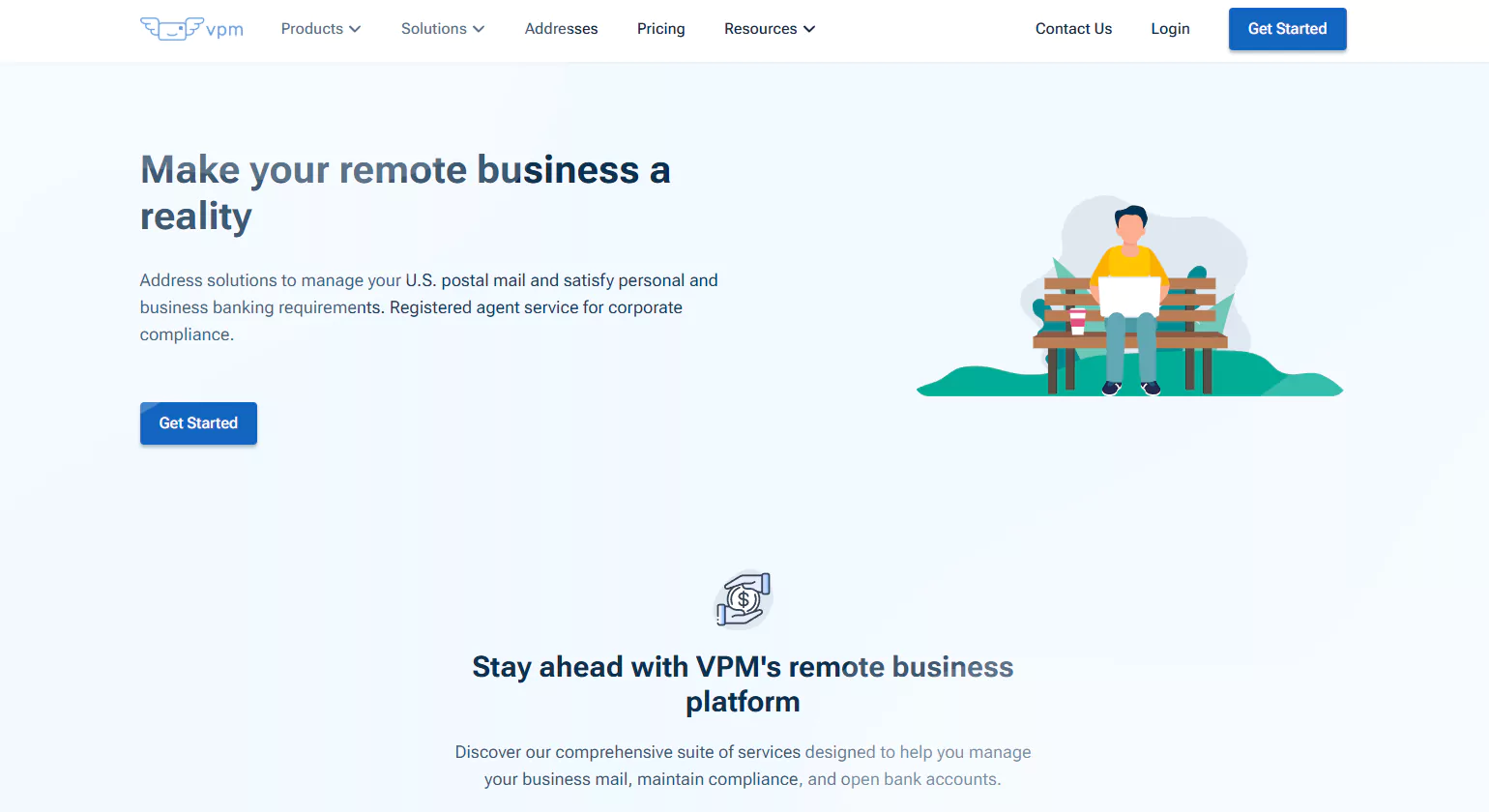
VirtualPostMail is known for its premium mail scanning and forwarding services, making it a great choice for anyone who needs efficient, secure mail management. With a virtual mail server designed to securely store scanned documents and easy access through an intuitive online portal, VirtualPostMail is perfect for both personal and business use.
Key Features:
- Premium mail scanning: Receive high-quality scans of your mail and documents.
- Mail forwarding: Forward your mail anywhere in the world, ensuring you never miss anything.
- Cloud storage: Securely store scanned documents and access them anytime, from anywhere.
- Check depositing: Ability to deposit checks remotely, a convenient feature for businesses.
- Real street address: Use a physical address for receiving mail and packages.
- Highly customizable plans: Choose plans that match your mail volume and service needs.
2. iPostal1
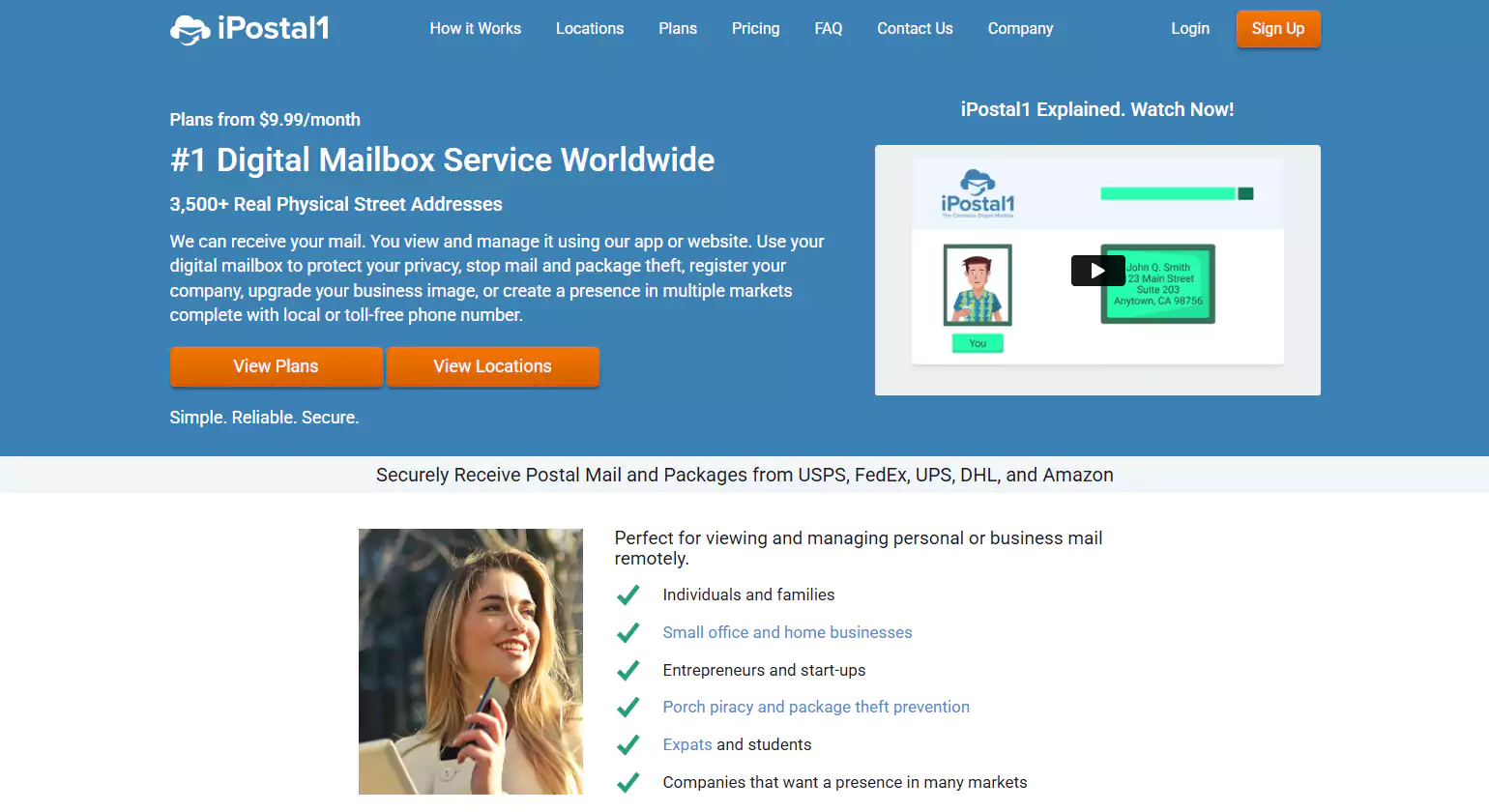
iPostal1 is one of the most comprehensive virtual mailbox providers, offering both personal and business solutions. With over 2,000 real street addresses to choose from, iPostal1 provides flexibility and security. The platform also features an easy-to-use mobile app, so users can manage their mail wherever they are.
Key Features:
- Over 2,000 real street addresses: Choose from locations across the U.S. or internationally.
- Mail forwarding: Forward your mail to any address, whether local or international.
- Mail scanning: Have your mail scanned and uploaded to a secure online portal.
- Mobile app access: Manage your mail via a convenient mobile app for Android and iOS.
- Additional services: Includes junk mail filtering, check depositing, and more.
- Secure document storage: Store scanned documents securely and access them on-demand.
3. Anytime Mailbox
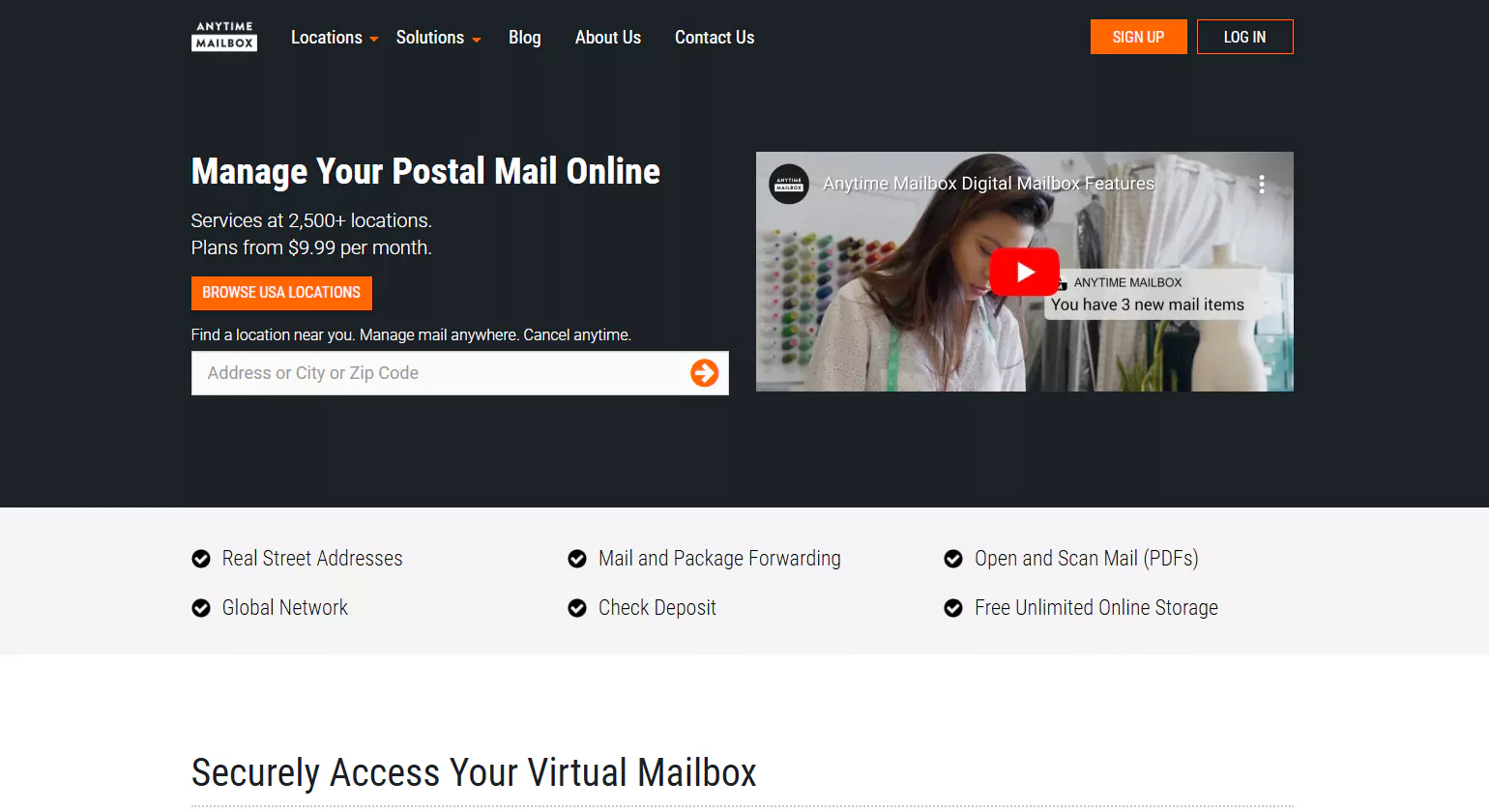
Anytime Mailbox is a versatile service with flexible plans designed to cater to both personal and business users. It stands out for its expansive global network of virtual addresses, making it ideal for anyone who wants to choose an address that’s local to their area—or even in a different country.
Key Features:
- Global network of addresses: Access over 1,000 virtual addresses worldwide, including key metropolitan areas.
- Mail scanning and forwarding: Get your mail scanned and forwarded to wherever you are.
- Secure cloud storage: Store your scanned mail securely in the cloud for easy access.
- Package forwarding: Send packages anywhere in the world with ease.
- Flexible pricing: Choose a plan based on your needs, whether personal or business.
- 24/7 online access: View your scanned mail and manage your mailbox from anywhere.
4. Earth Class Mail
Earth Class Mail is a high-security virtual mailbox provider designed to streamline the mail management process, especially for businesses and remote teams. With robust features like secure mail shredding, check depositing, and automatic mail forwarding, it offers a comprehensive solution for digital and remote businesses.
Key Features:
- High-security features: Secure mail handling, including shredding and encryption for sensitive documents.
- Check depositing: Remote check deposit services for business users.
- Mail forwarding: Forward mail and packages anywhere in the world.
- Integrations: Integrates with business tools like QuickBooks, Dropbox, and Google Drive.
- Scanning services: High-quality scanning of incoming mail for online access.
- Cloud storage: Store your scanned documents securely in the cloud for easy access and management.
5. PostScan Mail
PostScan Mail is another excellent option for users who need a straightforward and user-friendly mail scanning and forwarding service. Known for its simplicity and ease of use, PostScan Mail offers both flexible pricing plans and a variety of mail management services designed to meet the needs of individuals and small businesses.
Key Features:
- Mail scanning: Scan and organize your mail online to access it whenever you need it.
- Mail forwarding: Forward your mail to any location globally, ensuring flexibility.
- Mail shredding: Securely shred unwanted or sensitive documents.
- 24/7 online access: Access your scanned mail at any time through a secure online portal.
- Customizable plans: Choose a plan based on your individual or business needs.
- Affordable pricing: Offers competitive pricing options, making it a great choice for smaller businesses or personal use
How to Set Up Your Virtual Mailbox Service

Setting up your virtual mailbox is simple and requires just a few steps.
- Choose a Provider: Start by researching the different providers to find the best virtual mailbox services that suit your needs. Consider factors like cost, features, and customer support.
- Sign Up and Choose Your Plan: Once you’ve selected your provider, sign up for an account. Many services offer tiered pricing, so you can select the plan that best fits your volume of mail and desired features.
- Select a Virtual Address: Choose a virtual address. This will be the address where your mail is sent, and it can be in any location that the provider offers.
- Verify Your Identity: Most services require identity verification to comply with postal regulations. This typically involves providing identification documents, such as a driver’s license or passport, to confirm your identity.
- Set Up Your Preferences: Once your account is verified, set up your mail preferences, such as how you want your mail forwarded, scanned, or shredded. Many services offer customizable options based on your needs.
How to Forward, Scan, or Shred Your Mail Using Virtual Mailbox Services
Once your virtual mailbox is set up, you’ll be able to forward, scan, or shred your mail remotely. Here’s how to manage each process:
- Mail Forwarding: You can forward mail to any address of your choice, whether it’s temporary or permanent. Providers typically offer flexible forwarding options, allowing you to control when and where your mail is sent.
- Mail Scanning: Once your mail is received, most providers will scan the contents and upload them to your online portal. From there, you can view, download, or manage your scanned mail at your convenience.
- Mail Shredding: If you receive unwanted or sensitive mail, many providers will securely shred the documents for you. This ensures that your privacy is protected, and sensitive information is destroyed properly.
What Documents and ID Verification Are Needed to Set Up Your Mailbox?
To set up a virtual mailbox service, most providers will require you to verify your identity. This typically involves submitting a copy of your government-issued ID (such as a driver’s license or passport) and possibly a utility bill or bank statement to confirm your address. Verification is a standard process to comply with postal regulations and ensure the safety and security of your mail.
Security and Privacy Concerns in Virtual Mailbox Services
As virtual mailbox services become increasingly popular for managing personal and business mail, security and privacy have become top priorities for both service providers and users. When using virtual mailboxes, your personal and business information is stored and processed digitally, which brings certain concerns. This is why choosing the best virtual mailbox services that prioritize security and privacy is critical to safeguarding your sensitive data.
Ensuring Your Mail is Safe and Secure with Virtual Mailbox Providers
Virtual mailbox providers offer a range of services that allow users to view, forward, and store mail remotely. However, because these services handle sensitive mail, ensuring that the information is protected from unauthorized access or theft is crucial. Leading providers take several measures to ensure the security of your mail, including:
- Data encryption: The best virtual mailbox services utilize strong encryption protocols to secure both the physical and digital mail. This means that any scanned mail, mail forwarding requests, or other communications are protected from prying eyes.
- Secure online portals: Most services have secure web portals where you can view your scanned mail, track mail forwarding, and manage your account. These portals typically require strong login credentials and offer additional security features such as two-factor authentication (2FA) to add an extra layer of protection.
- Physical security: In addition to digital security measures, many virtual mailbox providers also ensure that the physical addresses where your mail is handled are secure. They employ secure facilities and have protocols for handling sensitive documents, reducing the risk of physical theft.
How Virtual Mailbox Services Protect Your Personal and Business Information
When it comes to personal and business information, virtual mailbox services take multiple steps to ensure confidentiality and privacy:
- Document shredding: Once you’ve reviewed scanned copies of your mail, providers like Virtual post mail offer a secure shredding service for physical documents that you no longer need. This ensures that your sensitive documents won’t end up in the wrong hands.
- Mail forwarding: When you request to forward your mail, it’s done securely using trackable methods, which ensures that your packages and letters arrive safely at their destination. Many services even offer virtual mail server features, such as real-time notifications, to track mail as it’s sent or received.
- Secure cloud storage: Most top-tier services provide encrypted cloud storage for storing your scanned documents, making them accessible only to you and authorized users. You can access these documents securely from anywhere in the world.
Understanding Encryption and Data Privacy Policies in Virtual Mailbox Services
Encryption plays a vital role in the privacy of your mail. It ensures that your scanned mail and sensitive documents are unreadable to anyone other than the intended recipient. Top virtual mailbox providers follow strict encryption standards, often using SSL/TLS encryption for web portals and AES-256 encryption for storing files.
Understanding data privacy policies is equally important. The best virtual mailbox services should clearly outline how they handle your data, how long they store it, and who has access to it. These services are bound by privacy laws, including GDPR in Europe and similar regulations in other regions, which require them to protect user data and only share it under specific conditions.
Before committing to a service, always review their privacy policy and terms of service to understand how your information will be handled. Look for services that are transparent about their data protection practices and that prioritize user confidentiality.
Troubleshooting and Support for Virtual Mailbox Services

While virtual mailbox services offer great convenience, there can be occasional hiccups. It’s important to know how to resolve common issues and where to turn for help when things go wrong. Here’s how to effectively troubleshoot and manage your virtual mailbox:
Common Issues with Virtual Mailboxes and How to Resolve Them
- Mail not being scanned on time: Sometimes, there can be delays in scanning or uploading your mail. If this happens, ensure that you contact customer support promptly. Providers like Stable virtual mailbox often offer 24/7 customer service to resolve these issues quickly.
- Incorrect or missing mail forwarding: If your mail forwarding request doesn’t go through as expected, check if there were any issues with the address or forwarding instructions. Providers often allow you to track mail forwarding through their platform, making it easy to resolve issues.
- Login issues: If you’re having trouble accessing your account, check that you’ve entered the correct login credentials. If you’ve forgotten your password, most services offer a password recovery process. For enhanced security, make sure you’re using two-factor authentication (2FA) if offered.
How to Contact Support for Virtual Mailbox Services
Most leading providers offer several ways to contact customer support, including email, live chat, or phone support. When choosing a virtual mailbox provider, look for one that provides easy access to customer service, especially for urgent matters like lost mail or failed deliveries. Virtual mail server services typically offer dedicated customer support for troubleshooting issues related to scanning, forwarding, or storing mail.
- Live chat: Many services now offer instant support through live chat on their websites.
- Email support: Email support is usually available for non-urgent inquiries, such as general questions about features.
- Phone support: Some premium services offer phone support for critical issues that need immediate attention.
Managing Your Virtual Mailbox with Ease: Tips and FAQs
To ensure the smooth management of your virtual mailbox, consider the following tips:
- Regularly check your mail: To avoid missing important documents, it’s a good idea to check your virtual mailbox regularly. Most services send email notifications when new mail is received or when actions are required, such as mail forwarding or scanning.
- Organize your mail: Use the features provided by your virtual mailbox service to organize scanned mail and keep track of important documents. Some services offer tagging and categorizing options to make it easier to find specific items.
- Stay on top of subscription fees: Keep an eye on your subscription plan and ensure it matches your usage needs. If you’re receiving more mail or need additional features like extra storage or check deposits, consider upgrading your plan to avoid interruptions.
Conclusion
In 2025, as virtual mailbox services continue to evolve, security and privacy are paramount. With the best virtual mailbox services offering a range of advanced features like encryption, secure storage, and physical mail handling, you can rest assured that your mail and sensitive data are in safe hands. Whether you’re using a virtual mail server for your business or relying on Stable virtual mailbox for personal use, these services provide the security and flexibility you need to manage your mail remotely and securely.
Faqs
What is the best virtual mailbox service?
The best virtual mailbox services combine secure mail scanning, package forwarding, and digital management. Features like real street addresses, 24/7 online access, and integration with shipping carriers enable businesses and individuals to manage mail remotely, enhancing convenience, privacy, and operational efficiency.
How Do Virtual Mailbox Services Work?
Virtual mailbox services work by providing you with a physical address where your mail is sent. The service provider then scans your mail and uploads it to an online portal for you to view. You can choose to forward, store, or shred the mail based on your preferences.
Are Virtual Mailbox Services Secure?
Yes, most virtual mailbox services use encryption and secure cloud storage to ensure that your mail is safe. Providers also follow strict privacy policies and offer additional security features like identity verification.
Which providers offer the best virtual address service?
Top providers include Anytime Mailbox, iPostal1, Earth Class Mail, and Traveling Mailbox. They offer real street addresses, mail handling, and forwarding options. Services cater to businesses, remote workers, and travelers seeking professional mailing addresses without maintaining a physical location.
What options are available for virtual mail services?
Virtual mail services include digital mail scanning, secure mail storage, package forwarding, check depositing, and document shredding. They can be subscription-based, provide multiple address locations, and allow online management, making them suitable for businesses, entrepreneurs, and remote professionals.
How Do I Set Up a Virtual Mailbox?
Setting up a virtual mailbox typically involves choosing a service provider, selecting a plan, and completing identity verification. Once set up, you’ll be given a unique mailing address, and your mail will be directed there.
What is the best virtual address service?
The best virtual address services, such as Earth Class Mail, Anytime Mailbox, and Traveling Mailbox, provide secure mail scanning, digital access, and forwarding. They simplify mail management, enhance privacy, and offer flexibility for individuals and businesses.
Can I Use a Virtual Mailbox for Personal Use?
Yes, virtual mailbox services are ideal for personal use, especially for people who travel frequently, live abroad, or need a private mailing address separate from their home.
How Do I Access My Mail in a Virtual Mailbox?
Once your mail is scanned by the provider, it is uploaded to a secure online portal where you can log in and view it. Some services also offer mobile apps for easier access.
What are the best virtual mailbox services currently available?
Currently, leading services are iPostal1, Anytime Mailbox, Earth Class Mail, and Traveling Mailbox. They provide reliable mail scanning, package handling, online access, and forwarding. These solutions streamline mail management, support remote operations, and ensure privacy and security for individuals and businesses.
Do Virtual Mailbox Services Handle Junk Mail?
Many virtual mailbox providers offer junk mail filtering, where unwanted or unsolicited mail is automatically sorted out and either discarded or marked for review.
Are Virtual Mailboxes Available Internationally?
Yes, many virtual mailbox services offer international addresses and allow you to manage your mail remotely from anywhere in the world. Some services even offer global forwarding options.
How does a mailbox scanning service work?
Mailbox scanning services receive your mail, open and scan the contents, and upload digital copies to a secure online account. You can view, download, or request forwarding of items, making mail management efficient and accessible from anywhere.
What is virtual mailbox software used for?
Virtual mailbox software allows users to manage physical mail online, view scanned copies, request forwarding, and track packages. It is ideal for remote workers, travelers, or businesses seeking a flexible, secure, and organized mail management solution.
Why should you use a scanning mail service?
Using a scanning mail service provides digital access to physical mail, reduces delays, improves organization, and enables secure handling. It’s ideal for remote management, travel, or businesses needing efficient and flexible mail solutions without relying on a physical address.














