Introduction
Table of Contents
In today’s hyper-connected digital environment, websites are not just online brochures—they are core components of business operations, often serving as platforms for transactions, data collection, communication, and service delivery. With this growing importance comes increased risk. Cyberattacks are more frequent and sophisticated, targeting businesses of all sizes to exploit weaknesses and access sensitive data. A website security audit Services is a proactive and systematic approach to identifying, analyzing, and mitigating those vulnerabilities before they can be exploited. By regularly conducting audits, organizations can not only strengthen their digital defenses but also align with regulatory standards and industry best practices.
What Is a Website Security Audit?
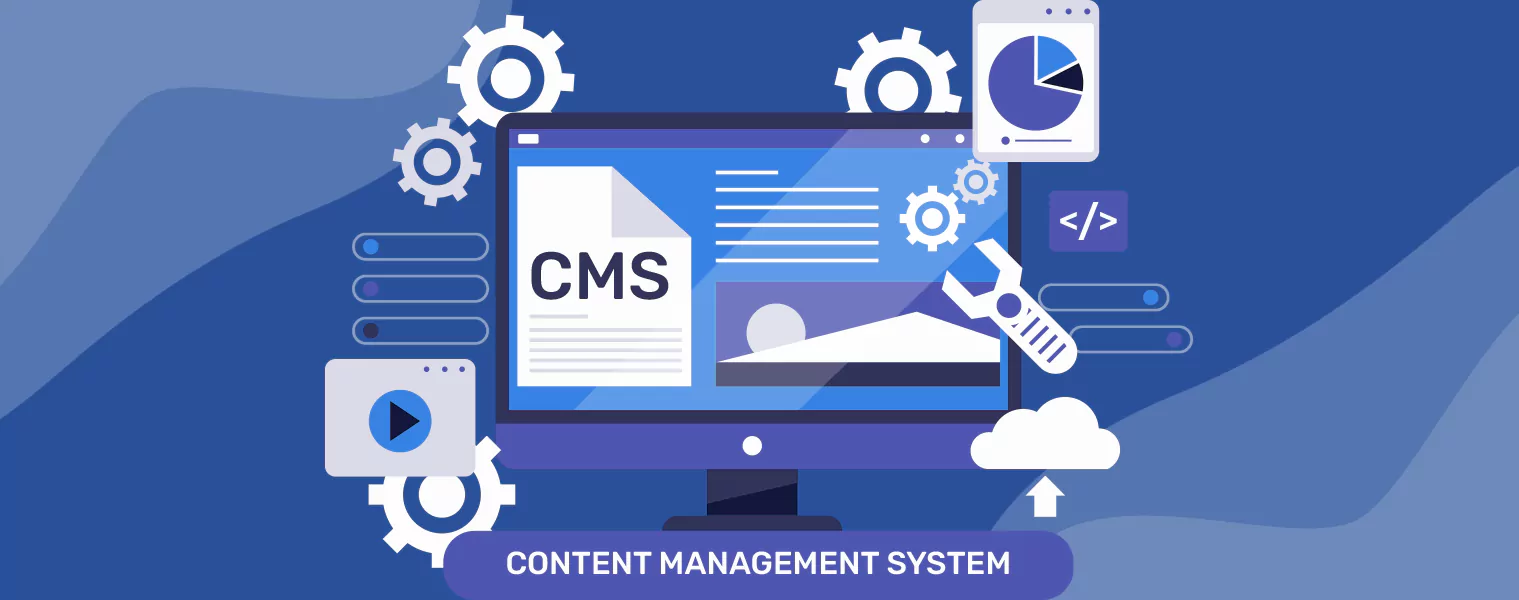
It systematically evaluates every layer of your website—server configurations, databases, CMS platforms, themes, plugins, SSL certificates, and access controls. It involves both automated tools and manual review processes to identify risks such as cross-site scripting (XSS), SQL injection, insecure cookies, or outdated components. Audits can also check compliance with data privacy laws and industry-specific security standards.
Who Needs a Web Security Audit
Any business with a digital footprint needs regular web application security audit. E-commerce platforms, SaaS providers, healthcare systems, financial institutions, and even blogs or nonprofit websites are vulnerable to threats. If your site collects data, processes transactions, or supports user logins, you’re a potential target—and a security audit is a must-have.
Key Components of a Comprehensive Website Security Audit
1. Vulnerability Assessment
This involves automated and manual scanning of your website, server, and third-party integrations to identify known vulnerabilities. It helps in detecting outdated software, misconfigurations, and unpatched components. Additionally, it assesses potential security loopholes, weak authentication protocols, and insecure APIs, ensuring comprehensive protection against cyber threats and reducing the risk of data breaches.
2. Penetration Testing (Pen Testing)
Penetration testing (pen testing) simulates real-world cyberattacks to assess how effectively a website can withstand unauthorized access attempts. Ethical hackers actively probe systems, exploiting known and unknown vulnerabilities to reveal potential risks, measure the impact of successful breaches, and evaluate the effectiveness of detection, prevention, and incident response mechanisms in place.
3. Malware Scanning & Removal
Regular malware scans detect malicious scripts, trojans, and suspicious activity across your website files and server environment. Early detection and immediate removal help prevent data theft, SEO penalties, reputational damage, and website downtime. These scans are essential for maintaining site integrity, customer trust, and compliance with security best practices and standards.
4. SSL/TLS Configuration and HTTPS Setup
SSL/TLS certificates encrypt data in transit, protecting it from interception or tampering. A proper setup ensures the use of strong encryption protocols like TLS 1.3, disables outdated versions such as SSL 2.0/3.0 and TLS 1.0/1.1, and maintains valid, trusted certificates from reputable authorities to ensure secure user communication and trust.
5. Firewall and Intrusion Detection Review
Auditing Web Application Firewalls (WAFs) and Intrusion Detection Systems (IDS) configurations ensures they are effectively blocking attacks like SQL injection, DDoS, and brute-force attempts. It also verifies proper alerting, logging of suspicious activities for forensic analysis, compliance with security policies, and continuous updates to counter emerging threats and vulnerabilities.
6. Authentication and Authorization Checks
This evaluates the strength of login systems, multi-factor authentication (MFA), and access controls to ensure only authorized users can access specific resources. It includes assessing password policies, session management, and identity verification methods. Robust authentication mechanisms help mitigate unauthorized access, data breaches, and account compromise risks across critical systems and services.
7. Source Code Review
Manual or automated code reviews play a crucial role in enhancing software security and reliability. They help uncover hidden flaws such as insecure coding practices, hardcoded credentials, logic errors, and potential backdoors. These reviews are especially vital for custom web applications, where tailored functionality often introduces unique vulnerabilities not covered by automated tools.
Types of Website Security Audits
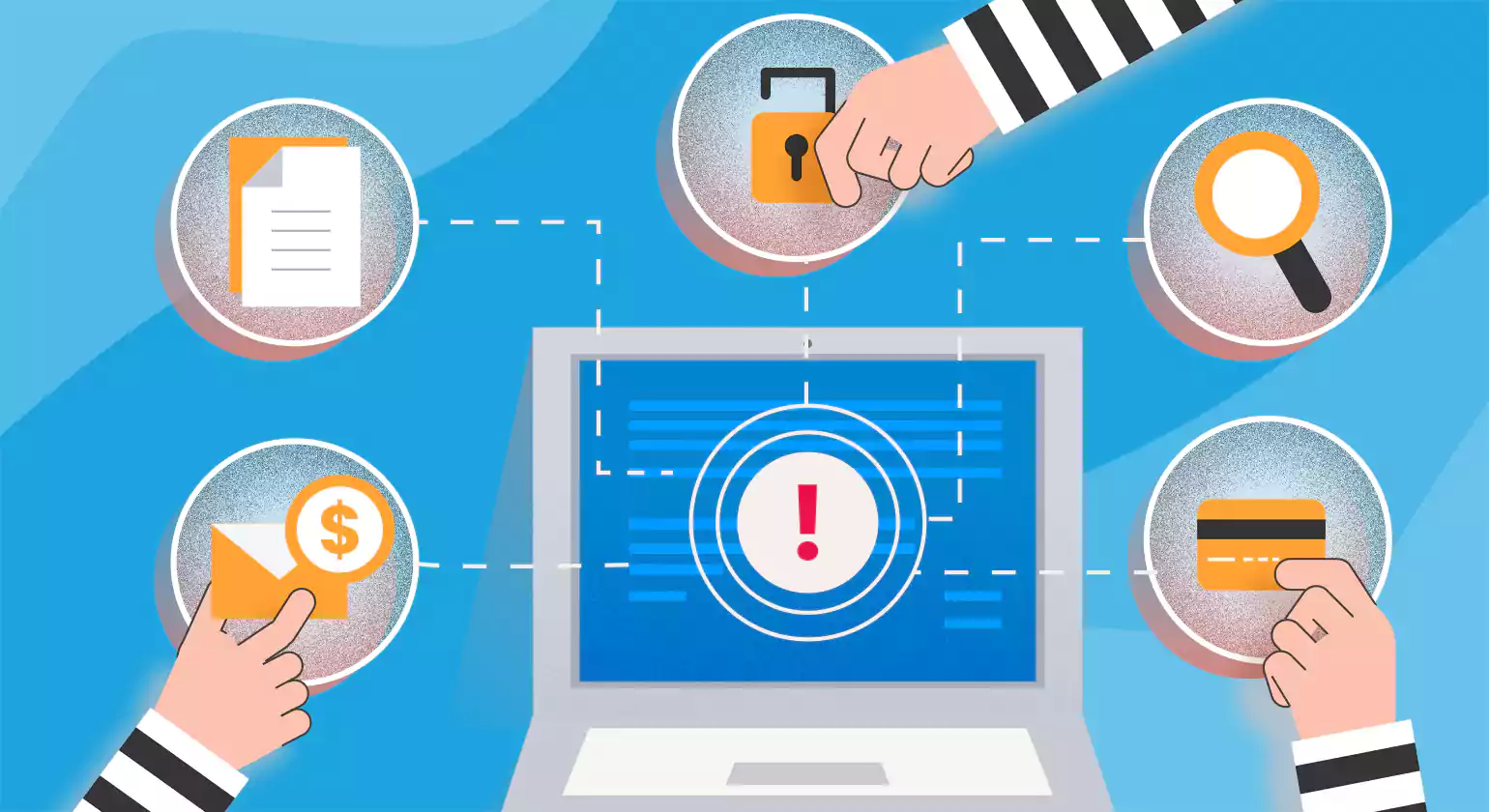
They are structured assessments that uncover vulnerabilities, misconfigurations, and compliance gaps in digital assets. These audits play a vital role in protecting sensitive data, maintaining user trust, and meeting regulatory requirements
Manual vs Automated Security Audits
Manual Security Audits
These website security audit are performed by cybersecurity professionals who manually inspect codebases, business logic, configurations, and user permissions. This method excels in identifying complex logic flaws, authentication bypasses, and business-specific vulnerabilities that automated tools may overlook. Manual testing is essential for thorough audits like penetration testing and compliance assessments.
Automated Security Audits
Automated security audit for website use software tools and scanners to identify common vulnerabilities, such as outdated plugins, misconfigured headers, or known CVEs (Common Vulnerabilities and Exposures). While automation ensures speed and coverage, it may produce false positives and often lacks contextual accuracy.
Internal vs External Audits
Internal Audits
These are conducted by an organization’s in-house security or IT teams. These auditors have insider access and knowledge of systems, which enables faster identification and remediation of vulnerabilities. However, internal teams may miss issues due to bias or blind spots.
External Audits
External Audits are performed by independent third-party experts or firms. These auditors offer a fresh, unbiased perspective and often simulate real-world attack scenarios. External audits are ideal for uncovering hidden threats and achieving certifications
Network, Server, and Application Layer Audits
Network Layer Audits
Focus on infrastructure security. They assess firewalls, routers, VPNs, DNS configurations, open ports, and intrusion detection systems. The goal is to identify unauthorized entry points and ensure encrypted data transmission.
Server Layer Audits
Examine the underlying operating systems and server configurations. Key checks include patch management, SSH settings, user permissions, file integrity monitoring, and malware detection. Misconfigured servers are common entry points for attackers.
Application Layer Audits
Analyze web applications and APIs for vulnerabilities such as SQL injection, XSS (Cross-Site Scripting), CSRF, broken authentication, and insecure session management. These audits also inspect third-party integrations and client-side scripts.
Top 10 Benefits of Websites Security Audits Services
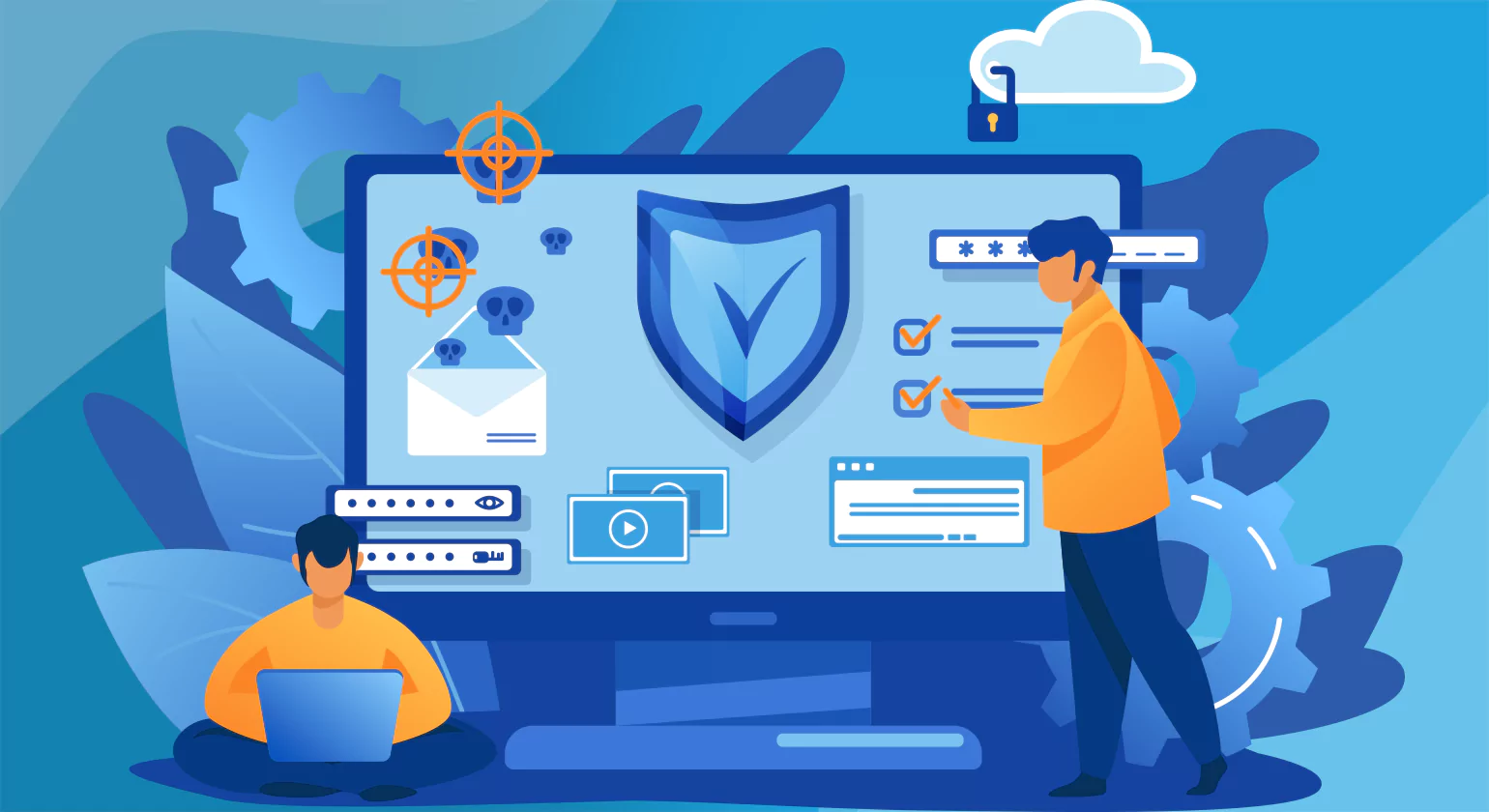
Security audits for websites offer a multitude of benefits that are indispensable in today’s digital landscape:
1. Identifying Vulnerabilities
One of the primary benefits of security audits is their ability to pinpoint vulnerabilities within a website’s infrastructure, codebase, and configurations. By uncovering weaknesses such as outdated software, misconfigurations, or insecure coding practices, organizations can take proactive steps to address these issues before they are exploited by malicious actors.
2. Protecting Sensitive Data
Websites often store and process sensitive information such as customer data, financial details, or proprietary business information. Security audits help ensure the confidentiality, integrity, and availability of this data by identifying potential points of weakness and implementing appropriate security measures such as encryption, access controls, and data masking.
3. Maintaining Regulatory Compliance
Many industries are subject to stringent regulatory requirements regarding data security and privacy. security audit for website help organizations ensure compliance with regulations such as GDPR, HIPAA, PCI DSS, and others by assessing adherence to security standards and implementing necessary controls to protect sensitive information.
4. Preventing Data Breaches
Data breaches can have devastating consequences for organizations, including financial loss, reputational damage, and legal ramifications. Security audits play a crucial role in preventing data breaches by proactively identifying vulnerabilities and implementing robust security measures to mitigate risks and prevent unauthorized access to sensitive data.
5. Enhancing Customer Trust
In an era where data breaches and cyber attacks are increasingly common, customers are more vigilant than ever about the security of the websites they interact with. By conducting regular website security audits and demonstrating a commitment to protecting customer data, organizations can enhance trust and credibility among their user base, leading to increased customer loyalty and retention.
6. Improving Overall Security Posture
Security audits provide valuable insights into an organization’s overall security posture, allowing them to identify areas for improvement and implement proactive measures to strengthen their defenses against emerging threats. By continuously assessing and enhancing security measures, organizations can stay one step ahead of cybercriminals and reduce the risk of costly security incidents.
7. Mitigating Financial Loss
Security breaches can result in significant financial losses due to various factors such as remediation costs, legal fees, regulatory fines, and loss of revenue resulting from downtime or reputational damage. By conducting regular security audit for website and addressing vulnerabilities promptly, organizations can mitigate the financial impact of potential security incidents and avoid costly repercussions.
8. Safeguarding Brand Reputation
A security breach can tarnish an organization’s reputation and erode customer trust, resulting in long-term damage to the brand’s image. Security audits help safeguard brand reputation by demonstrating a commitment to protecting customer data and maintaining a secure online environment. By proactively identifying and addressing security risks, organizations can instill confidence in their customers and stakeholders, preserving their brand reputation and competitiveness in the market.
9. Facilitating Incident Response Planning
Security audits can help organizations develop and refine their incident response plans by identifying potential security weaknesses and recommending specific actions to take in the event of a security breach. By understanding the vulnerabilities that could be exploited, organizations can create more effective response strategies, ensuring a swift and organized approach to managing and mitigating the impact of security incidents.
10. Enhancing Security Awareness and Training
Frequent web site security audit offer a chance to evaluate and raise team members’ general security awareness. Organizations can design their training programs to target employees’ knowledge gaps or areas where they may be more vulnerable to security concerns. By encouraging a culture of accountability and alertness, this proactive approach to security education lowers the possibility of human error that could result in security breaches.
Top 10 Website Security Audit Tools
When conducting a security audit, having the right tools at your disposal can greatly streamline the process and ensure comprehensive coverage. Here are some essential website security audit tools to consider:
1. Tenable Nessus
Tenable Nessus is a widely used vulnerability assessment tool that helps organizations identify and fix website security audit Services weaknesses in their systems. Developed by Tenable, Nessus scans operating systems, applications, and network devices to detect vulnerabilities such as missing patches, misconfigurations, and software flaws.
Trusted by cybersecurity professionals worldwide, Nessus offers comprehensive scan coverage with a continuously updated database of known vulnerabilities (powered by Tenable Research). It supports multiple scan types, including credentialed and non-credentialed scans, helping organizations gain deeper visibility into their security posture.
key features
Comprehensive Vulnerability Scanning
Scans systems, applications, and devices for thousands of known vulnerabilities.Low False Positives
Delivers high-accuracy results, minimizing false alerts and saving time.Regular Plugin Updates
Backed by Tenable Research, it receives daily updates for the latest threats and vulnerabilities.Credentialed and Non-Credentialed Scans
Performs deep inspections using system credentials or external probing.Compliance Auditing
Includes templates for PCI DSS, HIPAA, NIST, and other regulatory standards.
2. NordPass
NordPass is a website security audit service and a user-friendly password manager developed by the cybersecurity company behind NordVPN. Designed to help individuals and businesses store, manage, and access passwords efficiently, NordPass ensures your sensitive data is encrypted and readily available whenever needed.
With a zero-knowledge architecture, NordPass ensures that only you can access your stored credentials—neither the company nor any third parties can view your information. The tool supports cross-platform synchronization, allowing access on desktops, mobile devices, and browsers seamlessly.
Key Features
Zero-Knowledge Encryption: Uses XChaCha20 encryption to ensure no one but you can access your data.
Secure Password Vault: Store unlimited passwords, credit card details, secure notes, and personal info.
Password Generator: Create strong, complex passwords to enhance account security.
Cross-Platform Access: Available on Windows, macOS, Linux, Android, iOS, and browser extensions.
Biometric Login: Use fingerprint or face recognition for quick and secure access.
3. Acunetix
Acunetix is a powerful web application security scanner designed to identify and fix vulnerabilities in websites, web applications, and APIs. Trusted by organizations worldwide, Acunetix helps automate the process of detecting issues like SQL Injection, Cross-site Scripting (XSS), and other OWASP Top 10 vulnerabilities.
Key Features
Comprehensive Vulnerability Detection: Scans for 7,000+ known vulnerabilities including SQLi, XSS, CSRF, and out-of-band vulnerabilities.
DeepScan Crawler: Advanced crawling technology that fully explores JavaScript-heavy websites and single-page applications (SPAs).
CI/CD Integration: Seamless integration with DevOps tools like Jenkins, GitLab, and Azure DevOps, enabling security testing in the development pipeline.
Authenticated Scanning: Supports complex authentication mechanisms (Form, OAuth, NTLM, etc.) to ensure thorough scanning behind login pages.
Scan Automation & Scheduling: Automate regular scans and receive real-time alerts to maintain continuous security.
4.Intruder
Intruder is a powerful cloud-based vulnerability scanner designed to help businesses proactively identify and fix cybersecurity weaknesses across their digital assets. Tailored for startups, SMEs, and large enterprises, Intruder automates security scanning to detect vulnerabilities before attackers can exploit them. It integrates seamlessly into development pipelines and supports continuous monitoring, making it ideal for DevOps and security teams looking to maintain strong security hygiene without excessive manual intervention.
Key Features
Automated Vulnerability Scanning: Scans external systems, cloud environments, and internal networks for thousands of known vulnerabilities, including misconfigurations and missing patches.
Continuous Monitoring: Constantly monitors assets and alerts users to new threats and exposures in real-time.
Intelligent Threat Prioritization: Uses contextual analysis to highlight the most critical vulnerabilities based on risk and exposure, reducing noise and helping teams focus on what matters most.
Cloud Integration: Supports major cloud platforms like AWS, Azure, and Google Cloud for streamlined asset discovery and vulnerability management.
Compliance Reporting: Offers reporting tools aligned with industry standards like ISO 27001, SOC 2, and GDPR to simplify audits and regulatory compliance.
5. Burp Suite
Burp Suite is a powerful web vulnerability scanner and website security audit testing platform developed by PortSwigger. It is widely used by cybersecurity professionals, ethical hackers, and penetration testers to identify and exploit vulnerabilities in web applications. Burp Suite acts as an intermediary between the tester’s browser and the target application, allowing detailed inspection and modification of web traffic.
Key Features
Proxy Server:
Intercepts and modifies HTTP/S traffic between the browser and target application for detailed analysis.Scanner (Pro Only):
Automatically detects common web vulnerabilities like XSS, SQL Injection, CSRF, and more.Intruder:
Automates customized payload-based attacks, ideal for fuzzing and brute-force testing.Repeater:
Manually modify and resend individual HTTP requests to test server responses.Sequencer:
Analyzes the randomness of session tokens and other data for potential predictability issues.
6. Observatory
Observatory is a powerful online tool designed to help developers, security professionals, and website owners assess the security, configuration, and overall health of their web applications. By performing automated scans, Observatory evaluates multiple aspects of a website’s setup, identifying potential vulnerabilities, misconfigurations, and areas for improvement.
Key Features
- Security Scanning: Observatory inspects your site for critical security headers, SSL/TLS implementation, and HTTPS configurations. It checks for common issues like missing Content Security Policy (CSP), Strict Transport Security (HSTS), and X-Frame-Options headers that protect against attacks such as clickjacking and cross-site scripting (XSS).
Detailed Reports: The tool generates easy-to-understand reports with actionable insights. Each test includes an explanation and suggestions for remediation, enabling users to quickly enhance their website’s security posture.
Performance Checks: Besides security, Observatory reviews key performance metrics and best practices, such as certificate validity and protocol support, ensuring your site is optimized for speed and reliability.
User-Friendly Interface: With a simple URL input, anyone can scan their website instantly. Results are visually organized with clear scores and badges, making it accessible for both technical and non-technical users.
Continuous Improvement: Regular use of Observatory allows website owners to track improvements over time and stay up to date with evolving security standards.
7. Qualys
Qualys is a leading cloud-based cybersecurity and compliance platform designed to help organizations identify, manage, and mitigate IT security risks. It offers comprehensive vulnerability management, continuous monitoring, and policy compliance solutions, making it easier for businesses to maintain strong security postures across their entire IT infrastructure.
Key Features
Vulnerability Management: Automatically scans IT assets, including on-premises, cloud, and mobile environments, to detect vulnerabilities, misconfigurations, and potential threats in real time.
Continuous Monitoring: Provides ongoing asset discovery and threat detection, alerting security teams instantly about new vulnerabilities or changes in the network.
Cloud Agent Technology: Lightweight agents deployed across endpoints enable real-time visibility and scanning without impacting system performance.
Policy Compliance & Auditing: Ensures regulatory compliance by continuously checking systems against internal policies and industry standards like PCI-DSS, HIPAA, and GDPR.
Web Application Security: Offers dynamic scanning of web applications to identify security flaws such as SQL injection or cross-site scripting (XSS).
8. Quttera
Quttera is a powerful web malware scanner and security tool designed to detect and analyze malware infections on websites. It helps website owners, administrators, and security professionals identify malicious code, suspicious files, and vulnerabilities that could compromise website integrity and user safety. Quttera offers an easy-to-use platform that scans websites thoroughly to ensure they remain clean and secure from cyber threats such as malware, trojans, backdoors, and phishing scripts.
Key Features
Comprehensive Malware Detection: Identifies a wide range of malware, including viruses, trojans, spyware, ransomware, backdoors, and suspicious code fragments.
Website File Scanning: Analyzes website files, databases, and scripts for potential infections and unauthorized changes.
Real-Time Monitoring: Provides continuous surveillance to detect malware outbreaks early and prevent damage.
Detailed Security Reports: Generates clear, easy-to-understand reports with malware descriptions, infection sources, and remediation steps.
API Integration: Allows seamless integration with other security platforms and website management tools for automated scanning workflows.
9. Snyk Website Scanner
Snyk Website Scanner is a powerful website security audit tool designed to help developers and security teams identify vulnerabilities in websites and web applications quickly and efficiently. It offers an easy-to-use interface that scans public-facing websites for common security risks, providing actionable insights to fix issues before they are exploited by attackers.
Key Features
Automated Vulnerability Detection: Instantly scans websites for security weaknesses such as outdated libraries, misconfigurations, and common vulnerabilities like Cross-Site Scripting (XSS) and SQL Injection.
Comprehensive Security Reports: Generates detailed reports highlighting discovered vulnerabilities with clear explanations and recommended fixes, helping teams prioritize remediation efforts.
Developer-Friendly Integration: Seamlessly integrates with development workflows and CI/CD pipelines to ensure continuous monitoring and faster feedback loops.
Real-Time Scanning: Provides up-to-date assessments by continuously scanning websites and alerting teams to new vulnerabilities as they emerge.
Easy to Use: Requires no complex setup—simply enter the website URL, and Snyk Website Scanner performs a thorough security analysis within minutes.
10. Pentest-Tools
Pentest-Tools is a powerful, user-friendly platform designed to streamline and automate penetration testing and vulnerability assessments. It empowers security professionals, developers, and businesses to identify weaknesses in their web applications, networks, and IT infrastructure quickly and efficiently. By combining multiple security tools into a single interface, Pentest-Tools enables thorough scanning, testing, and reporting without the complexity of managing separate utilities.
Key Features
Web Application Scanning: Detect common vulnerabilities such as SQL injection, Cross-Site Scripting (XSS), and more. The platform performs deep scans tailored for OWASP Top 10 threats.
Network Scanning: Identify open ports, running services, and potential entry points within your network infrastructure, helping to close security gaps before attackers can exploit them.
Vulnerability Assessment: Pentest-Tools continuously updates its vulnerability databases to detect the latest threats, including misconfigurations and outdated software versions.
Password Security Testing: Perform brute force and dictionary attacks to assess password strength on various services, improving credential security policies.
Reporting and Compliance: Generate detailed, customizable reports that can be shared with stakeholders. Reports highlight vulnerabilities, risk levels, and remediation advice, supporting compliance with security standards.
Conducting a Web Application Security Audit of Websites

Web application security audit are a critical process for identifying vulnerabilities, assessing risks, and strengthening defenses against increasingly sophisticated cyberattacks. As web applications become more complex and integral to business operations, auditing ensures that security controls are effectively implemented and potential entry points for attackers are minimized.
1. Importance of Web App Security
Web apps often handle sensitive data such as personal information, payment details, and intellectual property. A single vulnerability can lead to severe consequences including data breaches, financial loss, and regulatory penalties. web site security audit help organizations proactively detect weaknesses before attackers exploit them, thereby preserving data integrity, maintaining user trust, and ensuring compliance with industry standards like GDPR and PCI-DSS.
2. Review Authentication and Authorization
Evaluate login mechanisms, password policies, and user role management. Ensure secure practices like multi-factor authentication (MFA), session management, and least-privilege access are enforced. Additionally, enforce account lockouts after multiple failed attempts, use secure password hashing algorithms, and review inactive accounts regularly to minimize risk and prevent unauthorized access.
3. Auditing APIs and Front-End JavaScript
Modern web applications heavily depend on APIs and front-end JavaScript, which present distinct security challenges. API audits focus on verifying authentication mechanisms, validating inputs to prevent injection attacks, and ensuring secure data transmission with encryption. Meanwhile, front-end JavaScript audits assess the code for vulnerabilities such as DOM-based XSS and exposure of sensitive data in the client environment. Together, these audits ensure end-to-end security across all layers of the application stack.
4. Assess Error Handling and Logging
Review how the application handles errors and logs activity. Avoid exposing detailed error messages to users, and ensure logs are securely stored and monitored for suspicious activity. Proper error handling prevents attackers from gaining insights into system architecture, while secure logging helps in forensic analysis and quick response to potential breaches or anomalies.
10 Essential Website Security Audit Checklist for 2026
1. SSL Certificate Validation
Regularly check the SSL certificate for authenticity, expiration date, and whether it is issued by a trusted Certificate Authority (CA). An invalid or expired certificate not only compromises the security of data transmission but also triggers browser warnings that can deter visitors from accessing your site. Maintaining a valid SSL certificate is crucial for establishing trust, as it assures users that their connection is secure and their information is protected.
2. SSL/TLS Configuration
Check the validity and expiration dates of SSL/TLS certificates. Ensure that SSL/TLS protocols and cipher suites are configured securely to protect data in transit. Enforce HTTPS for all web pages to encrypt communications between clients and servers, safeguarding sensitive information from interception or tampering.
3. Authentication Mechanisms
Evaluate the methods used for user authentication, such as passwords, multi-factor authentication (MFA), and account lockout policies. Implement strong password policies and encourage the use of unique, complex passwords. Employ secure authentication protocols and mechanisms to verify the identity of users and prevent unauthorized access.
4. HSTS (HTTP Strict Transport Security
Activate HSTS to instruct browsers to exclusively access your website via HTTPS, preventing insecure HTTP connections and protecting against man-in-the-middle attacks. This policy enhances security by enforcing encrypted connections even if users attempt to visit the HTTP version, reducing risks of protocol downgrade attacks and safeguarding sensitive data from interception or tampering.
5. Web Server Process Hardening
Web Server Process Hardening involves tightening security configurations to minimize vulnerabilities. This includes disabling unnecessary services, applying the principle of least privilege to server processes, regularly updating software, and restricting access to critical files and directories. These measures reduce attack surfaces and protect the server from exploitation and unauthorized access.
6. Firewall Configuration
Proper firewall configuration is vital to protect your network by monitoring and controlling incoming and outgoing traffic based on security rules. A well-configured firewall blocks unauthorized access, prevents malicious attacks, and helps detect suspicious activity. Regularly updating firewall rules ensures effective defense against evolving cyber threats.
7. Input Validation
Implement thorough input validation to prevent vulnerabilities like SQL injection and cross-site scripting (XSS). Validate and sanitize all user inputs on both client and server sides to ensure only expected data is processed. Use allowlists, parameterized queries, and encoding techniques to block malicious code and strengthen application security.
8. Content Security
IImplement Content Security Policy (CSP) to mitigate the risk of content injection attacks such as XSS. Enforce strict controls over file uploads to prevent malicious file uploads and ensure that file types are validated and restricted. Regularly review and update content security controls to adapt to evolving threats and vulnerabilities.
9. Check website Analytics
Check website analytics regularly to gain insights into user behavior, traffic sources, and performance trends. Monitoring key metrics helps identify unusual activity, detect potential security issues, and optimize user experience. Analytics can also reveal sudden changes that may indicate malicious activity, enabling timely action to protect your website and data.
10. Backup and Recovery
Implement regular backups of website data and configurations to ensure data integrity and availability in the event of a security incident or data loss. Test backup and recovery procedures regularly to verify their effectiveness and reliability. Store backups securely and offsite to prevent loss due to physical or logical failures.
Step-by-Step Process to Audit Website Security
To ensure a successful website security audit consider the following best practices-
Update All Software and Dependencies
Unpatched systems are one of the most common entry points for attackers. A complete audit starts with ensuring your CMS (like WordPress, Joomla, or Drupal), plugins, themes, frameworks (e.g., Laravel, Django), and any third-party libraries are up to date. Use tools like Dependabot (for code repositories) and software inventory scanners to track versions and vulnerabilities (CVEs). Set up automated alerts or enable auto-updates where feasible.
Enforce HTTPS and Secure SSL Certificates
A valid SSL/TLS certificate protects data integrity and confidentiality during transmission. Check if your site redirects all traffic to HTTPS and uses strong encryption (TLS 1.2 or higher). Tools like Qualys SSL Labs can score your SSL setup and highlight weak ciphers or expired certificates. Implement HTTP Strict Transport Security (HSTS) headers to force browsers to use HTTPS only.
Perform Vulnerability Scanning
Use dynamic (DAST) and static (SAST) tools to detect flaws in live applications and source code. DAST tools like OWASP ZAP and Burp Suite scan for injection flaws, insecure cookies, and improper authentication. SAST tools review code for bad practices like hardcoded credentials or unsafe functions. Prioritize remediation based on severity (CVSS score) and business impact.
Audit User Roles and Access Control
List all users with access to the site’s admin panel, databases, or servers. Remove inactive accounts, restrict access to “least privilege,” and use Role-Based Access Control (RBAC). Enforce strong password policies (e.g., 12+ characters, complexity rules), mandatory 2FA, and session timeout settings. Integrate with centralized identity providers (SSO) where possible.
Inspect Server and Application Logs
Security logs can reveal attempted attacks or ongoing intrusions. Review logs for failed login attempts, suspicious POST requests, 404 errors with query strings (often indicative of scanning), and unauthorized admin access. Use log management platforms like ELK Stack, Graylog, or Splunk to centralize and analyze logs effectively.
Evaluate Backup and Disaster Recovery
Check that backups are performed regularly (daily or more frequent) and stored securely in isolated environments (e.g., offsite cloud storage with encryption). Test recovery procedures to ensure they work as intended, minimizing downtime in a real incident. Include both full and incremental backup strategies and ensure backups are not accessible to ransomware attacks.
Conduct Penetration Testing
Penetration testing simulates real-world attacks to uncover vulnerabilities that scanners may miss. Engage certified ethical hackers (CEH, OSCP) to conduct both internal and external testing. Focus on business-critical systems, API endpoints, authentication flows, and payment processing modules. Follow OWASP Testing Guide v4 for structured methodology and reporting.
Update Security Policies
A solid audit reviews the organization’s security posture beyond the technical side. Ensure you have documented policies covering user behavior (e.g., BYOD, password handling), data classification, breach response, and compliance (e.g., GDPR, HIPAA, PCI-DSS). Train staff regularly and revise policies annually or after major incidents.
How Often Should You Audit Website Security?
A website security audit is essential for protecting your site against cyber threats, data breaches, and compliance violations. But many businesses struggle with one critical question: how often should you perform a website security audit? The answer depends on your website type, the sensitivity of the data you handle, and the risks associated with your industry.
Conducting audits regularly helps detect vulnerabilities early, reduce downtime, and ensure your site meets both customer expectations and regulatory standards.
Recommended Frequency for Most Websites
For standard business or informational websites, a quarterly website security audit (every three months) is generally recommended. This schedule ensures that outdated plugins, misconfigurations, or newly discovered vulnerabilities are addressed before attackers exploit them.
Websites with frequent content updates, high traffic, or integrated payment systems should consider monthly audits. Using automated monitoring tools between audits can provide real-time alerts for suspicious activity, adding an extra layer of protection.
Factors That Determine Audit Frequency
Industry-Specific Guidelines and Compliance
Certain industries have strict compliance requirements that dictate audit frequency. For example, e-commerce platforms handling payments must follow PCI DSS, which requires regular security checks. Healthcare organizations under HIPAA must conduct frequent audits to safeguard patient data. Financial services are also bound by regulations that demand ongoing assessments.
By aligning your website security audit schedule with industry standards, you reduce legal risks while strengthening customer trust.
Common Mistakes to Avoid in Website Security Audits
Conducting regular website security audits is one of the most effective ways to safeguard your online presence. However, many organizations unknowingly make mistakes that reduce the effectiveness of these audits and leave critical vulnerabilities unaddressed. Avoiding these common pitfalls ensures that your audit efforts strengthen your website security and align with industry best practices.
Overlooking Third-Party Integrations and Dependencies
Modern websites often rely on third-party plugins, APIs, and external services. Unfortunately, these integrations are frequently overlooked during website security audits. Attackers target such weak points to gain unauthorized access, making it essential to include all third-party dependencies within your audit scope. Regularly updating and verifying the security of these integrations is key to minimizing hidden risks.
Failing to Act on Audit Findings
An audit is only valuable if its findings lead to corrective action. One of the most common mistakes is failing to remediate vulnerabilities promptly. Leaving discovered issues unresolved gives hackers more opportunities to exploit them. To maximize the effectiveness of a security audit, prioritize fixes, retest after remediation, and track progress to ensure long-term protection.
Not Updating Security Policies After Audits
Cyber threats evolve quickly, and outdated security policies can leave gaps in your defenses. Many businesses conduct audits but neglect to update their internal policies accordingly. Every website security audit should result in revised security protocols that address emerging risks, ensuring your team follows consistent and effective practices.
Ignoring Regular Updates to Tools and Methodologies
Relying on outdated audit tools or techniques is another critical mistake. Threats such as API abuse, cloud misconfigurations, and advanced persistent attacks often go undetected if older tools are used. To stay ahead, update your audit tools regularly and adopt modern testing methodologies that align with current cybersecurity trends.
How to Choose the Right Security Audit Service Provider
Selecting the right security audit service provider is one of the most important decisions for safeguarding your organization’s digital assets. A thorough website or IT security audit helps uncover vulnerabilities, ensure compliance with industry standards, and protect sensitive data from evolving cyber threats. However, not all providers deliver the same level of expertise or value.
The ideal provider should offer a comprehensive audit scope, covering network infrastructure, applications, third-party integrations, and regulatory requirements like GDPR, HIPAA, or PCI DSS. Certifications such as CISSP, CISA, or ISO 27001 indicate a strong foundation in cybersecurity best practices. Beyond technical qualifications, factors such as transparent reporting, actionable remediation steps, and ongoing support play a vital role in strengthening your security posture.
Why Selecting the Right Provider Matters for Your Business
Choosing the right security audit service provider directly impacts how effectively risks are identified and mitigated. A skilled provider with industry-specific experience understands the unique threats faced by businesses in sectors like healthcare, finance, or e-commerce. This ensures audits are not just generic checklists but tailored to your critical assets and compliance needs.
The wrong choice, on the other hand, can leave gaps in protection, expose sensitive data, and result in costly breaches. By partnering with a trusted provider, you gain not only a detailed vulnerability assessment but also a roadmap to improve resilience, build customer trust, and maintain regulatory compliance.
Conclusion
website security audit is essential to identify vulnerabilities, protect sensitive data, and maintain user trust. By evaluating all aspects of a website—from server configurations and software updates to access controls and encryption—organizations can address gaps before attackers exploit them. Regular audits ensure compliance with standards, reduce breach risks, and improve performance, while recommendations from security tools strengthen defenses against malware, phishing, and other threats, safeguarding both the business and its users. In today’s evolving digital landscape, frequent audits are not just best practice but a critical requirement for sustaining a secure online presence and building long-term credibility.
Know More>>> Best Content Audit Tools in 2026 for Smarter Insights
Transform Your Strategy with Digital Marketing Audit Services
FAQs
1. What is a website security audit?
A website security is a detailed evaluation of your website’s code, infrastructure, and configurations to identify vulnerabilities and prevent cyber threats. It helps ensure data protection, compliance, and performance stability by detecting risks like malware, outdated software, and weak access controls before attackers can exploit them.
2. How often should I perform a website security audit
You should perform a website security audit at least once every quarter, or immediately after major updates, new feature deployments, or suspected breaches. Regular audits help maintain security hygiene, ensure compliance, and proactively address vulnerabilities before they can be exploited by attackers.
3. What tools are used in a security audit of websites
Common security audit tools tools include vulnerability scanners (e.g., Nessus, OpenVAS), web application firewalls (WAF), code analyzers, and penetration testing tools. These tools help detect known vulnerabilities, misconfigurations, and weak access points, providing a comprehensive overview of your site’s security posture.
4. What are the most common issues found during a security audit
After a security audit tools, prioritize and fix identified vulnerabilities, update outdated software, improve configurations, and patch security flaws. Re-test the website to ensure all issues are resolved. Document changes, strengthen security policies, and schedule the next audit to maintain ongoing protection and compliance.
5. What should I do after completing a website security audits
After a audit website security, prioritize and fix identified vulnerabilities, update outdated software, improve configurations, and patch security flaws. Re-test the website to ensure all issues are resolved. Document changes, strengthen security policies, and schedule the next audit to maintain ongoing protection and compliance.
6. How to perform a security audit
To perform a security audit, assess system vulnerabilities, review access controls, test for risks, and analyze compliance. Regular monitoring, penetration testing, and updating security policies ensure protection against cyber threats and strengthen overall IT security.