

Table of Contents
Key Takeaways
Customer Retention Tools help businesses keep existing customers engaged and loyal.
They focus on repeat purchases, not just new customer acquisition.
These tools track customer behavior, automate follow-ups, and personalize communication.
They help reduce churn by identifying unhappy users early.
Most platforms offer features like CRM, email automation, loyalty programs, analytics, and feedback collection.
Retaining customers is cheaper than acquiring new ones — making these tools high ROI.
Businesses use them to improve customer experience, increase lifetime value, and grow revenue faster.
Customer Retention Tools work best when combined with strong onboarding and support.
Ideal for SaaS, eCommerce, startups, and growing businesses.
The right tool turns one-time buyers into long-term customers.
What Is Customer Retention?

Customer retention tools are software platforms that assist businesses in retaining their existing customers. Unlike traditional tools that focus solely on acquiring new customers, customer retention tools ensure that the entire customer journey, from communication to feedback, is optimized.
Most modern customer retention tools come with a combination of features such as CRM, email automation, customer support, analytics, and loyalty. Some popular customer retention tools include HubSpot for lifecycle marketing, Zendesk for customer support, and Intercom for in-app engagement.
Core Benefits:
Reduce churn with proactive communication
Personalize customer journeys using behavioral data
Improve support response times
Increase repeat purchases and lifetime value
Gather feedback to refine products or services
Why Customer Retention Tools Matter for Business Growth in 2026

But in 2026, business expansion is no longer fueled by traffic patterns—it’s fueled by customer loyalty. As the cost of customer acquisition continues to rise and competition becomes more fierce, the only businesses that will come out on top are those that retain and engage their existing customers. And that’s exactly where customer retention Management software fits in.
Today’s customer retention software is much more than a simple CRM solution. Solutions such as HubSpot, Salesforce, and Zendesk allow businesses to aggregate customer information, automate follow-up communications, and personalize the customer experience in order to turn one-time customers into lifelong fans.
1. Retention is cheaper than acquisition
The cost of gaining new customers has risen considerably because of ad saturation and changes in privacy. Customer retention tools can be used to maximize lifetime value (LTV) by engaging existing customers through targeted emails, in-app messages, loyalty programs, and support.
2. AI-powered personalization boosts loyalty
Current technology leverages AI to forecast churn, provide next-best actions, and deliver real-time personalization.
3. Real-time insights drive smarter decisions
Sophisticated analytics platforms monitor churn rate, repeat business, NPS, and customer health scores, providing teams with visibility into what’s working and what needs improvement.
4. Better retention fuels sustainable growth
Loyal customers drive higher revenue, faster conversions, and more referrals. This positive feedback loop translates to predictable revenue and increased brand trust.
5. Automation saves time and scales relationships
With onboarding flows and win-back campaigns, retention solutions automate tedious work so teams can concentrate on strategy and customer experience.
Top Customer Retention Tools in 2026
1. ClickUp
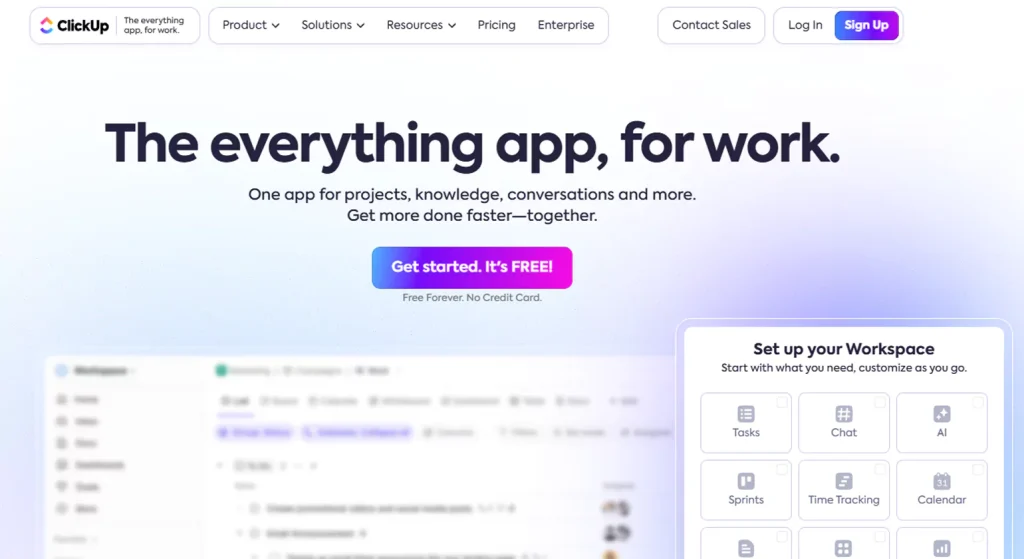
ClickUp is a comprehensive project and work management tool that helps teams plan and organize their work in a better way. The tool combines task management, docs, workflows, automations, goals, time tracking, and dashboards in one place, aiming to minimize the number of tools that teams need to use to manage their work. Whether you are a freelancer or a mid-sized business, ClickUp’s flexibility and powerful features make it a favorite productivity tool that aligns teams.
Key Features
Task & Project Management: Lists, Boards, Gantt charts, Calendars, and Timeline views for flexible planning.
Collaboration Tools: Real-time chat, comments, mentions, docs, and whiteboards.
Automations & Workflows: Custom rules to automate repetitive tasks.
Time Tracking: Built-in time logs for productivity and billing.
Dashboards & Reporting: Visual analytics to monitor progress and performance.
Integrations: Connects with popular tools like Slack, Google Workspace, Zoom, and more.
Pros
Generous Free Plan: Unlimited tasks and users make it ideal for individuals and small teams.
Rich Feature Set: Combines project management, time tracking, docs, and automations in one place.
Highly Customizable: Adaptable workflows and views suit diverse industries.
Strong Collaboration: Real-time communication keeps teams aligned.
Cons
Steep Learning Curve: The wide range of features can overwhelm new users.
Mobile Limitations: Some views and features are limited on mobile apps.
Complexity for Simple Tasks: Might be overkill for basic task management needs.
Pricing
Free Forever: $0 — Unlimited tasks and users with basic features.
Unlimited: ~$7 per user/month (annual) — Unlimited storage, integrations, dashboards, and more.
Business: ~$12 per user/month (annual) — Advanced automations, enhanced reporting, and workload management.
Enterprise: Custom pricing — Premium security, SSO, custom onboarding, and dedicated support.
2. Appcues
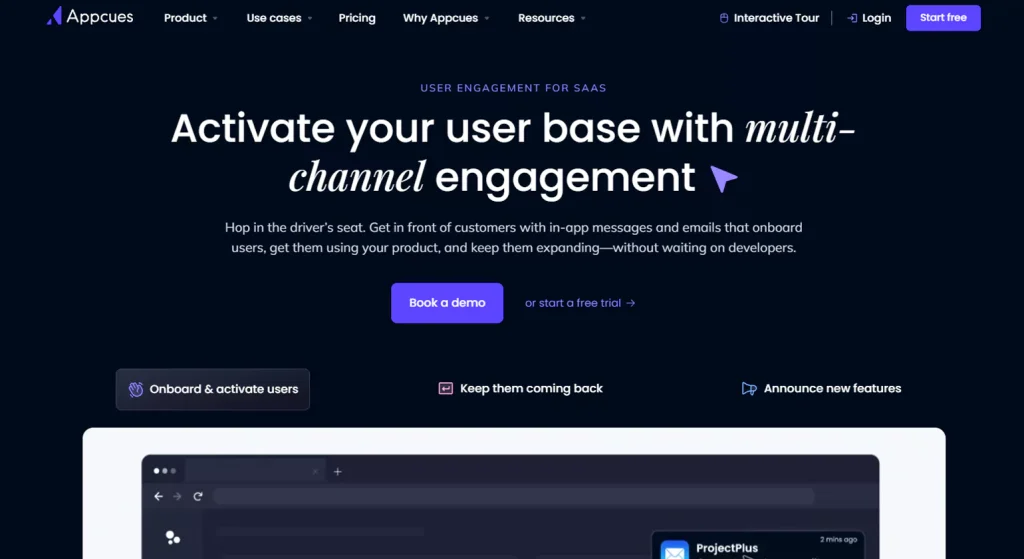
Appcues is a no-code product adoption and user onboarding tool that assists SaaS and digital product teams in building interactive user experiences like guided tours, onboarding flows, in-app messages, and surveys without requiring engineering assistance. The Customer Retention Tools is intended to accelerate user activation, increase feature adoption, decrease churn, and gain feedback by providing contextually relevant guidance at the appropriate time.
key features
No-Code Flow Builder: Drag-and-drop tools to design onboarding walkthroughs, banners, tooltips, and modals.
Multi-Channel Engagement: Create in-app, email, and push experiences for web and mobile users.
Targeting & Segmentation: Deliver experiences based on live user behavior, lifecycle stage, or account data.
Feedback & Surveys: Built-in NPS and other user feedback tools for listening and optimizing experiences.
Analytics & Insights: Track completion rates, engagement metrics, and adoption trends to measure success.
Pros
Rapid Onboarding: Helps users reach “aha moments” faster, increasing activation and retention.
No Coding Needed: Product, marketing, and support teams can launch experiences independently.
Flexible Targeting: Behavior-based triggers ensure relevant messaging.
Unified User Experience: Seamlessly connects onboarding with ongoing engagement and feedback collection.
Cons
Pricing Scale: Costs rise significantly with monthly active users (MAUs), which can be expensive for larger products.
Customization Limits: Some users find design flexibility and advanced UI customization limited compared to alternatives.
Learning Curve for Complex Use Cases: Setting up highly targeted journeys can take time and planning.
Pricing
Essential / Start: ~$249–$300/mo (billed annually) — basic onboarding flows and limited segments.
Growth: ~$750–$879/mo (billed annually) — more segments, analytics, and premium features.
Enterprise: Custom pricing — advanced security, multi-product support, and dedicated CSM.
3. Amplitude
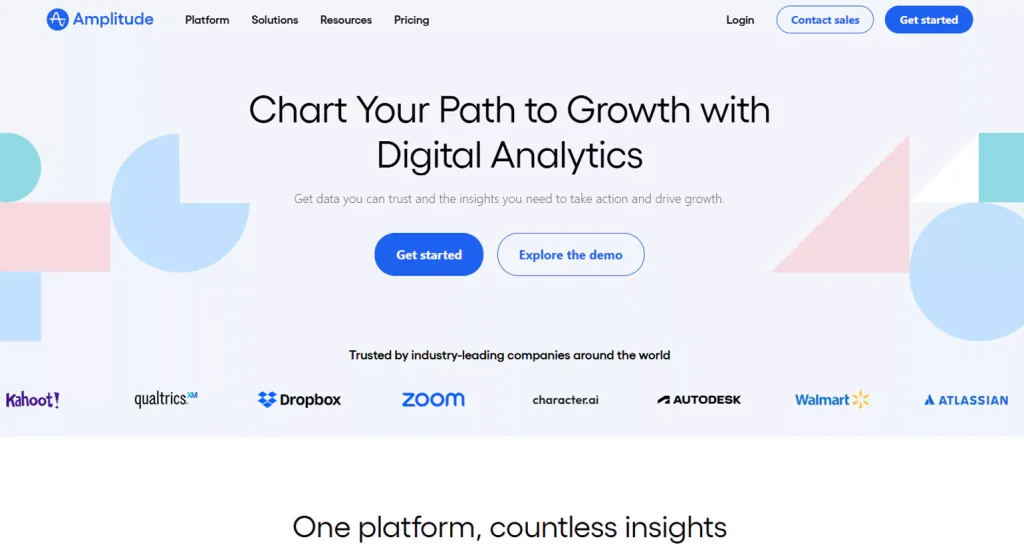
Amplitude is a prominent product analytics platform that assists businesses in comprehending how users engage with digital products. The platform allows product, growth, and marketing teams to monitor user behavior, identify pain points, and optimize user flows, thereby converting data into insights that can enhance activation, retention, and revenue.
Key Features
Behavioral Analytics: Track user events, funnels, cohorts, and paths to see exactly how customers move through your product.
Retention & Churn Analysis: Identify why users stay—or leave—using cohort-based reporting.
User Segmentation: Build dynamic segments based on actions, properties, or lifecycle stages.
Dashboards & Reporting: Share real-time insights with customizable dashboards.
Experimentation: Run A/B tests and measure feature impact.
Integrations: Connects with data warehouses, CRMs, and marketing tools for a unified analytics stack.
Pros
Powerful product and behavioral analytics
Excellent retention and funnel tracking
Scales well for growing SaaS and digital products
Strong data visualization and sharing
Free tier available for startups and small teams
Cons
Can feel complex for non-technical users
Advanced features require higher-tier plans
Initial setup and event tracking need planning
Pricing
Starter: Free — Core analytics for up to limited monthly events
Plus / Growth: Starts around $49–$60 per month (usage-based) — Advanced reporting, collaboration
Enterprise: Custom pricing — Includes experimentation, advanced governance, and dedicated support
4. Salesforce
Salesforce is a leading cloud-based CRM platform that helps businesses manage sales, marketing, customer support, and analytics in one unified system. It’s widely used by startups and enterprises to automate workflows, track leads, close deals faster, and deliver personalized customer experiences.
Key Features
Sales Cloud for pipeline & deal management
Marketing Cloud for email, automation & customer journeys
Service Cloud for omnichannel customer support
Custom dashboards & AI insights (Einstein AI)
AppExchange marketplace with thousands of integrations
Low-code tools for building custom apps
Strong automation and reporting capabilities
Pros
Highly scalable for growing businesses
Extremely customizable
Massive ecosystem of apps & partners
Powerful analytics and automation
Enterprise-grade security
Cons
Can be expensive for small teams
Steep learning curve for beginners
Advanced features often require higher plans
Pricing
Starter Suite: ~$25/user/month
Professional: ~$80/user/month
Enterprise: ~$165/user/month
Unlimited: ~$330/user/month
5. Optimizely
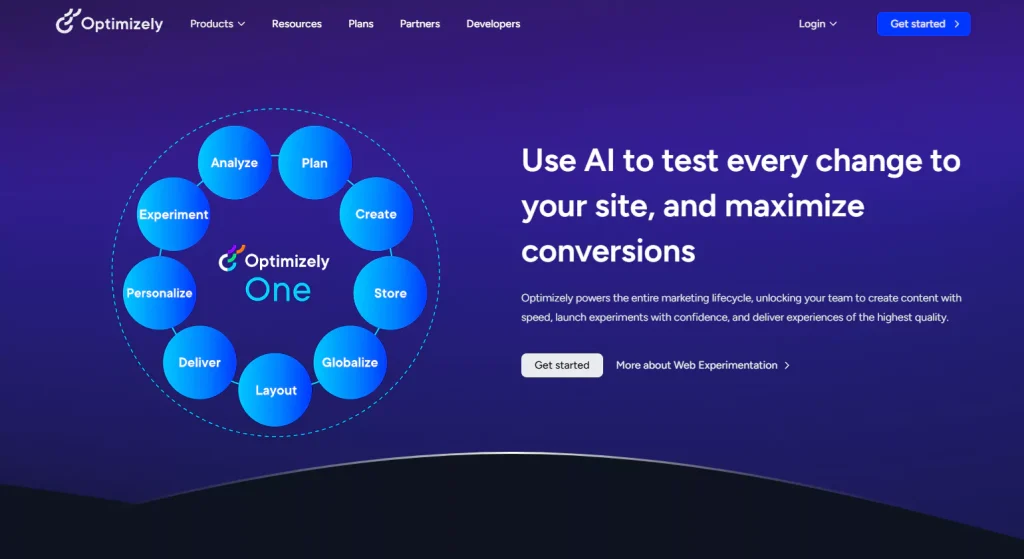
Optimizely is a robust enterprise-level digital experience platform (DXP) that assists businesses in testing, personalizing, and optimizing their digital experiences on websites, apps, content, and commerce. It integrates experimentation capabilities (such as A/B testing and multivariate testing), personalization, analytics, content management, and feature experimentation to enable teams to make data-informed decisions to enhance engagement and conversion rates
Key Features
Web & Feature Experimentation: Run A/B, multivariate, and full-stack tests to measure what works best for users.
Personalization: Deliver tailored content and experiences to different audience segments.
Content Management (CMS & DXP): Create, manage, and distribute digital content across devices and channels.
Analytics & Insights: Warehouse-native analytics for deep performance measurement and conversion insights.
Feature Flagging & Experimentation: Safely roll out and validate new product features.
Pros
Enterprise-Class Power: Best suited for large organizations with high traffic and complex digital needs.
Robust Experimentation: Mature A/B and multivariate testing capabilities give teams confidence in optimization decisions.
Comprehensive Suite: Combines content, testing, personalization, and analytics in one ecosystem.
Scalable & Customizable: Built to support global digital strategies and high-volume experiences.
Cons
High Cost: Pricing is custom and significantly higher than many alternatives—often starting around $36,000/year and scaling past six figures for larger deployments.
Complexity: Requires planning, expertise, and sometimes specialist implementation partners.
Enterprise Focus: Smaller teams or startups may find the platform overkill and hard to justify financially.
Pricing
Entry-level experimentation: ~$36,000+ per year (basic tests and personalization)
Mid to large enterprises: $63,000–$200,000+ per year depending on traffic and modules
Full DXP bundles (content, analytics, commerce): Often six figures annually
6. Qualaroo
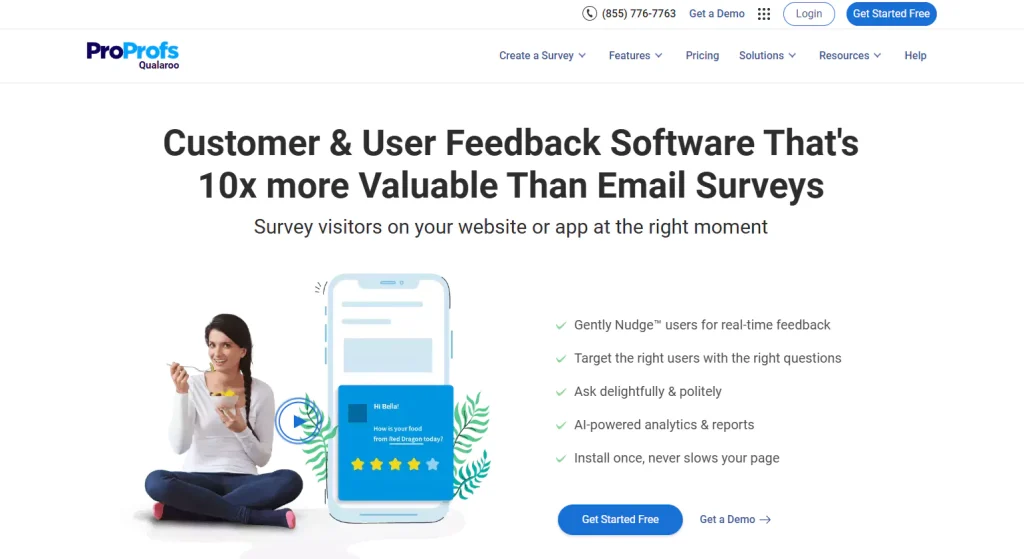
Qualaroo is a real-time customer feedback and survey tool that enables businesses to understand why users act in a certain way on their websites and applications. The Customer Retention Tools utilizes non-intrusive Nudges™ (in-moment pop-up surveys) and feedback tools to gather insights at the right time, allowing businesses to optimize UX, churn, product decisions, and conversions.
Key Features
Targeted In-Context Surveys: Display Nudges™ based on behavior, page, referral source, visit depth, and more to collect feedback where it counts.
Multiple Survey Types: NPS, CSAT, CES, exit intent, sidebar forms, and link-distributed surveys.
Advanced Targeting & Segmentation: Tailor survey delivery to the right users at specific moments.
AI-Powered Insights: Sentiment analysis and text analytics help decode open-ended feedback faster.
Pros
Rich Real-Time Feedback: Contextual insights often outperform delayed email surveys.
Highly Targeted Surveys: Behavior-based triggers boost relevance and response rates.
AI Sentiment Analytics: Helps teams quickly interpret qualitative feedback.
Visual & Easy Setup: Quick to deploy with minimal technical input.
Cons
Pricing Can Be High: Some tiers (especially enterprise) may be expensive for smaller teams.
Learning Curve for Advanced Targeting: Setup and optimization require planning for best results.
Feature Limits on Free/Paid Plans: Entry plans may restrict responses or advanced features
Pricing
Forever Free: $0 — Up to ~50 survey responses/month with premium features enabled.
Essentials / Entry Plans: Around $19.99–$80/month — Unlimited surveys, basic targeting, and reporting.
Business / Premium: ~$49.99–$160/month — Advanced targeting, exit surveys, analytics, and higher pageview limits.
Enterprise: Custom pricing (typically higher) — Unlimited domains, users, sentiment analysis, mobile SDKs, and concierge support.
7. Totango
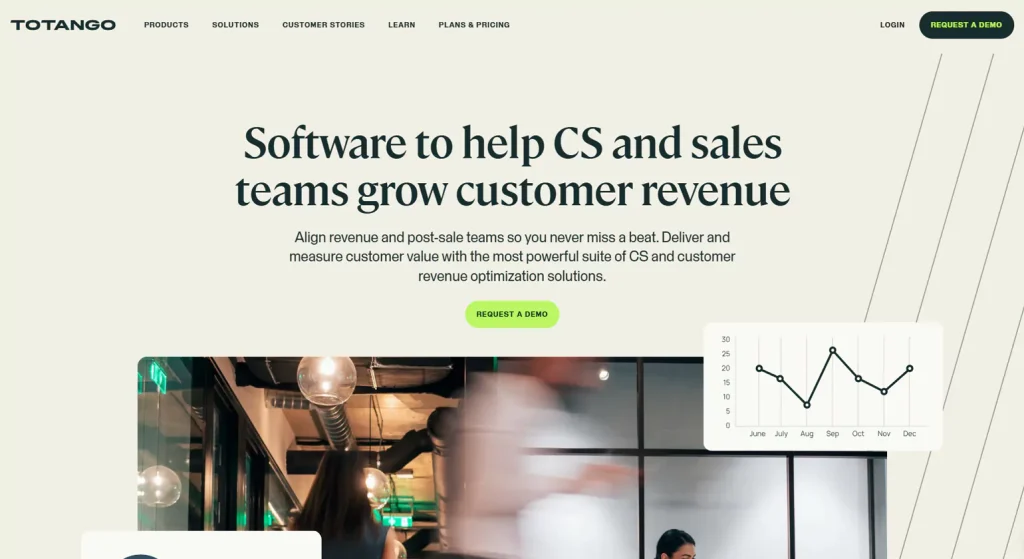
Totango is a cloud-based customer success and retention solution that enables businesses to manage customer health, decrease churn, and increase revenue by leveraging customer data to gain insights. It is built for customer success, sales, and revenue teams to align around post-sales engagement, scale their operations, and create value across the entire customer lifecycle.
Key Features
Customer Health Scoring: Automated real-time health insight based on usage, engagement, and signals.
Automated Workflows & Playbooks: Pre-built and custom success plays to drive proactive outreach.
Dashboards & Reporting: Custom dashboards for churn, retention, renewal, and expansion metrics.
Customer Segmentation: Group accounts by behavior, risk, or revenue potential.
Integration Ecosystem: Connects with CRM and productivity tools like Salesforce, Zendesk, HubSpot, Slack, and more.
Pros
Unified Customer View: Centralizes data and signals into clear health metrics.
Proactive Success Workflows: Automation helps reduce churn and scale engagement.
Scales with Growth: Supports complex account structures and multi-team alignment.
Strong Integrations: Connects easily with CRM, support, and analytics tools.
Cons
Pricing Not Transparent: Costs are custom and require sales contact.
Steep Learning Curve: Feature richness can take time to master.
Occasional Setup Complexity: Integrations and data mapping sometimes require expert help.
Pricing
Starter / Small Teams: Custom quote (often based on number of customers/accounts)
Premier: Custom enterprise-fit tier with advanced success features
Enterprise: Custom large business pricing with premium support, security, and scalability
8. Segment
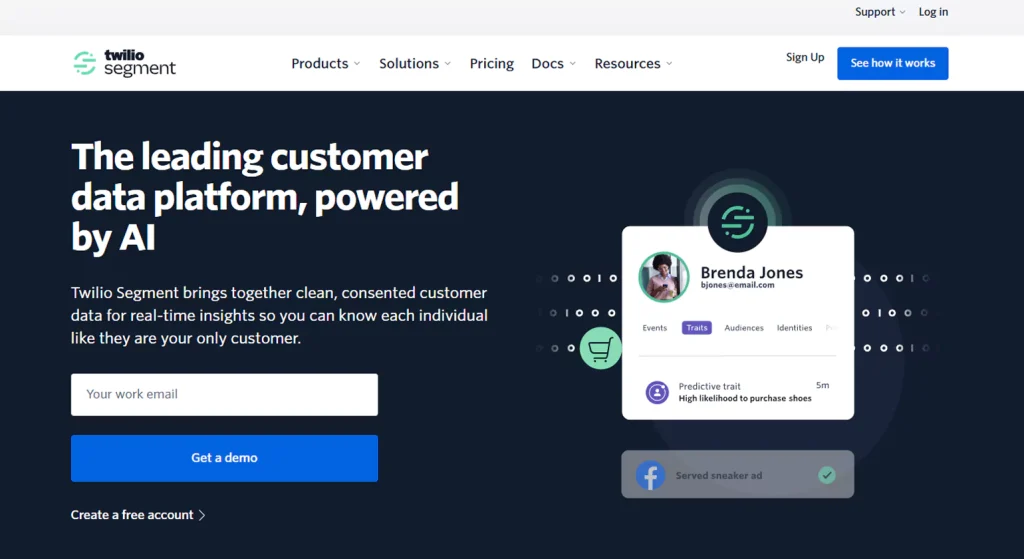
Segment is a prominent Customer Data Platform (CDP) that assists organizations in consolidating and activating their customer data from websites, applications, and backend systems. Rather than sending data to multiple tools, Segment enables organizations to create a single, clean customer profile that helps them personalize, retain, and analyze customer data from a single source of truth.
Key Features
Unified Customer Profiles: Combines events and traits into one real-time customer view
Data Collection APIs: Capture data from web, mobile, and server sources
Audience Segmentation: Build dynamic user segments for targeted campaigns
Destination Integrations: Send data to analytics, CRM, marketing, and support tools
Protocols & Data Governance: Enforce tracking standards and data quality
Privacy Controls: Consent management and compliance-ready workflows
Pros
Centralizes customer data across all platforms
Reduces engineering overhead with plug-and-play integrations
Improves personalization and lifecycle marketing
Strong data governance and privacy features
Scales well for growing product teams
Cons
Pricing increases quickly with higher event volumes
Initial setup requires technical planning
Advanced features mainly available on higher tiers
Pricing
Free: Limited events & basic integrations
Team: Starts around $120/month (usage-based)
Business: Custom pricing — advanced personas, protocols, and warehouses
Enterprise: Custom — includes SLAs, SSO, and dedicated support
9. Customer.io
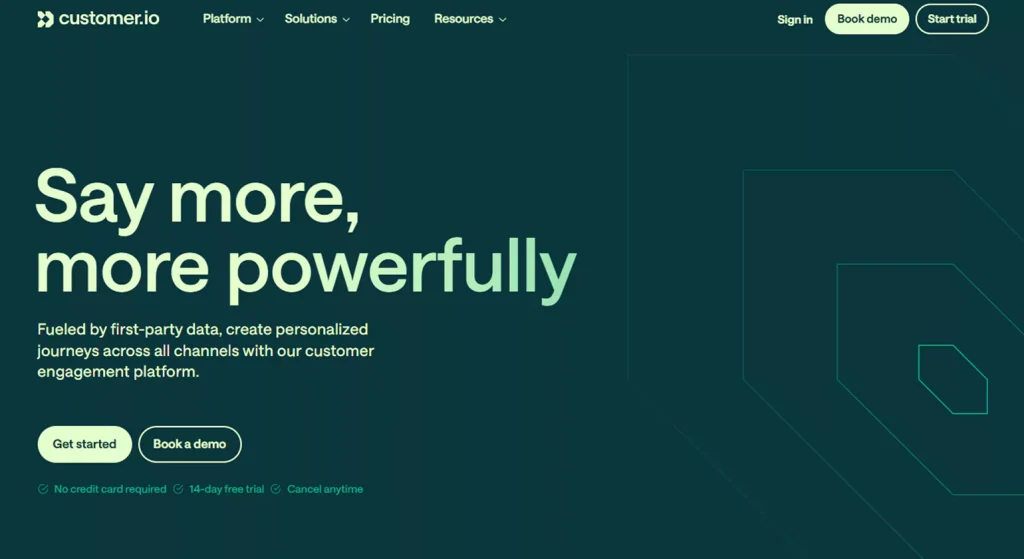
Customer.io is a powerful customer engagement and marketing automation platform that enables brands to send personalized messages via email, SMS, push, and in-app notifications. It helps teams build behavior-based campaigns to boost user activation, reduce churn, and improve retention by delivering timely messages driven by real user actions.
Key Features
Event-Driven Workflows: Trigger messages based on actions like sign-ups, purchases, or idle periods.
Multi-Channel Messaging: Send email, SMS, push notifications, and in-app messages from one platform.
Segmentation & Targeting: Build dynamic segments based on behavior, profile data, and lifecycle stage.
A/B Testing & Optimization: Experiment with messaging variants to improve performance.
Personalization Engine: Merge user attributes and event data for tailored messaging.
Pros
Flexible Automation: Powerful workflows let teams automate complex user journeys.
Behavior-Based Targeting: Sends the right messages to the right users at the right time.
Multi-Channel Reach: Great for cross-platform engagement strategies.
Developer-Friendly: APIs and SDKs offer deep customization and real-time triggers.
Clear Analytics: Helps optimize campaigns with solid reporting.
Cons
Learning Curve: Advanced automation features can take time to master.
Cost Scales with Usage: Pricing can grow quickly with large contact lists and message volume.
Design Limitations: UI and onboarding require patience for beginners.
Pricing
Free Tier: $0 — Basic automation and limited sends (subject to caps).
Growth / Core: ~$100–$150/mo — Multi-channel messaging and basic segmentation.
Pro: ~$300–$400/mo — Advanced workflows, A/B testing, analytics.
Enterprise: Custom — Enhanced SLAs, dedicated support, advanced security.
10. Zendesk
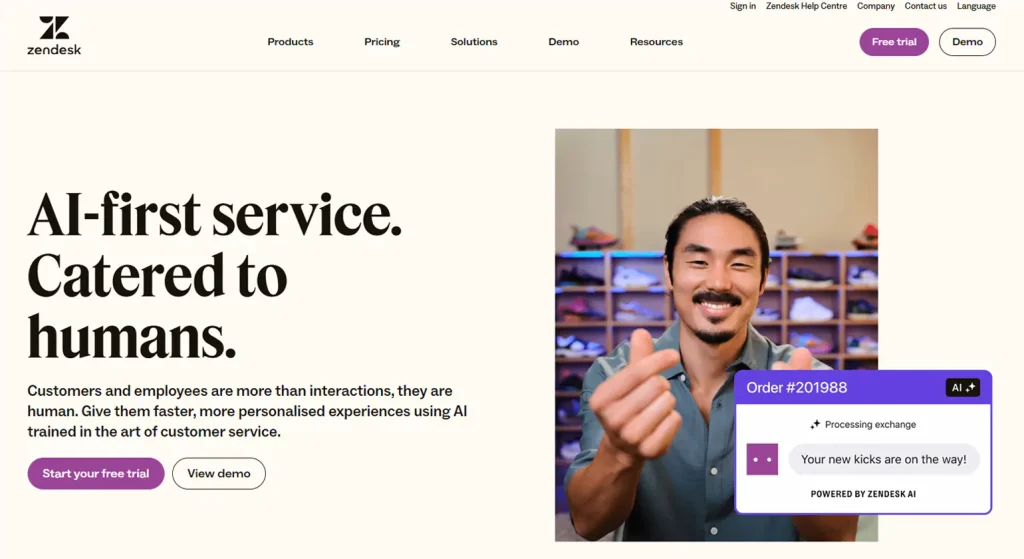
Zendesk is an all-in-one customer support and engagement solution that aims to assist organizations in handling customer interactions efficiently through various channels such as email, chat, voice, social media, and help desks. It provides a centralized solution for tickets, AI-driven automation, self-service, and analytics to enhance the quality of responses, agent efficiency, and customer experience. Zendesk is a popular solution for small teams and large-scale organizations to optimize support operations and customer satisfaction.
Key Features
Unified Ticketing System: Consolidates customer conversations from all channels so support teams can manage and resolve requests efficiently.
AI & Automation: Built-in AI agents and generative replies help automate resolutions and reduce manual workload.
Multi-Channel Support: Live chat, messaging, email, phone, and social media integration provide seamless omnichannel communication.
Self-Service & Knowledge Base: Create help centers, FAQs, and community forums to deflect tickets and empower users
Pros
Robust Ticketing & Automation: Efficiently handles high volumes and automated workflows.
Strong Omnichannel Support: Allows customers to interact on their preferred platform.
AI-Enhanced Assistance: AI agents improve response times and accuracy.
Scales from SMBs to Enterprises: Flexible plans and features grow with business needs.
Cons
Price Can Add Up: Advanced features and AI often require higher-tier plans or add-ons.
Complexity for Beginners: Feature depth and setup may feel overwhelming to new users.
Cost Multiplies with Agents: Per-agent pricing means scaling teams increases costs.
Pricing
Support Team: ~$19 – $25 — Basic ticketing and support tools.
Suite Team: ~$55 – $69 — Omnichannel support + essential AI.
Suite Growth: ~$89 – $115 — Self-service portals, multilingual support.
Suite Professional: ~$115 – $149 — Advanced reporting, skills-based routing.
Suite Enterprise: ~$169 – $219+ — Custom roles, sandbox, advanced AI.
11. Userpilot
Userpilot is a product experience and user onboarding platform designed for SaaS and digital product teams. It delivers personalized in-app experiences that drive engagement, feature adoption, and customer retention—without requiring engineering support. Userpilot enables product, marketing, and customer success teams to create interactive onboarding flows, tooltips, checklists, and surveys that guide users toward achieving value quickly.
Key Features
No-Code Experience Builder: Drag-and-drop UI to create onboarding flows, modals, tooltips, and banners without developers.
Behavior-Based Segmentation: Target users based on actions, attributes, product usage, and lifecycle stage.
In-App NPS & Feedback Surveys: Collect user sentiment and feedback directly inside the product.
Product Analytics: Track feature adoption, conversion funnels, and user engagement metrics.
Checklists & Milestones: Help users complete key actions with interactive guidance.
Custom Themes & UI Control: Design experiences consistent with your brand and product UI.
Pros
No Coding Required: Teams can build product experiences independently.
Strong Onboarding Focus: Excellent for reducing time-to-value and improving activation rates.
Detailed User Segmentation: Tailor experiences to specific user contexts and behaviors.
Integrated Feedback Tools: Understand user sentiment alongside behavior analytics.
Cons
Analytics Limitations: Not as deep or flexible as full product analytics tools like Amplitude.
Pricing at Scale: Costs can grow with active users and advanced features.
Learning Curve: Requires planning to build highly targeted journeys.
Pricing
Starter / Essentials: Entry tier for basic onboarding features (often around $249–$300/mo billed annually).
Growth: Mid-tier with deeper segmentation, analytics, and automation (~$600–$800/mo annually).
Enterprise: Custom pricing for large teams with advanced support, SLAs, and dedicated onboarding.
12. Optimove
Optimove is a customer-driven marketing and retention platform designed to help brands boost engagement, loyalty, and customer lifetime value through the automation of personalized campaigns. At its heart, it integrates a Customer Data Platform with AI-powered multichannel campaign orchestration and predictive analytics, enabling marketers to bring data together, segment customers, and send the right message at the right time via email, SMS, apps, web, and more
Key Features
Customer Data Platform (CDP): Consolidates customer data from multiple sources into one unified view for actionable insights.
Predictive Analytics & Modeling: AI predicts behaviours, churn risk, and optimal marketing actions.
Advanced Segmentation: Micro-segments customers for hyper-personalized targeting.
Multichannel Orchestration: Run data-driven campaigns across email, push, SMS, web, and more.
Pros
Unified Customer Intelligence: Combines data, analytics and automation in one platform.
AI-Driven Personalization: Predicts next best actions for individual customers.
Strong Segmentation: Dynamic grouping enhances targeting and relevance.
Scalable for Large Brands: Designed for high-volume data and global audiences.
Cons
Complex Setup: Implementation and learning curve can be substantial for new users.
Higher Cost: Pricing is premium and generally targeted at mid-large enterprises.
Technical Requirements: Integration and data ingestion may involve technical support.
Pricing
Optimove uses a customized pricing model based on usage, customer volume, and campaign scale—starting typically in the several thousand dollars per month range for enterprise deployments
13. KissMetrics
KissMetrics is a behavioral analytics and customer journey analytics & Customer Retention Tools that assists businesses in understanding how users are interacting with their websites and products. Unlike traditional traffic metrics tools, KissMetrics allows activity to be attributed to individual users, which makes it particularly useful for growth, marketing, and product teams.
Key Features
Person-Based Analytics: Track user behavior across sessions and devices to build complete customer journeys.
Funnel & Conversion Reports: Visualize steps users take from acquisition to conversion and identify drop-off points.
Cohort Analysis: Group users by shared traits or behaviors to analyze retention over time.
Segmentation & Populations: Create audience segments for deeper insights and personalized targeting.
Pros
Deep Behavioral Insights: Focuses on individual user journeys rather than just page views, helping teams understand engagement and churn.
Customizable Funnels & Reports: Enables marketers to track specific conversion flows tailored to business goals.
Strong Support & Documentation: Users report good customer service and helpful onboarding.
Actionable Metrics: Helps identify improvement opportunities in product and marketing funnels.
Cons
Pricing Can Be High: Plans typically start in the higher range for analytics tools, which may be expensive for smaller businesses.
Learning Curve: Setup, event tracking configuration, and advanced analysis require time and planning.
Interface and Advanced Features: Some users find the UI dated and advanced customization less intuitive compared to newer tools.
Pricing
Silver Plan: Around $299/month — Up to ~2M events, basic segments, dashboards, and seats.
Gold Plan: Around $499/month — Higher event limits, extended retention, and more populations.
Platinum / Custom: Custom pricing — Large event volumes, advanced reporting, and premium support
14. Open Loyalty
Open Loyalty is a headless, API-first customer loyalty and gamification platform that helps businesses launch, manage, and scale tailor-made loyalty programs to boost engagement, repeat purchases, and customer lifetime value (CLV). Rather than prescribing rigid templates, it provides modular building blocks so brands can design loyalty mechanics that fit their unique customer journeys across channels.
Key Features
API-First Loyalty Engine: Flexible APIs and SDKs let teams integrate loyalty features into apps, websites, and backend systems quickly.
Gamification Mechanics: Points, tiers, badges, rewards, coupons, referrals, and achievement systems for engaging experiences.
Multi-Channel Engagement: Support for web, mobile, in-app, and omnichannel touchpoints.
Segmentation & Personalization: Target defined customer segments with tailored loyalty offers.
Pros
Highly Flexible & Customizable: Designed for bespoke loyalty logic and deep integrations.
API-Driven Architecture: Makes it easy to embed loyalty as part of digital products without heavy rebuilds.
Scales Across Channels: Useful for omnichannel retail, eCommerce, and mobile apps.
Cons
Custom Implementation Required: The API-first nature means setup may take more technical effort than plug-and-play systems.
Pricing Not Transparent: Costs vary by active members and capabilities—quotes are provided on request.
Advanced Reporting May Need Work: Some users note reporting and analytics features could be expanded.
Pricing
Open Loyalty uses customized, usage-based pricing built around the number of active loyalty members and chosen features. Packages typically include full API access, admin UI, ongoing support, and 24/7 monitoring with service-level commitments on uptime and issue resolution.
Exact pricing requires contacting the vendor for a tailored quote.
15. Mixpanel
Mixpanel is a leading product and behavioral analytics platform that helps businesses track how users interact with their digital products—websites, mobile apps, SaaS platforms—and turn that data into actionable insights. Unlike traditional page-view metrics, Mixpanel uses event-based tracking so teams can understand specific user actions (e.g., button clicks, sign-ups, feature use), identify bottlenecks in conversion funnels, and improve retention by analyzing real customer journeys.
Key Features
Event Tracking & Analytics: Record and analyze granular interactions within your product.
Funnel Analysis: Visualize user progression through defined conversion steps.
Cohort & Retention Reports: Analyze user engagement and returning behavior over time.
Segmentation & Dynamic Audiences: Group users based on behaviors or attributes for targeted insight.
Pros
Powerful Behavioral Analytics: Deep insights into user engagement and product usage.
Strong Funnel & Retention Tools: Ideal for identifying drop-offs and improving user paths.
Generous Free Tier: Up to 1 million events/month on the free plan.
Scalable for Teams: Suitable from startups to enterprises with event-based pricing
Cons
Learning Curve: Requires planning and event schema implementation to unlock full value.
Pricing Can Grow: Costs rise as tracked events increase.
Setup Complex for Beginners: Technical implementation can require developer support.
Pricing
Free: $0 — Up to 1 million events/month with basic analytics and limited session replays.
Growth: Starts around $20–$30+/month depending on event volume and features.
Enterprise: Custom pricing for high event volumes, advanced governance, and support — often $25,000-$100,000+ per year for large deployments.
Core Categories of Customer Retention Tools

Customer retention tools help businesses increase repeat purchases, reduce churn, and improve customer lifetime value (CLV). In 2026, retention is driven by personalization, automation, real-time engagement, and predictive analytics.
1. Customer Engagement Tools
Email & SMS Engagement
Email and SMS are still high ROI retention tools in 2026. Advanced platforms leverage AI-powered segmentation, dynamic content, and behavior-driven triggers to deliver personalized offers, reminders, and updates.
Why it matters:
- Boosts repeat business
- Reduces cart abandonment
- Scales lifecycle engagement
- Push Notifications
Web and mobile push notifications enable brands to reach customers in an instant with flash sales, order updates, and personalized recommendations.
Best for:
- eCommerce brands
- Mobile apps
- Subscription services
In-App Messaging
In-app messages direct users within the product to facilitate onboarding, product exploration, and upselling.
2. Customer Loyalty & Rewards Software
Points, Referrals & VIP Programs
Contemporary loyalty solutions provide multi-tier reward programs that encourage repeat business and loyalty.
Examples include:
- Points reward programs
- Referral reward programs
- VIP reward programs
Gamification Features
Gamified interactions such as badges, leaderboards, and challenges promote emotional engagement.
SEO Insight (2026 Trend):
Companies that use gamification experience increased customer retention rates because of enhanced customer experience (CX).
3. CRM-Based Retention Tools
Customer Data Management
CRMs integrate customer interactions from sales, marketing, and service.
Behavior Tracking
Monitor user behavior like purchase history, browsing, and product usage.
Segmentation & Personalization
Advanced segmentation allows for highly targeted marketing campaigns based on lifecycle stage, purchase frequency, or engagement level.
Business Benefit:
Personalized communication drives conversion rates and loyalty.
4. Customer Feedback & Survey Tools
NPS, CSAT & CES Tracking
- Track customer satisfaction and loyalty with these key metrics:
- Net Promoter Score (NPS)
- Customer Satisfaction Score (CSAT)
- Customer Effort Score (CES)
Real-Time Feedback Collection
Collect customer feedback with pop-ups, emails, or post-purchase surveys to address concerns quickly.
Retention Advantage:
Companies that respond to customer feedback see a huge reduction in customer churn.
5. Marketing Automation for Retention
Drip Campaigns
Automated email sequences nurture customers after a purchase or during an onboarding process.
Lifecycle Automation
Trigger-based workflows automate actions based on user behavior, such as subscription renewal or inactivity.
Re-Engagement Workflows
Engage inactive users with special offers, reminders, or personalized recommendations.
6. Customer Support & Success Platforms
Live Chat & Helpdesk
Real-time support increases trust and issue resolution.
Proactive Success Monitoring
Customer success platforms proactively identify customers at risk of churn and trigger proactive outreach.
Retention Impact:
Faster response times result in increased customer satisfaction and loyalty.
How to Build a Customer Retention Strategy Using These Tools

Customer Retention Tools in 2026 is driven by first-party data, AI personalization, and experience-led marketing. Instead of focusing only on acquiring new users, high-growth businesses now prioritize keeping existing customers engaged, satisfied, and loyal.
1. Start with a Centralized CRM System
Your retention strategy starts with a CRM platform such as HubSpot or Salesforce.
A CRM assists you in the following ways:
- Storing customer profiles
- Tracking purchases, website visits, and communication history
- Segmenting users based on their lifecycle stage (new, repeat, inactive, and VIP)
2026 Best Practice
- Develop dynamic segments such as:
- High-value customers
- Churn-risk users (no activity in 30 days)
- Repeat buyers
2. Automate Personalized Engagement Across Channels
Marketing automation software enables you to send emails, SMS, and in-app notifications based on actual behavior.
Apply automation to:
- Welcome flows
- Abandoned cart recovery
- Product restock notifications
- Post-purchase education
- Re-engagement campaigns
Pro Tip
Today’s automation uses predictive AI – sending notifications at the optimal time with personalized content based on browsing and purchase behavior. This has a massive impact on open rates and repeat conversions.
3. Strengthen Retention Through Fast Customer Support
Customer experience is now a ranking factor for retention.
Tools such as Zendesk assist you in handling:
- Live chat
- Email tickets
- Help centers
- AI chatbots
Why this matters
Customers who receive fast, helpful support are up to 3x more likely to buy again.
Action Step
Analyze support tickets each month to find areas of friction (delivery issues, onboarding issues, feature issues) and resolve them proactively.
4. Collect Feedback to Improve Products and Experiences
Retention improves when customers feel heard.
Use feedback tools to capture:
Net Promoter Score (NPS)
Product reviews
Feature requests
Exit surveys
Then close the loop:
Share improvements with users
Announce updates via email or in-app messages
Thank customers for contributing
Key Features to Look for in Customer Retention Tools

Customer retention tools help businesses turn first-time buyers into loyal, repeat customers. But not all platforms offer the same value. Choosing the right solution means focusing on features that directly impact engagement, satisfaction, and long-term revenue. Below are the most important capabilities to look for when evaluating customer retention tools.
1. Customer Segmentation & Personalization
Retention begins with understanding your audience. Look for solutions that offer advanced customer segmentation capabilities based on behavior, purchase history, demographics, and engagement levels. Personalization tools such as personalized emails, product recommendations, and dynamic content help deliver relevant experiences that boost loyalty and conversions.
2. Omnichannel Communication
Today’s customers engage with various channels. The most effective customer retention solutions offer integration with email, SMS, push notifications, in-app messages, and social media from a single interface. Omnichannel engagement helps you reach your customers wherever they are.
3. Automation & Journey Mapping
Automation saves time while improving consistency. Strong platforms provide workflow automation for welcome sequences, abandoned cart reminders, re-engagement campaigns, and loyalty follow-ups. Customer journey mapping is equally important—it visually tracks each touchpoint so you can optimize experiences throughout the lifecycle.
4. Analytics & Performance Tracking
Data-driven decisions are essential for retention success. Look for built-in analytics that track churn rate, repeat purchases, customer lifetime value (CLV), and campaign performance. Real-time dashboards and customizable reports make it easier to identify what’s working and where improvements are needed.
5. Loyalty & Rewards Management
Loyalty programs encourage repeat business. Top customer retention tools include features for points systems, referral programs, tiered rewards, and exclusive offers. These incentives help strengthen emotional connections and motivate customers to keep coming back.
Common Mistakes to Avoid When Using Retention Platforms

Retention platforms are powerful tools for improving customer loyalty, reducing churn, and increasing lifetime value. However, many businesses fail to unlock their full potential due to common implementation and strategy mistakes. Avoiding these pitfalls can dramatically improve your results.
1. Treating Retention as a One-Time Setup
One of the biggest pitfalls is thinking that retention platforms function automatically after the initial setup. Customer behavior is constantly shifting. Campaigns, segments, and workflows need to be assessed and optimized on a regular basis in order to remain effective.
2. Poor Customer Segmentation
The messages are not as engaging when sent to all users. This is because the messages lack proper segmentation, which may be based on behavior, purchase history, or lifecycle stage. Personalized experiences always perform better than mass communication.
3. Focusing Only on New Customers
Many teams overinvest in acquisition while neglecting existing users. Retention platforms are designed to nurture current customers—upsell, re-engage inactive users, and reward loyalty. Ignoring this defeats the platform’s purpose.
4. Overusing Automation Without Strategy
Automation will save time, but to blindly automate every touch point will come off as robotic. Customers will still demand relevance and timing.
How to Choose the Right Customer Retention Tool for Your Business

Choosing the right customer retention tool can directly impact your revenue, loyalty, and long-term Digital Growth Marketing. With dozens of platforms available, the key is selecting one that aligns with your business goals—not just flashy features.
1. Define Your Retention Goals First
Start by identifying what you want to improve: repeat purchases, customer engagement, churn reduction, or support experience. For example, eCommerce brands often focus on loyalty and re-engagement, while SaaS companies prioritize onboarding and churn prevention. Clear goals help narrow your options quickly.
2. Understand Your Customer Journey
Map your customer lifecycle—from acquisition to post-purchase support. Look for tools that support multiple touchpoints such as email, in-app messaging, feedback collection, and analytics. Platforms like HubSpot offer all-in-one CRM and automation, while Zendesk excels in customer service–driven retention.
3. Prioritize Core Features
The best customer retention tools usually include:
Customer segmentation
Automated email or messaging campaigns
Behavioral tracking
Loyalty or rewards programs
Analytics and reporting
If marketing automation is your focus, Mailchimp is popular for lifecycle emails. For enterprise-level CRM and personalization, Salesforce offers advanced customization.
4. Check Integration and Scalability
Your retention platform should integrate easily with your existing stack (CRM, eCommerce, helpdesk, or analytics tools). Also consider scalability. A tool that works for 1,000 users today should still perform well at 50,000 customers tomorrow.
Future Trends in Customer Retention Technology

As competition intensifies and customer expectations evolve, businesses are increasingly turning to advanced retention technologies to not just retain users but deepen relationships. The next wave of innovation focuses on intelligent automation, hyper-personalization, predictive insights, and seamless cross-channel experiences. Here’s what’s shaping the future of customer retention technology.
1. AI-Driven Predictive Retention
Rather than reacting to churn signals after the fact, future retention tech uses artificial intelligence to predict customer behavior before it happens. AI models analyze patterns such as usage frequency, purchase cadence, product interaction, and sentiment data to forecast churn risk and recommend optimal intervention timing — often at the individual level. This shift from descriptive to predictive retention enables businesses to act proactively rather than defensively.
2. Hyper-Personalization Beyond Demographics
Personalization is evolving from static tags to dynamic experiences powered by real-time contextual data. Future platforms will leverage deep learning and first-party data to generate tailored messages, offers, and content that adapt automatically to changes in behavior, preferences, and engagement patterns. This will move personalization from “segment-level” to true “one-to-one” journeys.
3. Omnichannel Orchestration with Unified Customer Profiles
Customers expect seamless experiences across channels — email, SMS, push, in-app, chat, social, and voice. Next-gen retention technology will unify these touchpoints using a consolidated customer profile that incorporates interactions across all channels. Orchestration layers will coordinate messaging and timing intelligently, ensuring consistency and relevance without overwhelming users.
4. Real-Time Behavioral Triggers
Static campaigns based on time delays are being replaced by workflows triggered by real-time user actions — such as product browsing, feature usage, cart abandonment, or content consumption. By responding instantly to meaningful customer behavior, brands can drive engagement at the right moment with the right message.
Conclusion
Customer retention tools help businesses turn one-time buyers into loyal customers by improving engagement, personalization, and support. With features like automation, analytics, and churn prediction, these tools make it easier to understand customer behavior and act at the right time. Choosing the right retention software not only reduces churn but also increases lifetime value and sustainable growth. In today’s competitive market, investing in customer retention tools isn’t optional—it’s essential for building lasting relationships and driving long-term revenue.
FAQs
What is the best customer retention tool?
There’s no single “best” tool — it depends on your goals. Platforms like HubSpot, Zendesk, and Intercom stand out by combining CRM, automation, and engagement features to improve loyalty, reduce churn, and increase lifetime value.
How do customer retention tools reduce churn?
Customer retention tools reduce churn by tracking user behavior, identifying at-risk customers, and triggering personalized emails, offers, or support. They automate follow-ups, collect feedback, and surface insights so businesses can resolve issues early, boost engagement, and keep customers coming back.
What is Customer Retention Rate (CRR)?
Customer Retention Rate (CRR) measures the percentage of customers a company retains over a given period. It is calculated using the formula: CRR = ((E – N) / S) × 100, where E = customers at period end, N = new customers gained, and S = customers at period start.
What’s the difference between CRM and customer retention tools?
A CRM manages customer data and sales pipelines. Customer retention tools focus on keeping existing customers through engagement, loyalty programs, churn prediction, and lifecycle automation. In short: CRM tracks relationships; retention software actively works to increase repeat business and customer lifetime value.
What features should I look for in customer retention software?
Look for behavioral tracking, customer segmentation, automated campaigns, churn alerts, loyalty programs, feedback collection (NPS), and analytics dashboards. The best customer retention software also integrates with your CRM, supports personalization, and provides actionable insights to improve engagement and retention.














