

Table of Contents
Introduction
Cloud content management is a modern approach to organizing, storing, and managing digital content using cloud-based technology. Unlike traditional systems, it eliminates the need for on-premises infrastructure, offering businesses enhanced accessibility, scalability, and collaboration. Teams can securely access and share content from anywhere, promoting efficiency and productivity in remote or distributed work environments. With features like real-time editing, version control, and automated workflows, cloud cms software streamlines operations while ensuring data security and compliance with industry regulations. As businesses increasingly shift to digital solutions, cloud content and cloud-based CMS have become vital tools for managing content effectively in the digital age.
What is a Cloud Content Management System?

A cloud content management system (CMS) is a digital platform that allows organizations to store, manage, and share content securely in the cloud. Unlike traditional CMS solutions that rely on local servers, a cloud-based CMS leverages cloud computing technology, providing easy access to content from anywhere with an internet connection. This flexibility makes it ideal for businesses with distributed teams or those seeking to streamline content management without investing heavily in on-premises infrastructure.
The primary advantage of a cloud content management system lies in its scalability and ease of use. Businesses can scale storage and features according to their needs, ensuring they only pay for what they use. Additionally, a cloud CMS often includes collaborative tools that enable team members to work on documents, files, or media in real-time. Advanced features like version control, metadata tagging, and content categorization further enhance organization and productivity. Many platforms also offer integrations with other business tools, like CRM and project management software, creating a seamless workflow.
Security is another crucial aspect of a cloud CMS. Reputable providers ensure data protection through encryption, regular backups, and compliance with industry regulations. These systems often include user permissions and access controls, ensuring sensitive information is only available to authorized personnel. Overall, a cloud content, including a cloud-based CMS, is a powerful solution for businesses aiming to manage content efficiently, enhance collaboration, and maintain robust data security while leveraging the flexibility of the cloud.
Why Is Cloud Content Management Important?
cloud content management solutions is important because it enables businesses to streamline their content storage, access, and collaboration processes in a secure and efficient manner. By leveraging cloud-based technology, organizations can store and manage vast amounts of data without the need for costly on-premises infrastructure. This not only reduces overhead costs but also ensures that teams can access critical documents and files from anywhere, supporting remote work and improving operational flexibility.
One of the key reasons cloud content management in the cloud is vital lies in its ability to enhance collaboration. With teams increasingly working across different locations and time zones, a cloud based content management systems allows for real-time document sharing and editing. Features like version control and automated workflows ensure that everyone is working with the most up-to-date information, reducing errors and improving productivity.
Additionally, integrations with tools like project management software or customer relationship management (CRM) platforms help create a cohesive work environment, boosting efficiency. Many of the top software development companies europe are embracing cloud solutions to optimize their processes and ensure smooth collaboration. By leveraging the expertise of these top software development companies in Europe, organizations can achieve a competitive edge through advanced, reliable technology solutions.
Security is another critical aspect of cloud cms software. Leading platforms offer robust data protection through encryption, regular backups, and compliance with industry standards like GDPR or HIPAA. User access controls ensure that sensitive information is only accessible to authorized personnel, reducing the risk of breaches. Moreover, cloud solutions are scalable, allowing businesses to adapt their storage and functionality needs as they grow. In today’s fast-paced digital landscape, cloud based content management CMS solutions are essential for ensuring seamless operations, enhanced collaboration, and reliable security measures.
How Does Cloud Content Management Platform Work?
A cloud based content services platform works by leveraging cloud technology to store, organize, and manage digital content securely. Unlike traditional systems that rely on physical servers, a cloud-based platform uses remote servers accessible via the internet, allowing users to upload, access, and share content from any device with a connection. These platforms typically feature user-friendly interfaces that enable quick organization of files through metadata, tagging, and categorization. Advanced features like version control, automated workflows, and content collaboration tools streamline processes, ensuring teams can work together efficiently in real-time.
The platform also integrates seamlessly with other business applications, such as customer relationship management (CRM) systems, project management tools, and analytics software, creating a unified workflow for businesses. Security is a cornerstone of cloud content management platforms, with features like encryption, role-based access controls, and compliance with industry standards ensuring that sensitive data remains protected. Scalability is another key benefit—businesses can easily expand storage and capabilities as their needs grow, without investing in additional hardware. By centralizing content in the cloud, these platforms, including cloud-based CMS solutions, empower organizations to enhance collaboration, reduce inefficiencies, and maintain secure, streamlined content management processes.
10 Benefits of Cloud Content Management Software?
1. Enhanced Accessibility
Cloud content management software allows users to access content anytime, anywhere, using any internet-enabled device. This flexibility is crucial for remote work and distributed teams, ensuring seamless collaboration and productivity. Employees can retrieve, edit, or share files in real-time, eliminating delays caused by location or device constraints. This accessibility promotes efficiency and adaptability in modern work environments.
2. Improved Collaboration
With cloud based CMS System, multiple users can work on documents simultaneously, promoting real-time collaboration. Features like version control and shared workspaces ensure everyone is on the same page, minimizing errors and redundancies. Teams can exchange feedback, make updates, and track progress instantly, leading to faster decision-making and project completion. This fosters teamwork and aligns efforts effectively.
3. Scalability
cloud-based content management systems grow with your business. You can easily scale storage and features based on your current needs, ensuring you only pay for what you use. Whether you’re a startup or an enterprise, these systems provide flexibility to handle increasing data volumes and evolving requirements without needing significant infrastructure upgrades.
4. Cost Efficiency
By eliminating the need for on-premises servers and IT maintenance, cloud content management software significantly reduces operational costs. Businesses save money on hardware, energy, and physical storage while benefiting from predictable subscription models. This cost-effective approach ensures even small businesses can access robust content management solutions.
3. Scalability
Cloud content management systems grow with your business. You can easily scale storage and features based on your current needs, ensuring you only pay for what you use. Whether you’re a startup or an enterprise, these systems provide flexibility to handle increasing data volumes and evolving requirements without needing significant infrastructure upgrades.
4. Cost Efficiency
By eliminating the need for on-premises servers and IT maintenance, cloud content management software significantly reduces operational costs. Businesses save money on hardware, energy, and physical storage while benefiting from predictable subscription models. This cost-effective approach ensures even small businesses can access robust content management solutions.
5. Robust Security
Reputable cloud-based content management systems offer advanced security features like encryption, access controls, and regular backups. These measures protect sensitive data from unauthorized access and cyber threats. Additionally, compliance with industry standards, such as GDPR or HIPAA, ensures that businesses meet regulatory requirements, safeguarding their reputation and customer trust.
6. Seamless Integration
Cloud content management software integrates with various tools like CRM, project management, and analytics platforms. This connectivity creates a unified ecosystem for businesses, streamlining workflows and reducing manual data entry. By centralizing content and processes, organizations can enhance productivity and make data-driven decisions efficiently.
7. Automation Capabilities
Many cloud based CMS System solutions offer automation features to simplify repetitive tasks. Automated workflows for document approvals, file categorization, and notifications reduce manual effort, ensuring consistency and efficiency. This allows teams to focus on strategic initiatives while routine tasks are handled seamlessly in the background.
8. Centralized Content
Cloud systems centralize all business content, providing a single source of truth for organizations. This ensures easy retrieval, reduced duplication, and better organization of files. Centralized content improves operational efficiency and eliminates the confusion caused by scattered data across multiple locations.
9. Disaster Recovery
With regular backups and failover systems, cloud content management software ensures business continuity in case of data loss or system failures. Files are stored securely in the cloud and can be quickly restored, minimizing downtime. This reliability protects businesses from potential disruptions and financial losses.
10. Environmental Sustainability
cloud based content management reduces the need for physical servers and paper-based processes, contributing to a lower environmental footprint. By shifting to digital storage and reducing energy consumption associated with traditional systems, businesses can support sustainability goals while streamlining their operations. This eco-friendly approach aligns with modern corporate social responsibility initiatives.
How Cloud Content Management Is Implemented

1. Assessing Business Needs
The first step in implementing cloud content management solutions is evaluating the organization’s specific requirements. Businesses need to identify the type of content they manage, such as documents, media files, or customer data, and determine their storage, collaboration, and security needs. This assessment ensures the selection of a platform that aligns with operational goals and integrates seamlessly with existing systems.
2. Choosing the Right Platform
Once the needs are identified, selecting the right cloud based content management solution platform is critical. Organizations should evaluate platforms based on scalability, security features, integration capabilities, and user-friendliness. Popular options often offer trial periods to test their features. The chosen platform should support business growth, accommodate team collaboration, and adhere to industry compliance standards, such as GDPR or HIPAA.
3. Migrating Content to the Cloud
cloud content management platform involves transferring existing files, documents, and data from on-premises servers or outdated systems to the cloud. This process includes organizing files, eliminating duplicates, and ensuring data integrity. Many platforms offer migration tools or professional services to simplify the process, minimizing disruption and ensuring a smooth transition.
4. Configuring User Roles and Permissions
To maintain data security, roles and permissions must be set up. Administrators can define who has access to specific files, folders, or features, based on job roles. Role-based access control ensures that sensitive information is only accessible to authorized personnel, reducing risks of breaches or unauthorized edits.
5. Training and Onboarding Teams
Introducing the platform to the team is essential for successful implementation. Training sessions help employees understand the platform’s features, such as uploading files, collaborating in real-time, and utilizing automated workflows. Proper onboarding ensures that the system is used effectively, maximizing its benefits.
6. Integrating with Existing Tools
A crucial aspect of cloud Based CMS System implementation is integrating it with other business tools, such as CRM, project management software, or analytics platforms. These integrations streamline workflows, allowing data to flow seamlessly between systems and creating a cohesive digital environment.
7. Monitoring and Optimization
After implementation, regular monitoring ensures the platform performs efficiently. Businesses can track usage, analyze productivity gains, and optimize workflows over time. Updates and additional features can be introduced as needs evolve, ensuring the platform continues to meet organizational goals.
Necessary Features and Considerations for a Cloud CMS
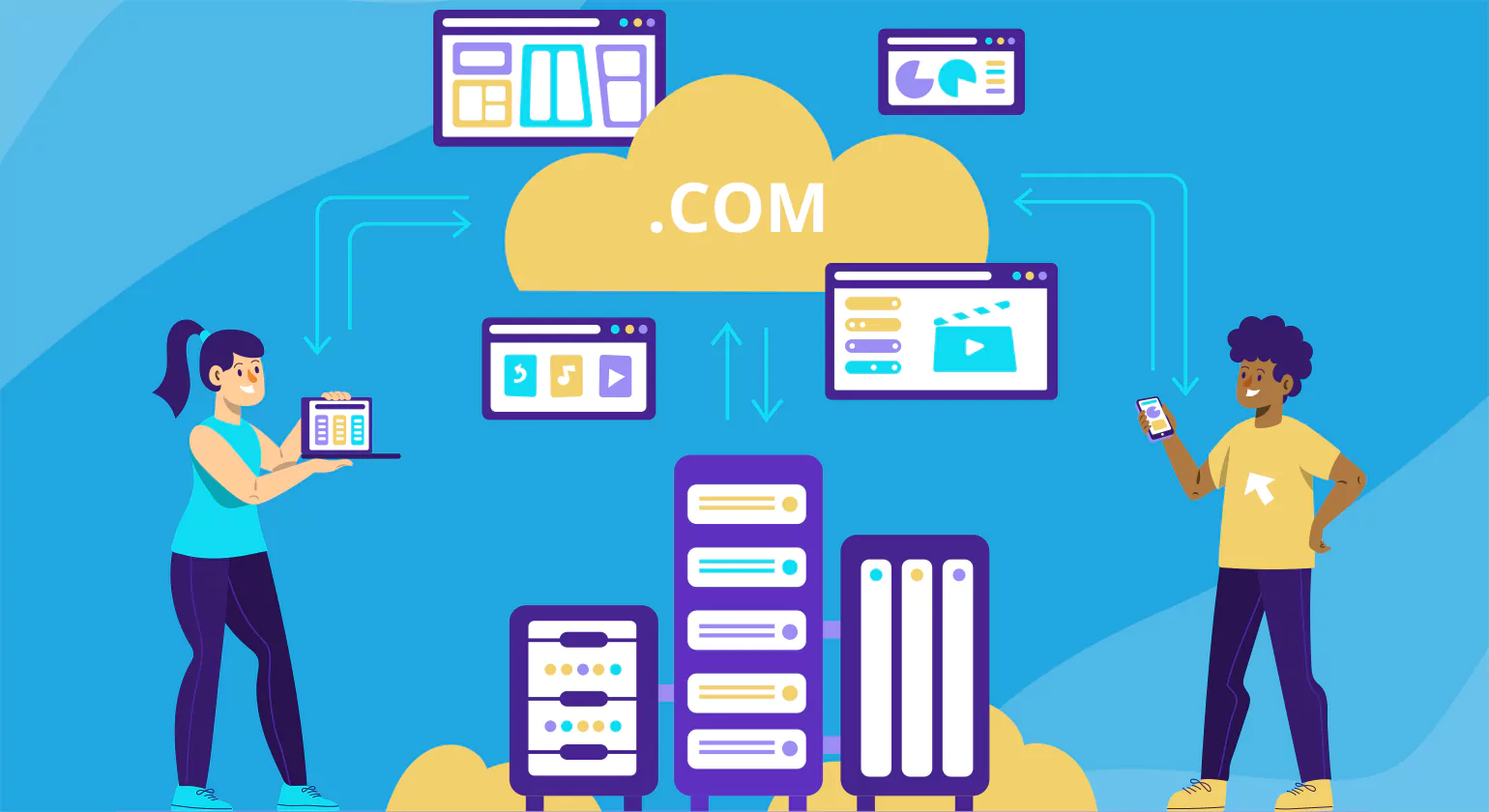
When selecting a cloud content management system (CMS), businesses must prioritize essential features and considerations that align with their needs. The right CMS helps streamline content creation, improve collaboration, and ensure robust security. Here’s a look at the key features and considerations for choosing the best cloud CMS solution.
1. Scalability
Scalability is crucial in a cloud CMS as businesses often experience growth or changing demands. The platform should be able to handle an increasing volume of content and users without compromising performance. A scalable CMS allows businesses to easily upgrade storage, integrate additional features, and accommodate new requirements as they evolve. Whether you’re a small startup or a large enterprise, scalability ensures that the system can grow with you.
2. Ease of Use and User Interface
A cloud based content management system should have an intuitive user interface that simplifies content management tasks for users at all skill levels. User-friendliness is important for ease of content creation, editing, and collaboration. A platform that’s easy to navigate reduces training time, improves user adoption, and boosts team productivity. Look for customizable dashboards, drag-and-drop features, and a simple content creation process to minimize the learning curve.
3. Collaboration Tools
Effective collaboration is one of the primary reasons businesses opt for a cloud CMS. Features like real-time content editing, commenting, and version control enable teams to collaborate seamlessly. Additionally, the CMS should allow users to assign tasks, track content progress, and manage approvals. These tools foster a more efficient workflow, especially for remote or distributed teams working on various aspects of the same project.
4. Integration Capabilities
5. Security and Compliance
Security is paramount when managing digital content, especially for businesses dealing with sensitive data. A cloud CMS should offer strong security features, including data encryption, multi-factor authentication, and access controls to protect against unauthorized access. Compliance with industry regulations, such as GDPR, HIPAA, or CCPA, ensures that your CMS adheres to data protection laws, helping avoid legal penalties and building trust with customers.
6. Customization and Flexibility
Every business has unique Cloud Content management needs. A flexible CMS should offer customization options that allow businesses to tailor the platform to their specific requirements. This includes customizing workflows, content types, user roles, and branding. A cloud CMS with open-source or modular capabilities gives businesses the freedom to add or remove features as their needs change, making it a more adaptable long-term solution.
7. Performance and Reliability
The CMS platform must deliver high performance and reliability, particularly during peak traffic periods. Slow load times or system downtimes can result in lost opportunities and reduced customer satisfaction. Ensure that the platform offers high uptime guarantees, fast content delivery, and low latency, especially if you’re operating in global markets. Look for cloud providers with a strong reputation for service reliability.
7. Performance and Reliability
The CMS platform must deliver high performance and reliability, particularly during peak traffic periods. Slow load times or system downtimes can result in lost opportunities and reduced customer satisfaction. Ensure that the platform offers high uptime guarantees, fast content delivery, and low latency, especially if you’re operating in global markets. Look for cloud providers with a strong reputation for service reliability.
8. Mobile Optimization
In today’s mobile-first world, your CMS should provide mobile-friendly content management tools. Mobile optimization ensures that users can access, create, and manage content from smartphones or tablets, providing flexibility for teams on the go. This feature is especially beneficial for businesses with a mobile workforce or those that need to update content quickly from different locations.
9. Analytics and Reporting
A cloud CMS should offer built-in analytics and reporting features to track content performance. Insights into user behavior, engagement, and conversion rates help businesses make data-driven decisions and refine their content strategies. Reporting tools enable businesses to assess the effectiveness of their content in real-time and adjust their approach accordingly for improved outcomes.
10. Cost-Effectiveness
While a cloud based content management can offer advanced features, businesses need to consider the cost-effectiveness of the platform. The solution should align with your budget and deliver value for the price. Cloud CMS platforms typically offer subscription-based pricing models, so businesses can choose plans that fit their size and usage needs. A cost-effective platform helps organizations balance functionality with affordability.
How to Choose a Content Management System For Cloud

Selecting the right Content Management System (CMS) for the cloud is a major decision that impacts how efficiently your business creates, manages, and delivers digital content. A cloud-based CMS offers flexibility, scalability, and remote accessibility, but choosing the right one requires understanding your goals and evaluating key features. Here’s a step-by-step guide to help you make the best choice.
1. Understand Your Content and Business Needs
Begin by identifying the type of content you create, how frequently you update it, and who manages it. Determine whether you need a simple blogging platform, a multi-site enterprise system, or a CMS that integrates with eCommerce and marketing tools. Clarifying your needs helps narrow down options that truly match your workflow.
2. Evaluate Scalability and Performance
A cloud CMS should support your growth without compromising performance. Look for platforms that offer auto-scaling, fast content delivery, and global hosting. As your content volume and traffic increase, your CMS must adapt seamlessly without downtime or performance drops.
3. Prioritize Security and Compliance
Security is critical for any cloud solution. Choose a CMS that provides strong data encryption, access controls, user authentication, and regular security updates. If you operate in regulated industries, ensure the CMS supports compliance standards such as GDPR, HIPAA, or ISO certifications.
4. Check Integration Capabilities
Your CMS should integrate easily with your existing tools: CRM, analytics, marketing automation, eCommerce, and cloud storage. Modern cloud CMS platforms offer API-first or headless architecture, making integration easier and enabling flexible content delivery across websites, apps, and digital touchpoints.
5. Assess Ease of Use and Collaboration Features
A good cloud CMS should offer a user-friendly interface so editors, marketers, and developers can work efficiently. Look for features like drag-and-drop content editing, role-based permissions, version control, and team collaboration tools. Smooth workflows lead to faster content production and fewer errors.
6. Compare Costs and Pricing Models
Cloud CMS platforms usually follow subscription-based pricing. Compare plans, storage limits, user access, and add-on costs. Make sure the platform’s long-term pricing aligns with your budget and growth expectations.
7. Review Support and Reliability
Finally, choose a CMS with reliable customer support, documentation, and uptime guarantees. Cloud platforms should offer 24/7 support, regular updates, and strong service-level agreements to ensure smooth operations.
Cloud CMS vs Self-Hosted CMS: Understanding the Differences

When choosing a content management system (CMS) for your business, it’s important to understand the differences between cloud-based CMS and self-hosted CMS solutions. Both have unique benefits and drawbacks, depending on your specific needs. A cloud CMS is a fully managed platform hosted on remote servers, accessible via the internet. It allows businesses to manage content without worrying about server maintenance, security updates, or infrastructure management. With Cloud Content management, businesses benefit from automatic software updates, scalability, and enhanced collaboration features, making it ideal for teams that need flexibility and ease of access from anywhere.
In contrast, a self-hosted CMS is installed on a server managed by the business itself or through a third-party hosting provider. This gives businesses complete control over their content management system, including customizations, updates, and security measures. While this approach offers greater flexibility, it also requires more technical expertise and resource investment. Businesses must handle server management, software installations, security patches, and backups. This makes self-hosted CMS more suitable for organizations with dedicated IT resources or specific customization needs.
The decision between a cloud CMS and a self-hosted CMS largely depends on your business priorities. A cloud CMS is a great choice for companies seeking ease of use, scalability, and lower upfront costs. It’s particularly beneficial for businesses with remote teams or limited technical resources. On the other hand, a self-hosted CMS may be the better option for businesses that need complete control over their CMS and have the technical capabilities to manage it. Understanding these differences will help you select the CMS that best suits your organizational goals and technical capabilities.
Security and Compliance in Cloud Based Content Management

Security and compliance are critical considerations when adopting a cloud based content management system. Since sensitive business data is often stored in the cloud, ensuring its protection against unauthorized access, data breaches, and cyberattacks is essential. Reputable cloud CMS platforms offer strong encryption methods, both at rest and in transit, to safeguard content. Multi-factor authentication (MFA) and role-based access controls also enhance security by limiting access to sensitive data based on user roles. Additionally, cloud providers typically maintain robust backup and disaster recovery systems, ensuring that data is recoverable in case of unexpected events.
Compliance with industry regulations, such as GDPR, HIPAA, or CCPA, is another key aspect of cloud CMS security. Businesses must ensure that the CMS provider adheres to relevant legal requirements to protect customer privacy and avoid hefty fines. Many cloud content management systems are designed to meet compliance standards, offering features like audit logs, data retention policies, and user access tracking. These features not only protect sensitive information but also help businesses stay compliant with regional and international data protection laws. By choosing a secure and compliant cloud CMS, organizations can mitigate risks and build trust with customers.
How to Create a Content Management System
Creating a Content Management System (CMS) is a strategic process that involves planning, designing, developing, and testing a platform that allows users to manage digital content easily. Whether you’re building a CMS for websites, applications, or enterprise needs, the goal is to create a system that simplifies content creation, editing, publishing, and storage. Here’s how you can develop a functional and user-friendly CMS from scratch.
Define the Purpose of Your CMS
Start by understanding why you are building the CMS and who will be using it. Determine whether it is for personal use, business websites, or large-scale enterprise content. This clarity helps you structure essential features such as content editing, media management, user roles, and workflow processes. A well-defined purpose ensures your CMS aligns with user needs and future goals.
Design the Architecture
After defining the purpose, focus on designing the architecture. Decide how data will be stored, retrieved, and displayed. Choose whether your CMS Cloud will be monolithic, modular, or headless. Plan your database structure, user authentication, and content model. A clear and scalable architecture ensures your CMS can expand as requirements grow.
Develop the Core Features
Start building the fundamental components that every CMS needs. This includes a content editor, media library, user management system, and publishing workflow. The editor should be simple and intuitive so users can write, edit, and format content without technical skills. Include features for saving drafts, scheduling posts, and managing versions. These core features make content operations seamless for your users.
Create an Easy-to-Use Interface
User experience plays a critical role in how well your CMS Cloud performs. Design a clean, organized interface that makes navigation simple. Ensure users can find tools quickly, upload media effortlessly, and publish content without confusion. A user-friendly dashboard improves productivity and reduces the learning curve for non-technical users.
Implement Security Measures
Security is essential for any CMS. Implement strong authentication, access controls, and protection against threats like SQL injection or cross-site scripting. Secure data storage and regular updates keep your CMS reliable and safe for long-term use.
Test and Optimize
After development, test your CMS Cloud thoroughly. Check for usability issues, loading speed, compatibility, and bugs. Gather user feedback and refine the system for smoother performance. Continuous optimization ensures your CMS remains efficient and ready for real-world use.
Conclusion
In conclusion, cloud content management offers businesses a flexible, scalable, and secure way to store, manage, and collaborate on content. Its advantages, including enhanced accessibility, real-time collaboration, and cost-efficiency, make it an essential tool for modern organizations. With robust security features and seamless integrations with other business systems, cloud CMS ensures smooth operations while protecting sensitive data. By adopting a cloud-based solution, businesses can streamline their content workflows, improve productivity, and ensure compliance with industry standards, ultimately driving growth and efficiency in an increasingly digital world.
FAQs
What does CMS stand for in marketing?
CMS in marketing stands for Content Management System. It is a platform that enables businesses to create, manage, and publish digital content easily. Popular CMS platforms like WordPress and HubSpot streamline website updates, blogs, and marketing campaigns without requiring advanced coding knowledge, enhancing efficiency in digital marketing strategies.
What is CMS in cloud computing?
In cloud computing, CMS stands for Cloud Management System. It enables users to manage cloud resources, applications, and services. CMS streamlines cloud deployment, monitoring, and scaling, providing centralized control and enhancing efficiency. It simplifies operations for businesses leveraging cloud infrastructures like AWS, Azure, or Google Cloud.
What does content cloud do?
A content cloud is a digital ecosystem that stores, manages, and distributes content seamlessly across platforms. It enables businesses to centralize content workflows, enhance collaboration, and deliver content effectively. Content clouds, like Box and Adobe Experience Manager, empower organizations to scale digital transformation and optimize content management processes.
What is the cloud storage content?
Cloud storage content refers to digital files, including documents, images, videos, and databases, stored on cloud servers. Accessible from any internet-enabled device, it provides secure, scalable storage solutions. Platforms like Google Drive and Dropbox allow businesses and individuals to manage data effortlessly while ensuring data backup and remote access.
Is Dropbox a content management system?
Dropbox is not a traditional content management system (CMS); instead, it is a cloud storage and collaboration platform. While it lacks CMS-specific features like website publishing, Dropbox facilitates file sharing, version control, and team collaboration, making it useful for managing and organizing digital content.














