

Table of Contents
Introduction to Application Deployment Tools
In today’s fast-paced development landscape, ensuring smooth and efficient software releases is more critical than ever. As a result, application deployment tools have become essential for automating and streamlining deployment workflows. Moreover, they help teams minimize downtime while improving consistency across environments. Consequently, organizations are rapidly shifting from manual processes to these modern solutions.
What Is an Application Deployment Tool?
An application deployment tool is a software solution designed to automate the process of releasing applications across various environments. It manages tasks such as code packaging, configuration, and deployment to servers or cloud platforms. These tools help reduce human error and accelerate delivery timelines. Ultimately, they enable teams to deploy updates and new features with greater confidence and control.
Evolution of Deployment Practices: From Manual to Automated
In the early days of software deployment tools, deployment was a manual and time-consuming task. Developers had to transfer files, configure servers, and test applications individually, which often led to inconsistencies and errors. As projects grew in complexity, these manual methods became inefficient and risky. Therefore, teams started seeking better ways to manage the deployment process.
Over time, automation transformed the way applications were delivered. Tools emerged that could handle repetitive tasks, enforce consistency, and integrate seamlessly with version control systems. As a result, deployment became faster, more reliable, and easier to scale across environments. Today, automated application deployment tool is considered a best practice in modern DevOps workflows.
Why Use Modern Application Deployment Tools in 2026?
As software ecosystems evolve, using a modern application deployment tool in 2026 offers undeniable advantages for teams aiming to stay competitive. Not only do these tools enhance deployment efficiency, but they also improve system reliability and security. Furthermore, they reduce human errors and help maintain consistent performance across multiple environments. Thus, businesses can innovate faster and respond quickly to market demands.
- Automates repetitive deployment tasks
- Reduces configuration errors and downtime
- Supports integration with CI/CD pipelines
- Enhances visibility and control over releases
- Scales easily with cloud-native environments
How Application Deployment Tools Work

1. Core Features and Deployment Workflow
Deployment tools automate key tasks like packaging, configuring, and deploying applications, ensuring efficiency and consistency. They integrate with version control systems to ensure the right version is deployed. Additionally, features like automated application deployment tools rollback help maintain stability by quickly reverting to previous versions when necessary. This streamlined workflow significantly reduces human error and accelerates the deployment process.
2. Integration with CI/CD Pipelines
Modern deployment tools work seamlessly with Continuous Integration and Continuous Delivery (CI/CD) pipelines to ensure smooth and automated deployment cycles. This integration allows teams to push updates quickly and safely by automatically triggering deployment after successful builds. Consequently, developers can maintain a continuous flow of code changes, which leads to faster time-to-market. Additionally, it enables teams to spot issues early in the process, reducing the chances of failure in production.
3. Deployment Targets: Cloud, On-Premises, and Hybrid Environments
One of the major strengths of deployment tools is their versatility in supporting various deployment targets, including cloud, on-premises, and hybrid environments. Whether deploying to public cloud platforms like AWS or Azure, or managing on-premises infrastructure, these tools offer the flexibility to handle both. Moreover, hybrid environments, which combine cloud and on-premises resources, can be managed effectively using these tools. This adaptability ensures that teams can deploy applications wherever their infrastructure resides, providing scalability and cost-effectiveness.
Top 10 Application Deployment Tools in 2026
In 2026, the landscape of deployment tools continues to evolve, offering innovative solutions to meet growing demands. As a result, platforms like Jenkins, GitLab CI/CD, and AWS CodeDeploy have become essential for automating release processes. Furthermore, these tools provide increased scalability, security, and flexibility, enabling teams to deliver software deployment tools faster and with greater reliability.
1. Jenkins
Jenkins is a leading open-source automation server that streamlines the CI/CD process. As a result, it enables faster and more reliable software delivery. Moreover, it supports a vast range of integrations, making it highly adaptable. With its strong community backing, Jenkins continues to evolve and meet modern deployment needs. Additionally, it offers extensive plugin support and scalable automation capabilities for teams of all sizes.
USPs
- Highly Extensible: With a massive library of plugins, Jenkins can adapt to nearly any development workflow or environment.
- Vibrant Community Support: Maintained by a large and active open-source community that ensures continuous updates and improvements.
- Cross-Platform Functionality: Works seamlessly on Windows, Linux, and macOS, offering broad compatibility.
Key Features
- Pipeline as Code: Create flexible and reusable pipelines to manage deployment processes with better control.
- Tool Integration: Easily integrates with a wide array of developer tools such as Git, Maven, Docker, and Kubernetes, enhancing its utility as an application deployment tool.
- Parallel Execution: Supports distributed builds across multiple nodes, speeding up the deployment process.
- Automated Testing: Ensures code stability and quality before release through robust automated testing capabilities.
2. GitLab CI/CD
GitLab CI/CD is a powerful feature of GitLab’s all-in-one DevOps platform, designed to simplify software delivery. As one of the leading application deployment tools, it enables teams to automate builds, tests, and deployments from a single interface. In addition, its tight integration with version control improves workflow visibility. Ultimately, GitLab CI/CD accelerates release cycles while enhancing code quality. It also supports advanced pipeline configurations, seamless collaboration, and scalable deployment options for both small teams and large enterprises.
USPs
- All-in-One Platform: Combines source code management and CI/CD in a single UI, reducing toolchain complexity.
- Built-in Security: Offers integrated security testing (SAST, DAST, etc.) as part of the pipeline, enhancing compliance.
- Scalable Architecture: Adapts easily to projects of any size, from startups to large enterprises.
Key Features
- Auto DevOps: Automatically configures CI/CD pipelines based on best practices, saving setup time.
- Flexible Runners: Supports both shared and custom runners, giving teams full control over execution environments.
- Visual Pipeline Editor: Helps teams build and monitor pipelines easily with an intuitive graphical interface.
- Robust Integration: As an application deployment tool, it integrates with Kubernetes, Docker, Jira, and more to streamline workflows.
3. GitHub Actions

GitHub Actions brings powerful automation directly into your GitHub repositories. Consequently, it allows developers to build, test, and deploy code without switching platforms. Additionally, it supports complex workflows with ease using YAML configurations. As a result, teams can streamline delivery while staying within the GitHub ecosystem. Furthermore, GitHub Actions offers extensive integration options, reusable workflow templates, and scalable automation capabilities that simplify CI/CD for teams of all sizes.
USPs
- Native GitHub Integration: Seamlessly embedded in GitHub, reducing setup time and boosting developer productivity.
- Reusable Workflows: Supports modular and shareable workflows to promote consistency across projects.
- Marketplace Access: Offers thousands of pre-built actions to speed up development and deployment tasks.
Key Features
- Event-Driven Automation: Triggers workflows based on GitHub events like pushes, pull requests, or issue comments.
- Matrix Builds: Run tests across multiple environments simultaneously to ensure compatibility.
- Container Support: Easily deploy with Docker containers and integrate with Kubernetes.
- Versatile Functionality: As an application deployment tools, GitHub Actions integrates with third-party services and supports multi-cloud deployments.
4. AWS CodeDeploy
AWS CodeDeploy is a fully managed application deployment tools that automates code delivery to any instance, whether on-premises or in the cloud. Consequently, it reduces the complexity of manual deployments, enabling faster and more reliable updates. Furthermore, it integrates with other AWS services, ensuring seamless cloud-native deployments. Ultimately, AWS CodeDeploy enhances scalability while maintaining high availability.
USPs
- Seamless Integration with AWS: Native integration with AWS services like EC2, Lambda, and S3 for comprehensive application deployment automation.
- Automated Rollback: Automatically rolls back failed deployments, ensuring system stability and reducing downtime.
- Flexible Deployment Strategies: Supports blue/green and in-place deployments, giving teams control over their release process.
Key Features
- Multi-Platform Support: Deploy to Amazon EC2 instances, on-premises servers, and serverless applications using AWS Lambda.
- Centralized Monitoring: Monitor deployments in real-time with detailed logs and metrics through Amazon CloudWatch.
- Scalability: Easily scales with growing infrastructure needs.
- Continuous Integration: Seamlessly integrates with other tools like Jenkins and GitHub Actions to support CI/CD workflows.
5. Octopus Deploy
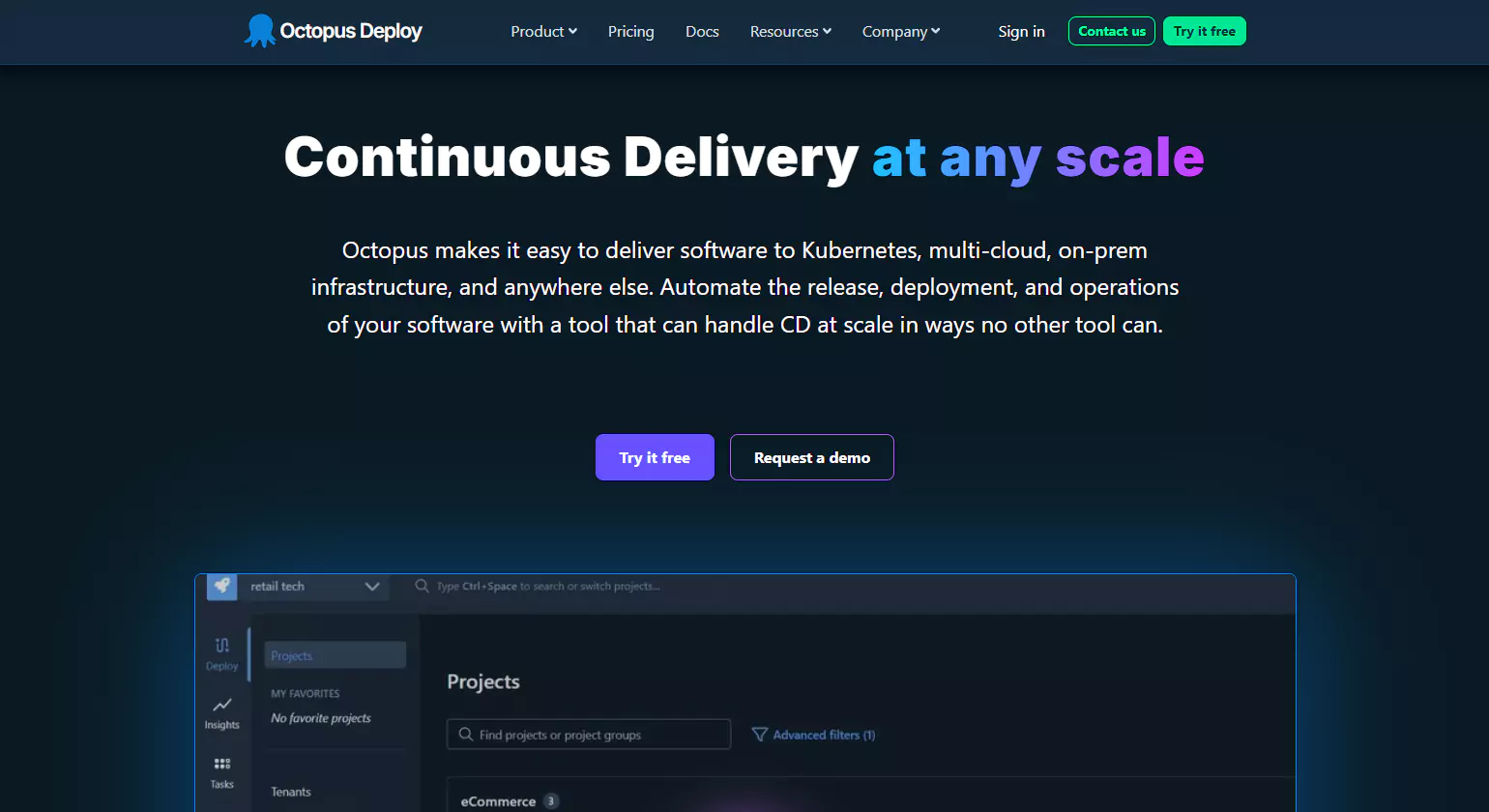
Octopus Deploy is a powerful application deployment tool that automates the deployment process for .NET, Java, and other technologies. As a result, it simplifies complex workflows, providing an intuitive user interface to manage releases. Additionally, Octopus supports multiple deployment environments, ensuring flexibility. Ultimately, it enables teams to deliver software deployment tools with confidence and speed. Moreover, its robust automation capabilities, release tracking features, and seamless integration with CI/CD pipelines make it ideal for modern DevOps-driven organizations.
USPs
- Easy-to-Use Interface: Offers a user-friendly interface that simplifies complex deployment processes and workflows.
- Flexible Deployment Targets: Supports cloud, on-premises, and hybrid environments, providing scalability.
- Comprehensive Release Management: Allows full lifecycle management, from initial builds to deployment and monitoring.
Key Features
- Automated Deployments: Automates multi-environment deployments, reducing human error and improving reliability.
- Integration with Popular Tools: Integrates with Jenkins, Azure DevOps, and GitHub Actions for a seamless CI/CD pipeline.
- Rollback Capabilities: Offers the ability to automatically roll back to previous versions in case of deployment failures.
- Environment and Role-Based Deployments: Customize deployments to different environments and roles with ease.
6. Ansible
Ansible is a leading application deployment tools that simplifies the automation of infrastructure and application deployment. Consequently, it enables teams to manage complex environments with ease and efficiency. Additionally, its agentless architecture makes it easy to deploy without requiring additional software installations. Ultimately, Ansible streamlines configuration management and deployment across diverse systems. Furthermore, its extensive library of modules, strong community support, and seamless integration with CI/CD pipelines enhance productivity and accelerate reliable software delivery.
USPs
- Agentless Architecture: No need for agents or daemons, reducing the overhead and complexity of managing deployments.
- Playbooks for Reusability: Use YAML-based playbooks to define and automate deployment processes across multiple environments.
- Scalable and Flexible: Easily scales from small projects to large, complex environments.
Key Features
- Declarative Language: Describes the desired state of systems, making deployments more predictable and repeatable.
- Integration with Cloud Providers: Works seamlessly with AWS, Azure, Google Cloud, and more, enabling cloud-native deployments.
- Multi-Platform Support: Deploys to a wide range of systems including Linux, Windows, and macOS.
- Extensive Modules: Ansible includes a wide range of modules to automate nearly every aspect of deployment, from databases to servers.
7. Spinnaker
Spinnaker is a robust application deployment tool designed for continuous delivery, enabling teams to deploy applications to multiple cloud providers. Consequently, it enhances deployment speed and reliability with a focus on cloud-native environments. Additionally, it offers powerful integration with Kubernetes, AWS, Google Cloud, and other platforms. Ultimately, Spinnaker helps organizations manage complex deployment pipelines with greater control. Moreover, its automated rollbacks, monitoring capabilities, and support for multi-region deployments ensure safer, scalable, and highly efficient software delivery.
USPs
- Multi-Cloud Support: Natively supports multiple cloud providers, making it ideal for hybrid and multi-cloud environments.
- Integrated Deployment Pipelines: Offers customizable deployment pipelines that help automate the entire software release lifecycle.
- Advanced Rollback and Monitoring: Ensures reliable rollbacks and provides in-depth monitoring of application deployments.
Key Features
- Continuous Delivery Pipelines: Build, test, and deploy code with automated, repeatable pipelines across cloud environments.
- Cloud-Native Focus: Optimized for modern cloud-native application architectures, such as Kubernetes and microservices.
- High Availability: Supports high availability and disaster recovery setups, ensuring minimal downtime during deployments.
- Advanced Deployment Strategies: Supports canary, blue/green, and rolling deployments, ensuring safer, more controlled releases.
8. CircleCI
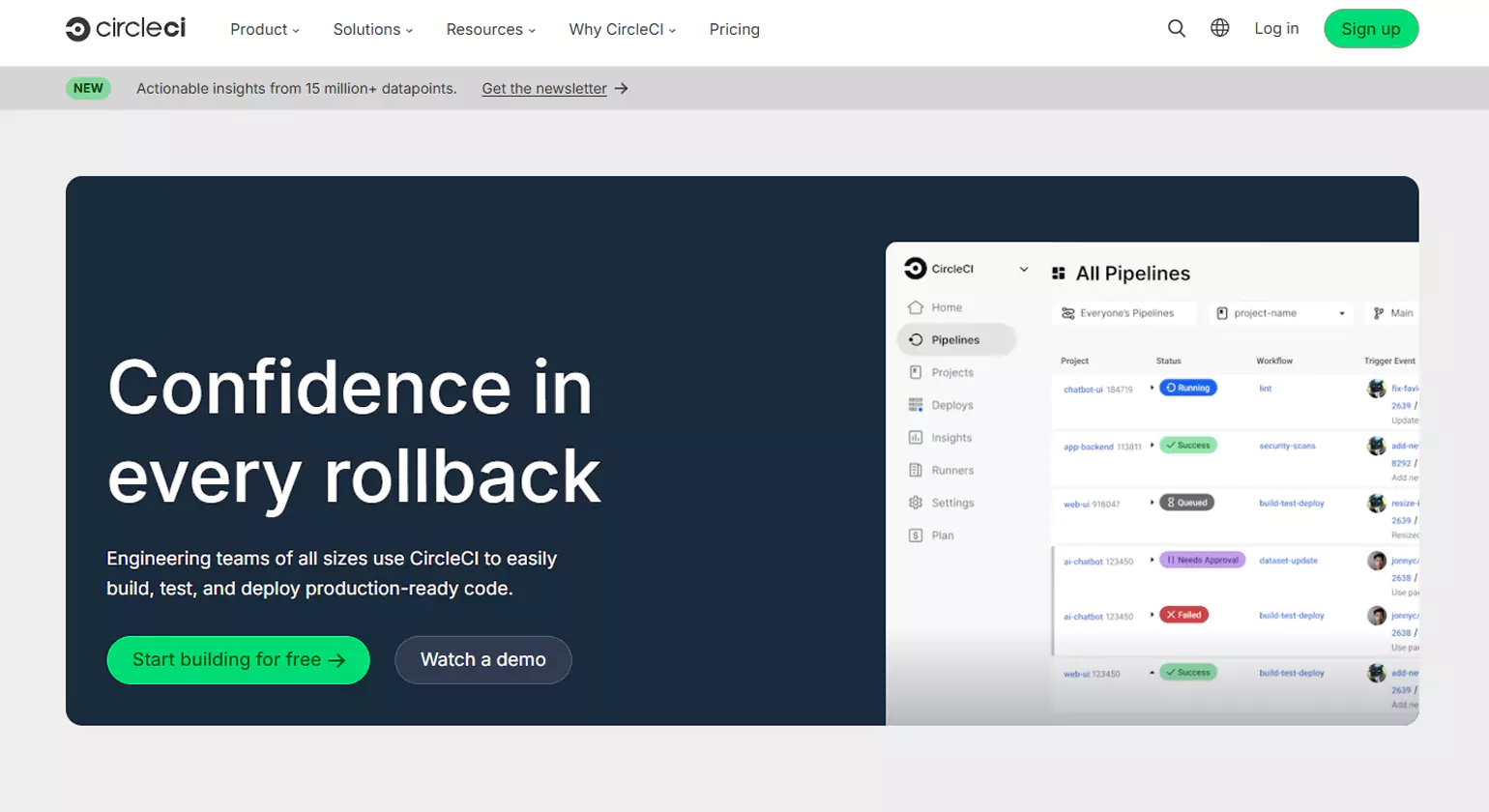
CircleCI is a leading application deployment tools that accelerates the software delivery process by automating continuous integration and delivery pipelines. As a result, it enables faster deployments and more reliable software updates. Furthermore, its cloud-native architecture ensures scalability for teams of any size. Ultimately, CircleCI helps developers focus on building great applications while automating the deployment workflow. Additionally, its robust integrations, customizable pipelines, and insightful analytics provide teams with full visibility, efficiency, and control over the entire CI/CD process.
USPs
- Fast and Scalable: Optimized for speed, CircleCI can scale with your team’s needs, handling thousands of builds in parallel.
- Native Integration with GitHub and Bitbucket: Seamlessly integrates with popular code repositories, streamlining the CI/CD process.
- Cloud and Self-Hosted Options: Offers both cloud-based and on-premises solutions, providing flexibility to meet different infrastructure needs.
Key Features
- Customizable Workflows: Design custom workflows to run tests, builds, and deployments with full control over the process.
- Docker Support: Deep Docker integration, allowing for containerized environments and simplified deployments.
- Automated Testing: Automatically tests code across multiple environments, reducing bugs and improving software quality.
- Continuous Integration: As an application deployment tool, it integrates with tools like Jenkins and GitHub Actions to streamline the entire CI/CD pipeline.
9. Bamboo

CircleCI is a leading application deployment tool that accelerates software delivery by automating continuous integration and delivery pipelines. As a result, it enables faster deployments and more reliable software updates. Its cloud-native architecture ensures scalability for teams of any size, allowing organizations to grow without disruption. Ultimately, CircleCI helps developers focus on building high-quality applications while streamlining the deployment workflow. Additionally, its robust integrations, customizable pipelines, and detailed analytics provide teams with full visibility, efficiency, and control over the entire CI/CD process, making it an ideal choice for modern DevOps practices.
USPs
- Integrated with Atlassian Products: Tight integration with Jira, Bitbucket, and other Atlassian tools enhances collaboration and workflow visibility.
- Customizable Deployment Pipelines: Create and manage automated application deployment tools pipelines to streamline the software release process.
- Rich Reporting and Analytics: Provides detailed insights into build and deployment status, helping teams monitor progress.
Key Features
- Parallel Testing: Run tests across multiple environments to speed up the feedback loop and improve code quality.
- Scalable Deployment Options: Supports a range of deployment targets, from small applications to enterprise-scale projects.
- Deployment Triggers: Set up automated triggers for deployment, ensuring that the latest code changes are always deployed promptly.
- Comprehensive Integration: As an application deployment tools, it integrates with CI/CD tools like Jenkins, Git, and Docker, making it versatile.
10. Capistrano
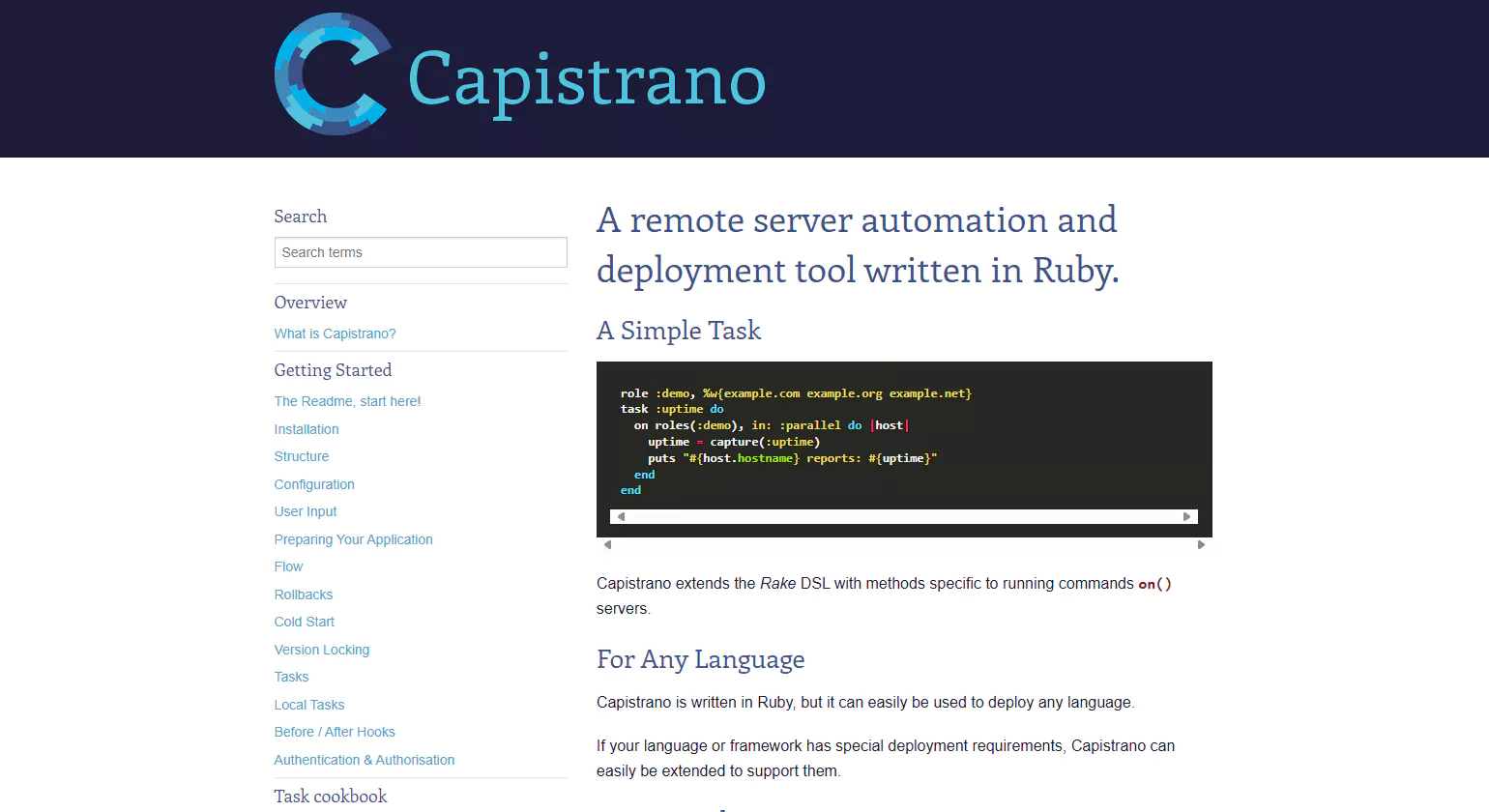
Capistrano is an open-source application deployment tool designed for automating deployment tasks across remote servers. As a result, it helps teams streamline the release process, reducing errors during manual deployments. Additionally, Capistrano is highly customizable, allowing tailored deployment workflows to fit specific project needs. Ultimately, it provides an efficient and reliable solution for managing complex server-side deployments with ease. Moreover, its active community and plugin ecosystem extend functionality, making it adaptable for various applications and environments.
USPs
- Remote Server Deployment: Capistrano automates deployment tasks across multiple servers simultaneously, ensuring consistency.
- Scriptable Workflow: Uses Ruby scripts to customize deployment workflows for specific project needs.
- Community Support: Backed by an active open-source community, ensuring continuous updates and plugin enhancements.
Key Features
- Parallel Deployment: Deploy applications to multiple servers at once, speeding up the release process.
- Rollback Support: Easily roll back to previous versions in case of issues during deployment.
- SSH Integration: Secure SSH integration allows for easy communication with remote servers, making deployments safer.
- Scalable Deployment: As an application deployment tool, it scales from small projects to large enterprise-level systems.
Key Concepts of Application Deployment Tools
1. Automation and Efficiency
Application deployment tool automate the release process, reducing manual effort and errors. They enable developers to deploy code consistently across different environments, improving reliability and speed.
2. Continuous Integration and Delivery (CI/CD)
Most deployment tools support CI/CD pipelines. This ensures frequent code updates are automatically tested and delivered, enabling faster innovation and shorter release cycles.Lorem ipsum dolor sit amet, consectetur adipiscing elit. Ut elit tellus, luctus nec ullamcorper mattis, pulvinar dapibus leo.
3. Environment Consistency
These tools help maintain consistency across development, testing, and production environments. Configuration files, containerization (e.g., Docker), and infrastructure as code (IaC) eliminate “it works on my machine” issues.
4. Rollback and Recovery
Deployment tools offer rollback features that allow quick reversion to a previous stable version in case of failure. This minimizes downtime and business disruption.
5. Integration with DevOps Ecosystem
Deployment tools integrate with version control systems, monitoring tools, testing frameworks, and cloud platforms. This unifies workflows and supports collaborative DevOps practices.
6. Scalability and Flexibility
Modern tools can handle deployments across large-scale infrastructure, supporting microservices and multi-cloud environments. They adapt easily to various application architectures and business needs.
7. Security and Compliance
They provide role-based access controls, audit logs, and policy enforcement, ensuring secure deployment processes that meet compliance standards.
8. Real-time Monitoring and Feedback
Monitoring capabilities track deployment status, performance, and errors in real-time. This helps teams respond quickly to issues and optimize future deployments.
Benefits of Using Application Deployment Tools
Faster Releases
One of the biggest advantages of using application deployment software is significantly faster release cycles. Automation removes time-consuming manual deployment steps, allowing development teams to push updates, patches, and new features more quickly. Continuous Integration and Continuous Deployment (CI/CD) pipelines ensure that code moves smoothly from development to production without delays. This speed not only boosts productivity but also helps businesses respond faster to market changes and customer demands.
Improved Reliability
Application Deployment Tool enhance reliability by ensuring consistent, repeatable, and standardized deployment processes. By automating tasks, these tools reduce the chances of human error and environmental inconsistencies. They also provide real-time monitoring and rollback features, ensuring stable releases even when issues arise. With reliable deployments, businesses can maintain application uptime, enhance user experience, and build stronger trust with customers.
Reduced Manual Errors
Manual deployments are prone to mistakes—misconfigurations, incorrect commands, or missing files. Application Deployment Tool eliminate these risks by automating the entire process. They enforce predefined workflows, validate configurations, and maintain uniformity across environments. As a result, deployments become more accurate, predictable, and secure, helping teams avoid costly downtime and post-release fixes.
How Application Deployment Tools Support DevOps
Role in CI/CD Pipelines
In CI/CD pipelines, Application Deployment Tools streamline the process of building, testing, and deploying code. They automate each stage—from code integration to delivery—ensuring that applications are deployed consistently with minimal human error. This automation supports rapid iteration, enabling teams to release updates, patches, and features quickly. By integrating with version control, testing frameworks, and cloud environments, these tools help maintain a continuous flow of reliable software delivery.
Enhancing Collaboration
DevOps thrives on collaboration between development, operations, QA, and security teams. application deployment software improve collaboration by providing a centralized platform where everyone can track deployments, monitor changes, and view logs. Shared visibility ensures better communication, reduces misunderstandings, and fosters a more efficient workflow. Teams can collaborate in real time, resolving issues faster and maintaining alignment throughout the development lifecycle.
Supporting Agile Development
Agile development relies on frequent iterations, fast feedback, and quick releases. application deployment software enable this by automating repetitive tasks, reducing deployment time, and providing quick rollback options. Their ability to integrate with Agile project management tools allows teams to move from development to deployment in shorter cycles. This supports continuous improvement, faster innovation, and high-quality software delivery.
How to Choose the Right Application Deployment Tool
Business Needs Assessment
The first step in choosing the right Application Deployment Tool is understanding your business needs. Determine whether your focus is speed, reliability, cost reduction, compliance, or scalability. Identify deployment frequency, application complexity, and the level of automation required. A clear assessment helps you match a tool’s capabilities—such as multi-environment support, rollback features, or security controls—with your business priorities. This ensures the tool directly contributes to operational efficiency and strategic goals.
Infrastructure Requirements
Your infrastructure plays a major role in tool selection. Consider whether you are deploying on-premises, in the cloud, or in hybrid environments. Evaluate compatibility with your existing servers, containers, orchestration systems (like Kubernetes), and operating systems. The tool should support your preferred tech stack and offer flexibility for future growth. Understanding these requirements helps prevent compatibility issues and ensures smooth integration into your current and future environment.
Team Skill Level & Integrations
The tool you choose must match your team’s skill level. Some tools require deep DevOps expertise, while others offer simplified interfaces for easy adoption. Evaluate available integrations with CI/CD pipelines, version control systems, monitoring tools, and collaboration platforms. Seamless integrations help streamline workflows, reduce learning curves, and boost team productivity.
Feature Comparison of The Best Deployment Tools

1. Deployment Speed, Rollbacks & Reliability
When evaluating application deployment tools, speed and reliability are crucial factors. Fast deployment ensures minimal downtime, while reliable rollback options allow for quick recovery in case of issues. Tools that offer efficient deployment pipelines and automated application deployment tool rollbacks can significantly reduce the risk of failures. As a result, businesses can maintain a smooth user experience and ensure continuity during updates.
2. Security, Compliance & Credential Management
Security is a top priority when using deployment tools, as they manage sensitive application configurations and data. Modern tools provide robust security features, including encryption and compliance with industry standards. Moreover, they offer efficient credential management, ensuring that only authorized personnel can make deployment changes. This strengthens security and helps businesses adhere to regulatory requirements, safeguarding both applications and sensitive information.
3. Automation, Scripting & Workflow Flexibility
Automation is a key feature of application deployment tool, allowing teams to automate repetitive tasks and focus on more strategic activities. Scripting and customizable workflows further enhance this flexibility, enabling teams to tailor processes to their specific needs. With automated pipelines, manual intervention is minimized, improving consistency and reducing errors. This level of customization makes deployment tools ideal for diverse development environments and teams.
4. Integration Support: DevOps Tools & Cloud Providers
A deployment tool’s ability to integrate with other DevOps tools and cloud platforms is vital for a seamless workflow. Whether it’s connecting with version control systems or cloud providers like AWS and Azure, strong integration support ensures smooth collaboration between tools. This interconnectivity allows for automated pipelines that work across multiple platforms, improving deployment efficiency. Consequently, teams can scale and optimize their processes in cloud-native environments.
5. Pricing Models: Free, Open-Source, and Enterprise Plans
Deployment tools come with a variety of pricing models, ranging from free and open-source options to enterprise plans. For startups and smaller teams, free or open-source tools can provide essential deployment features at no cost. On the other hand, larger enterprises may require premium features and support, which are typically offered through paid plans. Choosing the right pricing model depends on the specific needs and budget of the organization.
Best Application Deployment Tools By Use Case

1. Startups and Agile Teams
For startups and agile teams, application deployment tools that prioritize speed and simplicity are ideal. These tools offer streamlined workflows, allowing teams to quickly deploy updates with minimal setup. By automating deployment processes, they reduce the time spent on manual tasks, enabling agile teams to focus on innovation. As a result, startups can scale their operations efficiently without compromising on quality or speed.
2. Enterprises with Complex Deployments
Enterprises with complex deployments require application deployment software tool that provide scalability, security, and advanced configuration options. These tools can handle large-scale infrastructure and integrate with existing enterprise systems. Additionally, they support robust versioning and rollback features, ensuring that even in complex environments, deployments remain reliable. With these tools, large organizations can manage multiple deployments seamlessly across various environments.
3. Cloud-Native & Kubernetes Applications
For cloud-native and Kubernetes-based applications, deployment tools designed for containerized environments are essential. These tools offer powerful features for automating the deployment, scaling, and management of containerized applications. Integration with Kubernetes orchestration allows teams to manage clusters effectively while maintaining flexibility. Consequently, cloud-native apps can be deployed more efficiently, taking full advantage of cloud infrastructure.
4. Multi-Region and Multi-Cloud Strategies
Organizations pursuing multi-region and multi-cloud strategies need deployment tools that can handle cross-platform deployments. These tools ensure applications are deployed consistently across different regions and cloud providers. By supporting various cloud environments like AWS, Azure, and Google Cloud, these tools offer flexibility and redundancy. As a result, businesses can ensure optimal performance and availability across diverse infrastructure.
5. Zero-Downtime Deployments
Zero-downtime deployments are critical for businesses that require uninterrupted services. Tools that support rolling updates, blue-green deployments, or canary releases are ideal for minimizing disruptions during updates. These deployment strategies allow teams to deploy new versions without affecting the live environment. By leveraging these tools, businesses can provide seamless user experiences while continuously improving their applications.
Key Considerations Before Choosing a Deployment Tool

When choosing a deployment tool, consider factors like compatibility with your existing stack, team skillsets, and the budget for licensing costs. Scalability is essential to ensure the tool grows with your needs, while avoiding vendor lock-in provides future flexibility. Careful evaluation of these aspects will ensure you select the right solution for your business.
Compatibility with Existing Stack
When selecting application deployment tools, it’s crucial to ensure compatibility with your current tech stack. Tools that integrate seamlessly with your existing tools and infrastructure make the deployment process smoother and more efficient. Transitioning to a new deployment tool should not disrupt your existing systems or workflows.
- Check integration with version control systems.
- Ensure compatibility with your cloud providers.
- Look for support for containerized applications.
- Evaluate ease of integration with monitoring tools.
Team Skillsets and Training Requirements
A deployment tool’s effectiveness depends on your team’s ability to use it efficiently. It’s essential to assess the required skill set and the level of training your team will need. Tools with intuitive interfaces or extensive documentation can help reduce the learning curve and speed up adoption.
- Evaluate your team’s familiarity with deployment tools.
- Consider available support resources and training.
- Look for user-friendly interfaces.
- Assess the tool’s learning curve before committing.
Budget and Licensing Costs
The cost of deployment tools can vary significantly, depending on features and deployment scale. It’s important to align your choice with the budget and licensing structure that best suits your organization. Additionally, consider the long-term costs associated with updates, support, and scaling.
- Compare pricing models (free, open-source, or paid).
- Assess any hidden costs such as training or additional features.
- Consider long-term scalability and associated costs.
- Factor in the cost of vendor support and updates.
Scalability and Vendor Lock-In Risk
Scalability is a key factor to consider when choosing a deployment tool, especially for growing organizations. Additionally, some tools may create vendor lock-in, which can limit future flexibility. It’s important to choose a tool that can scale with your needs while offering the ability to switch providers if necessary.
- Ensure the tool can scale as your infrastructure grows.
- Look for support for hybrid or multi-cloud environments.
- Avoid tools with excessive vendor lock-in.
- Consider flexibility for future technology shifts.
Common Mistakes in Application Deployment Software

Common mistakes in application deployment software can lead to disruptions, delays, and security vulnerabilities. Skipping critical steps like testing in staging environments, failing to implement rollback mechanisms, or neglecting security configurations can all have serious consequences. By addressing these common pitfalls and adopting best practices, you can ensure smoother deployments, minimize risks, and maintain a reliable application performance.
Skipping Staging or Testing Environments
Skipping staging or testing environments before deploying can lead to unexpected issues in production. It’s essential to thoroughly test applications in environments that mimic production conditions. This practice helps catch errors early and ensures that the final deployment is stable and reliable.
- Always test new versions in a staging environment first.
- Simulate production load and usage scenarios.
- Validate all integrations and dependencies before deployment.
- Use automated testing tools to speed up the process.
Lack of Rollback or Fail-Safe Mechanisms
Failing to implement rollback or fail-safe mechanisms is a common mistake in application deployment tools. Without these safeguards, reverting to a stable version during a failure becomes difficult. Having a robust rollback plan ensures that issues can be quickly addressed without causing extended downtime.
- Implement automated rollback procedures for failed deployments.
- Maintain backup versions for easy restoration.
- Test rollback mechanisms regularly to ensure reliability.
- Use blue-green or canary deployments for gradual rollouts.
Ignoring Security Configurations and Secrets Management
Neglecting security configurations and proper secrets management can expose your application to vulnerabilities. It’s critical to encrypt sensitive data and ensure that all configurations are securely stored. Tools that support proper security practices will help you avoid potential breaches and protect your users.
- Encrypt passwords, API keys, and sensitive data.
- Use environment-specific secrets management tools.
- Regularly audit security configurations for compliance.
- Ensure proper access control for deployment tools.
Conclusion
In conclusion, selecting the right deployment tool and following best practices is essential for ensuring a smooth, efficient, and secure deployment process. By carefully considering factors like compatibility, scalability, and security, you can avoid common mistakes that might disrupt your operations. Ultimately, investing in the right application deployment tools and strategies will not only enhance your team’s productivity but also improve the overall user experience, leading to long-term success.
Read More >>>
Top Continuous Deployment Tools for DevOps Success in 2026
Top Automated Deployment Tools for Faster Software Delivery
FAQs
1. What’s the difference between a deployment tool and a CI/CD pipeline tool?
While both play roles in automating software delivery, deployment tools focus specifically on the process of releasing applications to target environments, whereas CI/CD pipeline tools encompass the entire workflow—from code integration and testing to deployment and monitoring.
2. Can I use multiple deployment tools for one project?
Yes, it’s possible to use multiple deployment tools within a single project. For instance, you might use Jenkins for continuous integration and Octopus Deploy for managing releases across various environments. However, it’s essential to ensure that these tools integrate well to avoid conflicts and maintain a streamlined deployment process.
3. How do deployment tools handle sensitive information like API keys?
Most modern deployment tools incorporate secrets management features or integrate with third-party solutions like HashiCorp Vault. These tools securely store sensitive information in encrypted formats, ensuring it’s accessible only during deployments and reducing the risk of exposure.
4. Are free deployment tools scalable for growing businesses?
Free deployment tools such as Jenkins, GitHub Actions, and GoCD can be scalable for growing businesses. However, as your business expands, you might encounter limitations in features or support. In such cases, considering enterprise plans or additional integrations may be necessary to meet the increasing demands.
5. How can I ensure zero downtime during deployments?
To achieve zero downtime, deployment strategies like blue/green deployments or canary releases are effective. These methods involve deploying the new version alongside the old one and gradually shifting traffic, allowing for monitoring and rollback if issues arise, thus ensuring continuous availability.
6. Can deployment tools support hybrid cloud environments?
Yes, many deployment tools are designed to support hybrid cloud environments. They enable seamless deployment across on-premises infrastructure and multiple cloud platforms, providing flexibility and consistency in managing applications across diverse environments.














