

Table of Contents
Key Takeaways
Records management software is a digital solution that helps businesses securely store, organize, track, and manage records throughout their lifecycle while ensuring compliance and easy access.
Covers essential features like security, access control, automation, and integrations for efficient document handling.
Explains key benefits such as improved productivity, reduced risks, and regulatory compliance.
Guides you on choosing the right solution based on business needs and scalability.
Includes real-world use cases, compliance insights, and top tools to help you make informed decisions.
Introduction
Still drowning in files, emails, and scattered documents? You’re not alone—and it’s probably costing you more time than you think. Records management software changes that by bringing everything into one organized, secure system. No more digging through folders or worrying about compliance. In this guide, I’ll walk you through how it works, what to look for, and how to choose the right solution for your business.
What Is Records Management Software?

It’s more than just an electronic filing cabinet—it’s a comprehensive system that assists businesses in organizing, securing, and managing all their vital information. Consider all the documents that your business deals with: contracts, invoices, personnel files, regulatory documents, or customer agreements. Without a proper system in place, these documents can be lost, misplaced, or mishandled. This solution makes sure that all documents are stored in one organized, searchable, and secure place.
It also assists in monitoring the life cycle of every document, from the time of creation to the point of archiving or deletion, so that nothing slips through the cracks. For instance, a legal contract can be set to automatically remind when it is due for renewal, archive it when it is completed, and then delete it when it is no longer required by law.
How Does Records Management Software Work?
Underlying all this, record management software is essentially a ‘smart filing assistant.’ When you or your team create or upload a document, the software automatically assigns it tags, metadata, and folder structures. It then makes sure that only approved members of your team have access to sensitive data, and that all changes or downloads are tracked.
For example, an HR professional can upload employee files and set access permissions, and the software will automatically alert them to deadlines for reviews or retention. Most software also has the ability to integrate with email, cloud storage, or CRM software, making it easy to automatically capture records from your team’s daily activities.
Key Features of Records Management Software for Businesses
- Centralized Storage: All your records in one location, easily accessible.
- Advanced Search & Retrieval: Find any document quickly using keywords, tags, or filters.
- Access Controls & Permissions: Ensure sensitive files are only seen by authorized staff.
- Audit Trails & Activity Logs: Track who viewed or edited documents, ensuring accountability.
- Automated Retention Policies: Automatically archive or delete files based on company or legal rules.
- Integration Capabilities: Connect with email, cloud storage, or CRM tools for streamlined workflows.
Why Businesses Need Records Management Software for Compliance and Efficiency
However, manually handling records is prone to risks and takes time. Losing an important contract or missing a compliance deadline may result in serious legal or financial repercussions. A specialized system eliminates such risks by ensuring that the documents are safely archived, properly indexed, and easily accessible.
In addition, it increases productivity. During audits, client inquiries, or company-wide reviews, your team will be able to immediately access the necessary documents rather than rummaging through physical files or searching through various digital storage locations. In addition to compliance, it also improves teamwork—your team members can access and work on the same documents safely, monitor changes, and maintain a record of updates.
Use Cases of Records Management Software by Industry
Let’s keep this practical—records management software works differently depending on the industry and the type of data being handled.
Healthcare
- Secure patient records and ensure regulatory compliance
- Enable quick access to medical histories
- Reduce risks of data breaches
Best for: Clinics and hospitals managing sensitive patient data
Legal
- Organize case files and legal documents
- Maintain version control and audit trails
- Support compliance and discovery processes
Best for: Law firms handling confidential case records
Finance
- Meet regulatory requirements like GDPR and SOX
- Protect financial records and transactions
- Automate retention and deletion policies
Best for: Banks, fintech companies, and accounting teams
Enterprises
- Manage large volumes of organizational data
- Automate workflows and approvals
- Improve collaboration across teams
Best for: Businesses scaling operations and data management
Government
- Manage public records efficiently
- Ensure transparency and compliance
- Support long-term data archiving
Best for: Government bodies handling public information
Top 10 Records Management Software in 2026

As organizations handle increasing volumes of digital data, software records management (RMS) becomes critical for secure storage, regulatory compliance, and streamlined workflows. Below are the leading RMS platforms in 2026, each offering unique advantages for various industries and business sizes.
1. SharePoint
Microsoft SharePoint is a top-tier Records Management Software solution, deeply integrated with Microsoft 365. It offers customizable workflows, document versioning, role-based access, and automated retention policies. Enterprises benefit from native compliance with standards like HIPAA, GDPR, and ISO through Microsoft Purview. It’s ideal for organizations already embedded in the Microsoft ecosystem.
Strengths: Designed for enterprise collaboration and content management, SharePoint offers document libraries, workflow automation, version control, and strong compliance support.
Key Integrations: Seamlessly integrates with Microsoft 365, including Teams, Outlook, and OneDrive.
Pricing Model: Available via Microsoft 365 subscriptions; pricing varies by business tier and features.
Core Key Features
Centralized Document Management – Store, organize, and co-edit files with version control
Team & Communication Sites – Collaboration spaces + company-wide intranet pages
Role-Based Security – Control access at site, folder, or file level
SharePoint Lists – Track tasks, projects, assets, and data (no coding needed)
Workflow Automation – Automate approvals, requests, and notifications
Microsoft 365 Integration – Works seamlessly with Teams, Outlook, OneDrive, Word & Excel
2. Adobe Acrobat
Adobe Acrobat is essential for secure PDF handling, offering tools for redaction, e-signatures, document certification, and archival. It’s widely used in HR, legal, and procurement teams that require document integrity and legal proofing.
Strengths: Industry leader in secure PDF editing, digital signatures, document protection, and long-term archival.
Key Integrations: Natively integrates with Adobe Cloud and Microsoft tools.
Pricing Model: Licensed per user, with options for monthly or annual plans.
Core Key Features
Create & Convert PDFs – Turn Word, Excel, images, or web pages into professional PDFs
Edit PDFs – Modify text, images, and layouts directly inside PDFs
E-Signatures – Send, sign, and track documents digitally
OCR (Text Recognition) – Convert scanned files into searchable, editable text
Comment & Review Tools – Highlight, annotate, and collaborate in real time
Merge & Organize Files – Combine, split, reorder, or compress PDFs easily
3. Laserfiche
Laserfiche provides robust process automation and intelligent analytics tailored for highly regulated industries like government, education, and financial services. This Records Management Software features low-code workflow builders, electronic forms, digital signatures, and audit trails. Its security controls and compliance management make it a go-to for public sector document governance.
Strengths: Excels in business process automation, intelligent forms, and real-time analytics. Widely used in education, government, and financial sectors.
Key Integrations: Integrates with ERP systems and CRM platforms for unified data handling.
Pricing Model: Custom quote-based pricing depending on deployment size and requirements.
Core Key Features
Document Management – Centralized storage with fast search and version control
Workflow Automation – Automate approvals, routing, and business processes
Laserfiche Forms – Build digital forms and data capture workflows (no coding)
OCR & Data Extraction – Turn scanned files into searchable, structured data
Records Management – Apply retention policies and compliance rules
4. DocuPhase
DocuPhase focuses on intelligent document capture and end-to-end workflow automation. With features like OCR, document indexing, and dynamic forms, it streamlines document routing and approval. As a reliable software records management, it integrates well with ERP platforms and QuickBooks, making it a strong fit for finance and operations-driven environments.
Strengths: Known for document capture, digital forms, and process automation. It helps digitize complex workflows and reduce manual tasks.
Key Integrations: Works well with ERP systems and QuickBooks for streamlined finance operations.
Pricing Model: Offered through custom quotes tailored to business needs.
Core Key Features
Document Management – Centralized, searchable file storage with version control
Workflow Automation – Automate approvals, routing, and repetitive business processes
AP Automation – Invoice capture, coding, approvals, and payment workflows
Forms & Data Capture – Create digital forms and extract data (no coding required)
OCR & Intelligent Indexing – Turn scanned documents into searchable content
5. M-Files
Unlike traditional folder-based systems, M-Files organizes documents by metadata, making file retrieval intelligent and context-aware. Its AI engine classifies, tags, and suggests document actions automatically. The platform supports integrations with Microsoft Office, Salesforce, and Google Workspace, making it highly scalable for midsize and large enterprises.
Strengths: Uses metadata and AI for smart document classification and retrieval. Supports compliance and audit-ready workflows.
Key Integrations: Connects with Microsoft Office and Salesforce, enhancing document automation.
Pricing Model: Charges on a per-user, per-month basis depending on the feature set.
Core Key Features
Metadata-Driven Organization – Find documents by type, client, or project (no folders needed)
Smart Search – Instantly locate files across systems
Document Version Control – Track changes and restore previous versions
Workflow Automation – Automate approvals and business processes
Permissions & Security – Role-based access with full audit trails
6. OpenText
OpenText is built for complex enterprise environments, offering Records Management Software deep functionality in records lifecycle management, archiving, and legal hold capabilities. Its integrations with SAP and Oracle ERP systems make it ideal for global companies with strict data governance needs.
Strengths: Enterprise-grade platform offering complete document lifecycle management, records retention, and legal compliance tools.
Key Integrations: Deep integration with SAP, Oracle, and large-scale business applications.
Pricing Model: Custom quote-based model tailored for complex enterprise environments.
Core Key Features
Enterprise Content Management (ECM) – Centralized storage for documents and records
Workflow Automation – Automate approvals and business processes
Records & Compliance Management – Retention policies, audit trails, governance
Advanced Search & Retrieval – Quickly find content across repositories
Security & Access Controls – Role-based permissions and data protection
7. Alfresco
As an open-source, cloud-native platform, Alfresco provides maximum flexibility for hybrid IT environments. It features BPM (Business Process Management), custom workflows, and robust content governance. Industries that require code-level customization and open standards—like insurance and healthcare—prefer Alfresco.
Strengths: Offers open-source architecture, strong compliance tools, and scalable cloud deployment. Suitable for custom workflow development.
Key Integrations: Integrates with Google Workspace and Microsoft tools for hybrid environments.
Pricing Model: Freemium model for the community edition, with custom pricing for enterprise-grade features.
Core Key Features
Document Management – Centralized storage with version control and smart search
Open-Source Flexibility – Highly customizable to fit unique business needs
Workflow Automation – Automate approvals and content-driven processes
Records Management – Retention policies, audit trails, and compliance support
Advanced Search – Quickly locate content across repositories
Security & Permissions – Role-based access with enterprise-grade protection
8. Box
Box delivers secure, cloud-based content management with rich collaboration tools. It supports automated retention, legal holds, and classification policies. With integrations across Slack, Zoom, Microsoft, and Google, it enhances remote teamwork and digital workflows for modern enterprises.
Strengths: Cloud-native platform offering enterprise content management, governance policies, and real-time collaboration.
Key Integrations: Works with Slack, Microsoft 365, Google Workspace, and over 1,500 apps.
Pricing Model: Tiered subscription plans based on user count and storage needs.
Core Key Features
Cloud File Storage – Centralized, secure access to documents anytime
Easy File Sharing – Share files and folders with granular permissions
Real-Time Collaboration – Work together on documents across devices
Advanced Security Controls – Encryption, access policies, and audit trails
Workflow Automation – Automate approvals and content processes
9. Zoho WorkDrive
Zoho WorkDrive is an affordable and secure platform designed for SMBs. It offers file sharing, team folders, detailed audit trails, and integrations across the Zoho suite. Its simplicity and cost-efficiency make it suitable for growing startups.
Strengths: Affordable, user-friendly solution for SMBs, offering secure file management, audit logs, and team folders.
Key Integrations: Best with Zoho apps, but also integrates with Microsoft Office.
Pricing Model: Offers low-cost, per-user monthly plans with business-friendly tiers.
Core Key Features
Team Folders – Centralized shared workspace for teams and departments
Cloud File Storage – Secure access to files from anywhere
Real-Time Collaboration – Co-edit documents and leave comments instantly
Advanced Sharing Controls – Passwords, expiry links, and access permissions
Version History – Track changes and restore previous file versions
Smart Search – Quickly find files across team folders
10. DocuSign
DocuSign goes beyond e-signatures by offering a full document lifecycle management system with workflow automation, secure storage, identity verification, and compliance with global standards (e.g., eIDAS, ESIGN). Ideal for legal, finance, and real estate sectors.
Strengths: Specializes in legally binding e-signatures, secure document workflows, and automated agreement processes.
Key Integrations: Integrates with Salesforce, Google Workspace, Microsoft, and other contract platforms.
Pricing Model: Offered in tiered subscription plans based on feature access and user roles.
Core Key Features
eSignature – Send and sign documents from anywhere, on any device
Agreement Workflow Automation – Automate approvals and contract processes
Audit Trails & Compliance – Tamper-proof records for every signature
Document Templates – Reuse common contracts and forms
Bulk Send – Send agreements to multiple recipients at once
Advanced Security – Encryption, identity verification, and access controls
Document Management vs. Records Management What’s the Difference?

Understanding the differences between Document Management Systems (DMS) and records management system software (RMS) is essential for organizations seeking to manage information effectively. Although both systems deal with handling documents and data, their purposes, scope, and functionalities vary significantly.
Key Distinctions
Document Management System:
A Document Management System (DMS) primarily supports the creation, storage, and sharing of documents. It facilitates collaboration by allowing multiple users to work on documents, track changes, and maintain version control. Thefocuss lies in managing active documents that are frequently accessed and edited. DMS offers tools for organizing files, enabling efficient search, and providing easy access across teams or departments. However, its scope generally ends once documents become inactive or require long-term retention.
Records Management Systems
records management system software (RMS), by contrast, oversee records throughout their entire lifecycle—from creation through retention to eventual disposal. RMS emphasizes compliance with legal, regulatory, and organizational policies governing record retention and privacy. This includes maintaining strict controls over how long records are kept, who can access them, and when they must be securely destroyed. RMS provides detailed audit trials, retention schedules, and holds that records meet all necessary compliance requirements. The system is designed to preserve the authenticity, reliability, and integrity of records as official evidence of business activities.
How They Complement Each Other
DMS and RMS often work best when integrated to address different stages of document and record handling. In practice, documents actively used in daily operations are managed within the DMS environment, benefiting from collaborative features and easy editing. Once documents reach a stage where they become records—meaning they serve as official proof of transactions or decisions—they are transferred to an RMS platform. This handoff ensures that records receive the specialized oversight required for retention, compliance, and eventual disposition.
Using both systems in tandem supports a comprehensive information governance strategy. The DMS maintains flexibility and efficiency in document creation and collaboration, while the RMS enforces discipline and control over critical records. Clear policies defining when and how documents transition from DMS to RMS help maintain organizational consistency and reduce risks associated with information mismanagement.
Essential Features of Records Management Software

1. Document Capture and Indexing
A robust software records management must offer automated document capture capabilities. This means the system can ingest documents from multiple sources such as scanners, emails, and digital uploads seamlessly. Once captured, the software should automatically tag and categorize these documents using intelligent indexing. This tagging often includes metadata like date, author, document type, and keywords, enabling easier organization and quicker access later. Automated indexing significantly reduces manual data entry errors and improves overall efficiency.
2. Access Controls and Permissions
Security is paramount when dealing with sensitive records. Effective records management system software implements strict role-based access controls (RBAC). This ensures that only authorized personnel can view, edit, or delete certain records based on their job roles and responsibilities. Permissions can be granular—ranging from read-only to full administrative rights—helping organizations protect confidential information and comply with privacy regulations like GDPR or HIPAA. Audit logs often complement access controls by tracking who accessed or modified documents.
3. Audit Trails and Compliance Tracking
To maintain transparency and accountability, software records management solutions include detailed audit trails. These logs record every action taken on a document—such as creation, edits, access, sharing, or deletion—along with timestamps and user identities. This feature is crucial for internal audits and regulatory compliance, providing an evidential trail in case of disputes or inspections. Compliance tracking modules may also help organizations adhere to industry-specific standards and legal mandates by enforcing retention policies and generating compliance reports.
4. File Retention and Archiving
Managing the lifecycle of records is vital to avoid clutter and legal risks. The software should provide automated file retention schedules based on predefined policies. For example, certain documents may need to be retained for seven years, while others can be archived or securely deleted sooner. Archiving functionality ensures that older, inactive records are moved to long-term storage while remaining accessible if needed. This automation reduces human error and ensures that organizations meet statutory retention requirements.
5. Search and Retrieval Capabilities
A key feature that enhances user experience is advanced search functionality. This includes full-text indexing, allowing users to find documents based on keywords anywhere within the document’s content, not just metadata. Filters and Boolean search options further refine results, saving time and boosting productivity. Quick retrieval is critical in high-demand environments such as legal firms or healthcare providers, where delays can impact business outcomes or compliance.
6. Integration with Other Systems
Modern records management must seamlessly integrate with other enterprise systems like ERP (Enterprise Resource Planning), CRM (Customer Relationship Management), and collaboration tools (e.g., Microsoft Teams, Slack). This interoperability allows for smooth data exchange and workflow automation, minimizing duplicate data entry and improving cross-departmental efficiency. Integration capabilities also future proof the software, enabling it to adapt as an organization’s technology stack evolves.
7. Version Control
Version control is critical in advanced record management to track changes made to documents over time. This feature allows users to access previous versions, compare changes, and restore earlier drafts if necessary. It prevents accidental overwrites and ensures that the document’s history is preserved, which is vital for audits and regulatory compliance.
8. Workflow Automation
Workflow automation streamlines routine processes like document approval, review cycles, and notifications. For instance, when a document is submitted, the system can automatically route it to the appropriate stakeholder for approval, track progress, and send reminders. This reduces manual intervention, speeds up operations, and enforces organizational policies consistently.
9. Mobile Access and Cloud Support
With increasingly remote and mobile workforces, the ability to access records securely from any device or location is essential. Many modern software records management systems offer cloud-based platforms or mobile apps, allowing users to retrieve and manage documents on the go. Cloud support also enhances disaster recovery by ensuring records are safely backed up offsite.
10. Data Encryption and Security Compliance
Beyond access controls, advanced encryption protects data both at rest and in transit. Record management software should comply with security standards such as ISO 27001, HIPAA, or SOC 2 to ensure that sensitive information remains confidential and secure from cyber threats.
Benefits of Using Records Management Software

1. Improved Efficiency and Productivity
Records management streamlines storing, organizing, and retrieving documents. Automated indexing and advanced search capabilities enable employees to access needed records quickly, reducing time spent on manual searches. Workflows speed up, allowing teams to focus on higher-value tasks and boosting overall productivity.
2. Enhanced Data Security and Privacy
Protecting sensitive information remains critical for any organization. records management solution employs robust security measures such as strong encryption, role-based access controls, and multi-factor authentication. Only authorized personnel can view or modify records, significantly reducing risks of data breaches and unauthorized access. Audit trails monitor who accessed or changed records, enhancing security and accountability.
3. Regulatory Compliance
Many industries face stringent regulations regarding data retention, privacy, and recordkeeping, including HIPAA, GDPR, SOX, and more. software records management supports organizations in maintaining compliance through automated retention schedules, compliance report generation, and secure archiving according to legal requirements. Risks of costly fines and legal complications reduce due to non-compliance prevention.
4. Cost Savings and Paperless Operations
Digitizing records and automating storage significantly reduces costs associated with physical storage space, printing, and manual handling of paper documents. Transitioning into a paperless environment cuts expenses and promotes sustainability efforts by reducing paper waste. The shift supports eco-friendly business practices and streamlines operations.
5. Disaster Recovery and Business Continuity
Digital records offer easier backup and restoration compared to paper files. records management system software frequently includes automatic backup features and disaster recovery plans, protecting critical data and enabling quick recovery after system failures, natural disasters, or cyberattacks.
6. Audit Readiness and Transparency
Maintaining organized records with detailed audit trails eases preparation for audits. The software provides clear logs of document histories, edits, and approvals, increasing transparency and simplifying compliance checks.
7. Customizable Retention Policies
Organizations set and automate customized retention and disposition schedules based on industry requirements or internal policies. Risks related to retaining unnecessary records reduce, ensuring timely and secure disposal of outdated or irrelevant information.
8. Improved Collaboration and Accessibility
Records management software allows multiple users to access and work on documents simultaneously from different locations. Cloud-based solutions provide remote access, facilitating teamwork and faster decision-making without delays caused by physical document handling.
How to Choose the Right Electronic Records Management Software System

Choosing the right electronic records management system can feel overwhelming—there are so many options, features, and technical details to consider. But it doesn’t have to be complicated. The key is to focus on your business needs, your team’s workflow, and long-term goals. A good system should make managing documents easier, faster, and more secure while supporting growth. Let’s break down the main factors to help you make a smart choice.
Key Features → What to Look for in a System
Begin by considering what your business actually requires in terms of functionality. Consider tools that enable easy document storage, organization, and retrieval. Functions such as search, versioning, and automatic retention policies can be huge time savers. For instance, a tool that automatically alerts you to contracts that are up for renewal can eliminate missed deadlines and stress for your team.
Security and Compliance → Ensuring Legal and Data Safety Requirements Are Met
Security is not a nice-to-have feature—your records may very well hold sensitive information, from personnel records to financial information. Ensure that the software provides strong access controls, encryption, and audit trails. It should also assist you in meeting the necessary regulations, such as GDPR, HIPAA, or sector-specific regulations. This is like securing your electronic filing cabinet with a key that only authorized persons can turn.
Cloud vs On-Premise → Deployment Options for Different Business Needs
Whether to opt for cloud-based systems or on-premise systems is a decision that depends on your business needs when selecting records management software. Cloud-based systems are very convenient and scalable, allowing you to access them from anywhere. On-premise systems, on the other hand, provide more control over data, which is usually preferred by large organizations with strict company policies.
Integration → How It Works with Existing Tools
Your new system should work well with the tools your team is already using. Whether it’s email platforms, CRM software, or project management tools, integration will save you time and minimize errors. For instance, automatically pulling invoices from your accounting software or syncing your HR documents.
User-Friendliness → Ease of Adoption for Employees
Even the best system will not be of use to you if your team has difficulty using it. This is why you need to look for a system that has an intuitive interface and is easy to train on. With a few hours of proper training, your team will be able to use the system without any issues.
Scalability → Can the System Grow with Your Business?
Your needs today may not be the same as your needs tomorrow. Pick a system that can grow with your business. This could mean handling more documents, more users, or more departments. Scalable systems will save you time and money in the long run because you won’t have to replace the system as your business grows.
Cost and ROI → Financial Considerations Before Making a Decision
Finally, think about the financial aspects. Consider the costs of acquisition, subscription, and possible savings due to increased efficiency. Perhaps a system that initially appears costly will pay for itself through error reduction, saving employee time, and avoiding compliance issues. It’s like making an investment in easier operations and reduced stress for your team.
Records Management Software for Compliance
GDPR
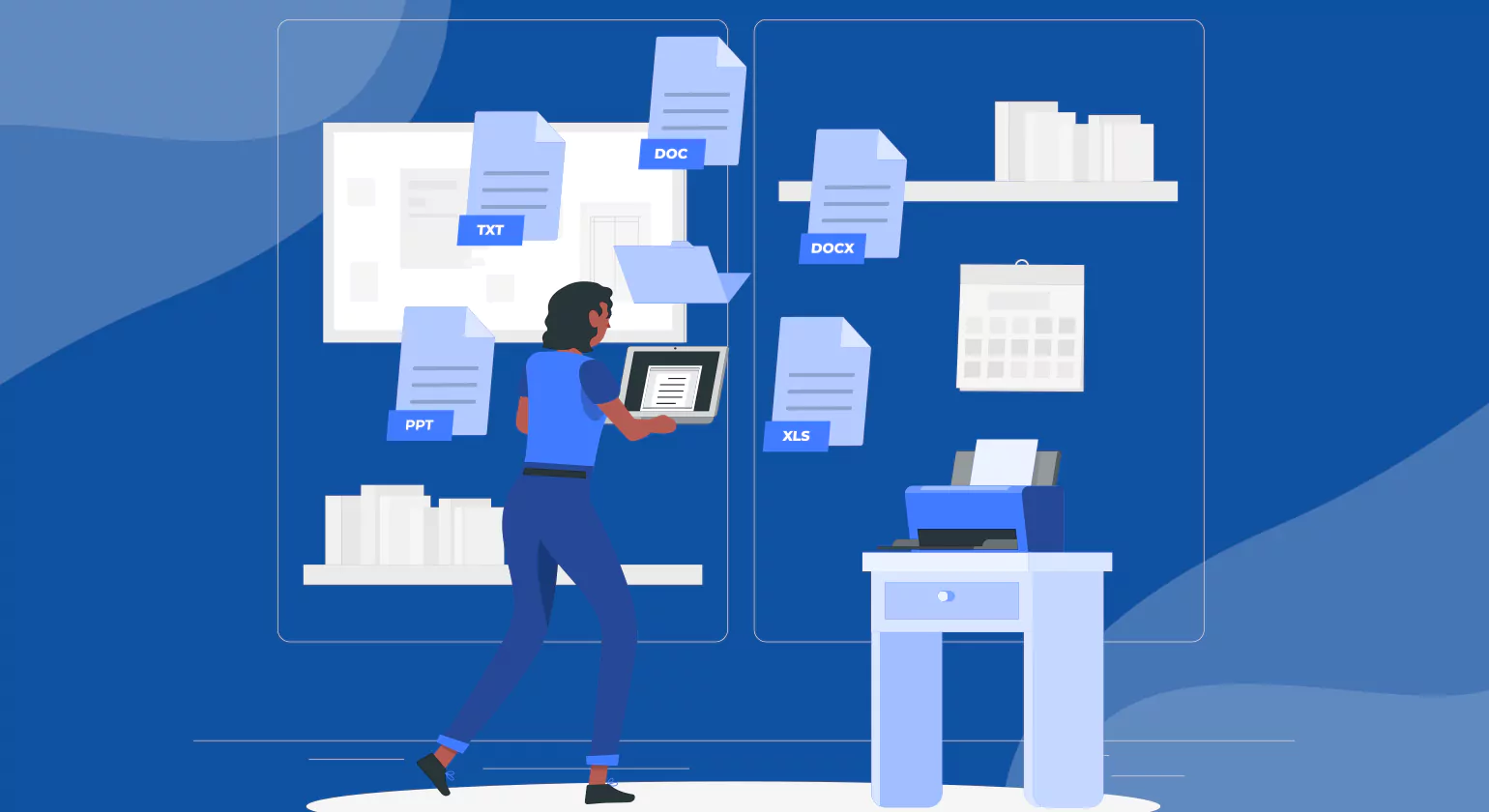
Records Management Software imposes rigorous data privacy measures. Manages consent records, data access, and the right to be forgotten through secure deletion. Automated retention policies ensure only essential data is retained, minimizing breach and penalty risks.
HIPAA
Protects patient information by controlling access and encrypting medical records. Maintains detailed audit trails for every data interaction. Secure storage and disposal prevent unauthorized disclosure of health data.
Industry-Specific Regulations
Adapts to various industry standards with customizable compliance features. Supports regulatory reporting, enforces retention policies, provides secure and transparent record management software to meet unique sector requirements.
Best Practices for Compliance
Retention Scheduling
Retention policies determine the period for which different types of records need to be retained. RMS automatically enforces these policies by categorizing records and assigning a predefined retention period to them. This helps avoid any potential non-compliance issues and unnecessary storage of data by ensuring that old records are disposed of as per the rules.
Audit Logs
Detailed audit trails record every action taken on Records Management, including creation, access, edits, transfers, and deletion. Each log entry is time-stamped and linked to specific user identities. These logs provide full visibility into record activity, helping organizations track unauthorized changes, support forensic investigations, and demonstrate compliance to auditors and regulators.
Secure Disposal
RMS executes secure deletion methods such as data wiping, shredding, or cryptographic erasure once a record’s retention period ends. The system ensures permanent, non-recoverable destruction of sensitive information. Secure disposal reduces legal liabilities, protects privacy, and meets data protection regulations such as GDPR and HIPAA.
Access Controls
Access permissions to view, edit, or delete records are restricted by role-based access controls. RMS administrators use roles to restrict access to information based on job roles, thereby allowing users to access information required for their tasks.
Legal Hold Management
Legal holds temporarily stop the normal retention and deletion policies for records that are under investigation or litigation. RMS helps in ensuring that these records are retained in their entirety and cannot be altered by anyone who is not authorized. Legal hold Document Tracking Services capabilities include detailed records of what is held, who holds it, and why.
Metadata Management
Structured metadata facilitates precise classification, indexing, and retrieval of records. Records Management captures descriptive metadata like date, author, type of document, and regulatory keywords. Metadata facilitates eDiscovery, audit compliance, and helps ensure that records are maintained in the correct context.
Compliance Monitoring and Alerts
RMS is constantly scanning for policy breaches such as early deletions, unauthorized access, or late disposal. Real-time notifications alert the compliance team to any irregularities, allowing for immediate remediation. The system also allows for customizable dashboards and reporting, providing visibility and evidence of proactive governance to regulatory bodies.
Best Practices for Software Records Management
Implementing a Governance Policy
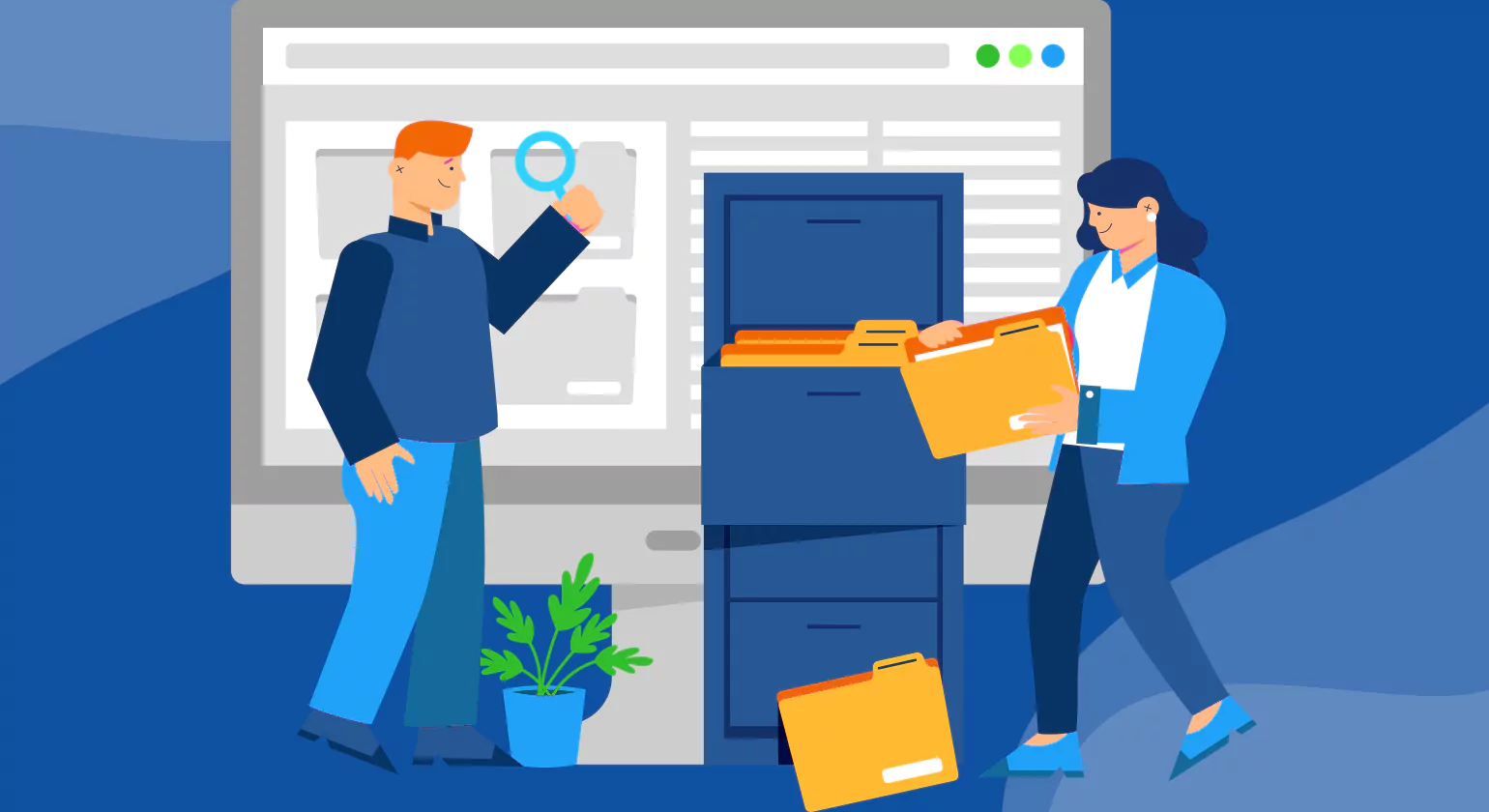
A well-defined governance policy establishes the foundation for effective software records management. It outlines clear responsibilities, access controls, classification standards, and retention rules. Policies ensure consistent handling of digital records across departments and systems. Defined accountability prevents data mismanagement, supports compliance with legal and regulatory standards, and provides a framework for auditing and risk management.
Staff Training and Adoption
Human error and lack of awareness remain major obstacles in software records management. Training programs educate staff on classification, retention, secure disposal, and the importance of compliance. Role-based training ensures employees understand their responsibilities based on system access and job function. Encouraging user adoption through hands-on guidance and user-friendly systems reduces resistance and fosters a culture of records accountability.
Periodic Audits and Continuous Improvement
Regular audits identify gaps in policy implementation, detect non-compliance, and ensure systems are functioning as intended. Audit findings provide actionable insights to improve workflows, strengthen security, and enhance data accuracy. Continuous improvement relies on feedback loops, performance metrics, and evolving regulatory requirements. Organizations stay compliant by adapting their advanced record management practices to new risks, technologies, and business needs.
Software Integration and Automation
Integrated software platforms streamline records lifecycle management by automatically tagging, storing, retaining, and disposing of data. Automation reduces manual errors, increases consistency, and simplifies audit trails. Integration with ERP, CRM, and document management systems ensures centralized control and visibility over records across all business units.
Scalability and Flexibility
Scalable solutions adapt to organizational growth and evolving regulatory landscapes. Flexible configurations support unique retention schedules, metadata requirements, and workflows without disrupting operations. Robust systems align with both current business demands and future expansion.
Conclusion
Records Management Software ensures secure, organized, and compliant handling of business records. It supports automated retention, access control, audit trails, and secure disposal. Centralized management improves data integrity, reduces manual errors, and enhances regulatory compliance. Scalable solutions adapt to organizational needs and integrate with existing enterprise systems. Cloud and hybrid capabilities offer flexibility and remote access. Built-in governance features support legal holds, transparency, and risk mitigation. AI-driven automation increases efficiency across the records lifecycle. Organizations benefit from improved operational control, faster information retrieval, and reduced compliance risks through modern, intelligent records management systems.
FAQs
1. How to choose the best records management software?
Choose the best records management software by evaluating security, compliance support, ease of use, and integration capabilities. Look for features like automation, audit trails, and scalability. Always match the solution with your industry needs to ensure efficiency, data protection, and long-term business growth.
2. How does records management software ensure compliance?
Records management software ensures compliance by automating retention schedules, enforcing access controls, and maintaining detailed audit trails. It secures data through encryption and ensures proper document classification. This helps businesses meet legal and regulatory standards while reducing risks of penalties or data breaches.
3. Who needs records management software?
Records management software is essential for businesses that handle large volumes of sensitive or regulated data. Industries like healthcare, finance, legal, and government rely on it for compliance and organization. It also benefits growing companies needing efficient, secure, and scalable document management systems.
4. What are records retention rules in software?
Records retention rules in software define how long documents must be stored and when they should be securely deleted. These rules are automated based on legal and business requirements. They help organizations stay compliant, avoid data clutter, and reduce risks associated with over-retention or premature deletion.
5. Can records management software track physical records?
Yes, records management software can track physical records by using barcodes, RFID tags, or indexing systems. It logs storage locations, movement history, and access details. This ensures accurate tracking, reduces misplacement risks, and allows businesses to manage both digital and physical records efficiently.
6. How scalable is records management software for enterprises?
Records management software is highly scalable, allowing enterprises to handle increasing data volumes, users, and workflows without performance issues. Cloud-based solutions offer flexible storage and integrations. This ensures businesses can expand operations while maintaining security, compliance, and efficient record handling.














